ALVA offer a collection of durable audio products built to the highest standards. Forming a perfect complement to the products from our partners from RME, there's an extensive selection of professional cables and a range of other items designed to make studio or on-stage life easier.
Appsys ProAudio is a Swiss design and manufacture company dedicated to creating digital solutions for broadcast, post-production, live and recording studios.
Calrec Audio supplies audio broadcast mixing consoles which are relied on by the world's most successful broadcasters.
Originally formed as a microphone manufacturer in 1964, Calrec celebrated 50 years as audio specialists in 2014.
The company's reputation for build quality, reliability and audio performance has made it an industry benchmark across the world.
DirectOut GmbH specialises in developing essential pro audio connectivity, networking and bridging solutions for broadcast, studio, live and installed sound applications.
The product range offers solutions that build bridges between different audio worlds, with support for MADI, SoundGrid, Dante, RAVENNA and the standards AES67 and SMPTE ST2110-30/31.
Founded in 1977 in Skanderborg, Denmark, Dynaudio has over 40 years of experience in producing cutting-edge loudspeakers.
From the classic BM Series and contemporary LYD Series, to the
high-end Core and M Series ranges of studio monitors, Dynaudio's focus
on transparency and accuracy has made them a household name of the
recording studio and broadcast audio industries.
In the UK, Dynaudio can be found in major studios such as Abbey Road
and Air Studios, as well as the next generation of film and game studios
mixing for surround sound and Dolby Atmos.
As well as the highly respected B4000+ organ module, Ferrofish offers a range of quality ADAT <> MADI <> Analogue converters that can be used for studio, live, post-production and broadcast applications and at a price that will suit any budget.
iConnectivity is a renowned professional audio manufacturer known for creating innovative and versatile products.
Headquartered in Calgary, Alberta Canada, the iConnectivity range includes audio and MIDI interfaces that are perfect for both studio and live sound.
The mioXL MIDI 1U rack unit is a favourite among studio and live sound professionals as a robust MIDI hub, whilst the unique PlayAUDIO1U interface allows for the connection of multiple host computers via USB.
Lauten Audio design and manufacture high quality studio microphones with a unique and distinctive character.
Based in Northern California, the company regularly collaborates with industry professionals when creating fresh and original sounding microphones.
RME is a German company founded in 1996 by a small group of professional audio engineers and designers.
From day one, the team have stuck to a strict philosophy of truly innovative design and unparalleled reliability in the field of digital audio.
Award-winning headphone and speaker calibration software / measurement microphones from Sonarworks.
Calibrate your headphones and studio monitors with Sonarworks' SoundID Reference software. Create, mix and deliver with confidence, trust every mixing decision, and deliver an accurate studio reference sound every time.
Used and loved by over 200,000 sound recording studios globally.
A selection of Ex-Demo, B-Stock and Open-Box products from our brands including RME, Ferrofish, Icon and Lauten Audio.
Available at reduced prices from new so grab yourself a bargain!
Synthax Audio UK is a
professional audio distributor supplying the recording studio, live
audio, broadcast, installation, education and scientific application
markets.
Representing a number of established pro audio manufacturers, we keep immediate stock of all key items
from our brands including RME Audio, DirectOut, Calrec Brio and Type R, Ferrofish,
Dynaudio studio monitors, iConnectivity, Appsys ProAudio Multiverter and SRC, and
Lauten Audio Microphones.
Comments Off on RME adds remote control for 12Mic, 12Mic-D, AVB Tool and OctaMic XTC to TotalMix FX
TotalMix FX 1.97 Beta – Public Preview available for Windows/Mac
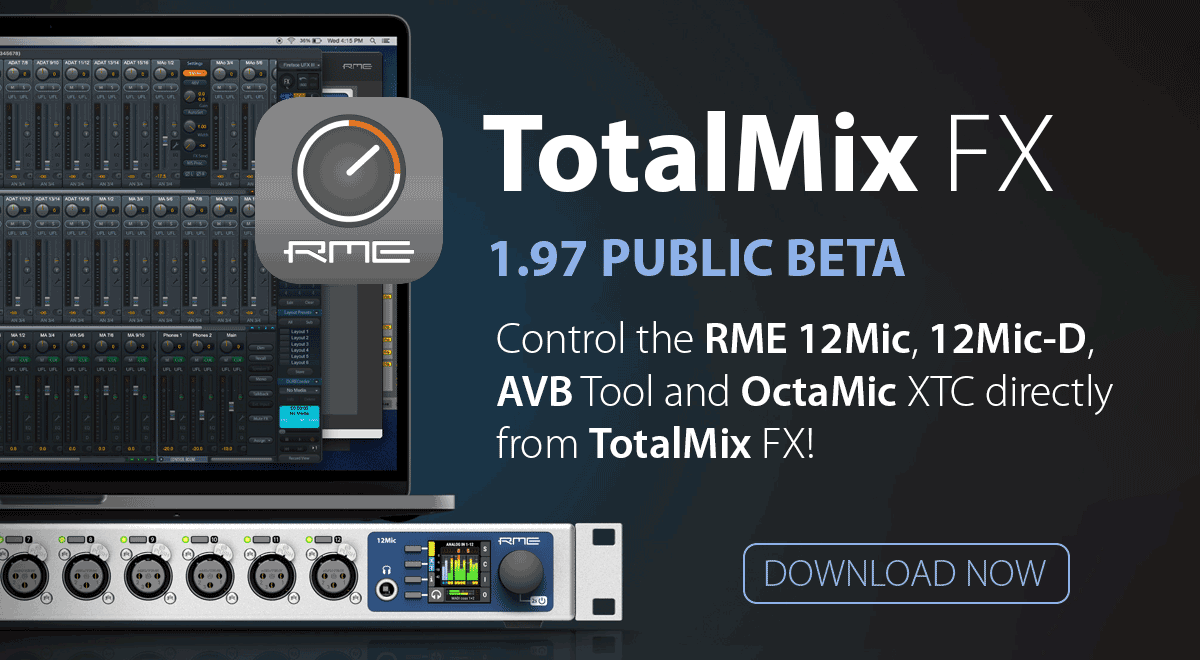
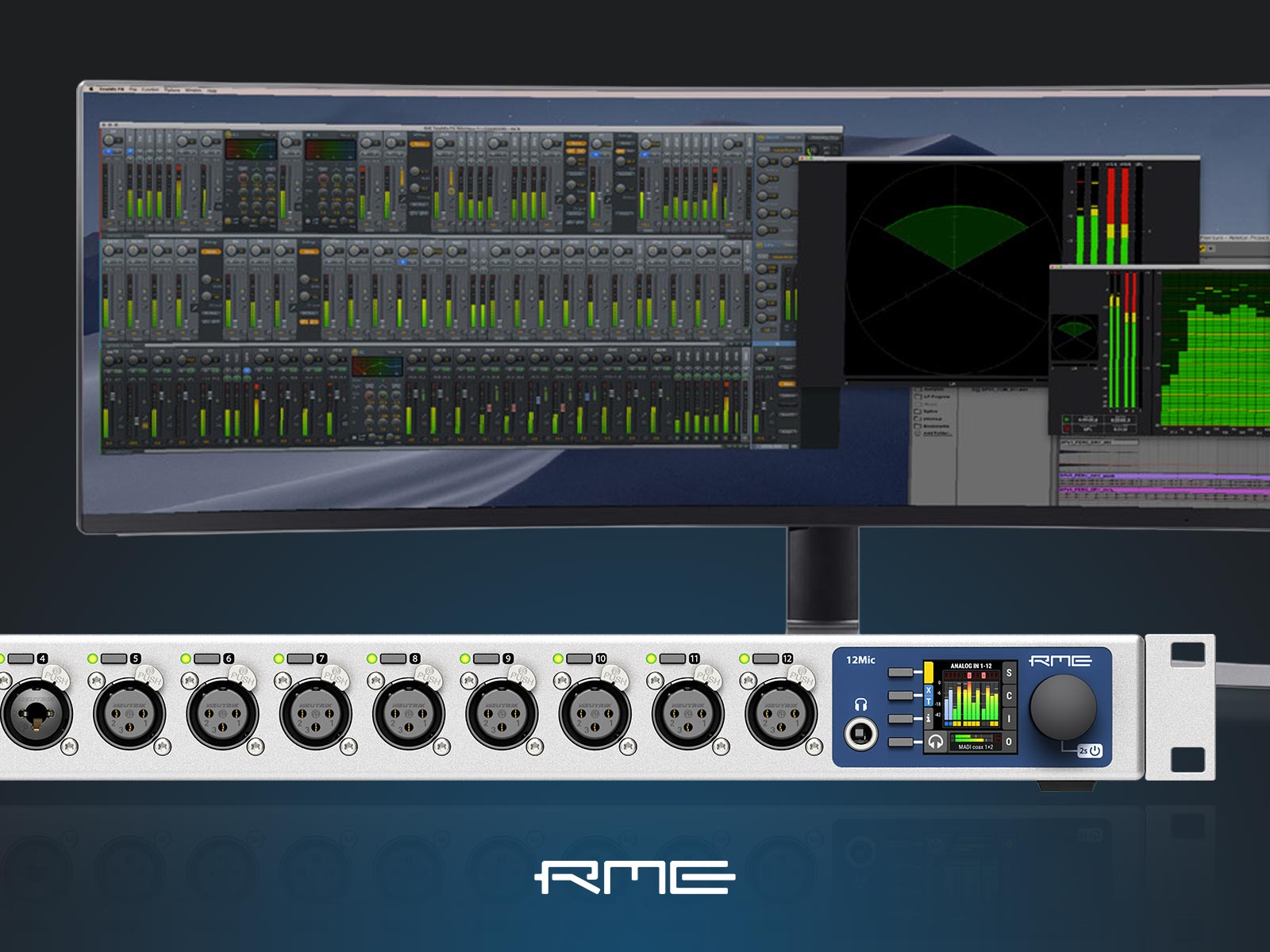
A preview of the latest TotalMix FX update is now available for Mac and Windows, which adds a frequently requested feature: control functionality for the 12Mic, 12Mic-D, AVB Tool and OctaMic XTC directly from TotalMix!
To join the discussion and download the new version for yourself, follow the link below to the RME forum post:
With TotalMix FX v1.96 released only a couple of months back, RME have now announced another new beta: TotalMix FX 1.97, bringing with it control functionality for RME’s digitally-controlled preamps – including multiple units – directly inside TotalMix!
Whilst the AVB Tool, OctaMic XTC, 12Mic / 12Mic-D can also be controlled via the RME Connector app (as well as from the RME Web Remote), for owners of an RME interface such as the Fireface UFX III, having access to features like Gain, 48v and AutoSet within TotalMix FX makes using these devices together even easier than before.
Note: As with any beta release, we would always advise using caution if you are in the middle of a production! Test on a backup machine first, or be prepared to roll back to the previous driver version, and make sure you’ve saved any previous TotalMix setups as workstations.
The RME Connector app also provides control over RME’s standalone microphone preamps.
Remote-Controlled Preamps from inside TotalMix FX
This feature was previously only available for the RME OctaMic XTC, which features 8 microphone input channels. As the 12Mic / 12Mic-D have 12 input channels (and the AVB Tool has 4), this created a challenge for the RME developers when implementing the update, as the original method was based on groups of 8 channels.
RME’s Matthias Carstens says “The 12Mic has 12 channels, which didn’t fit into this scheme. The changed dialog in 1.97 presents two 4-channel based assignments instead.
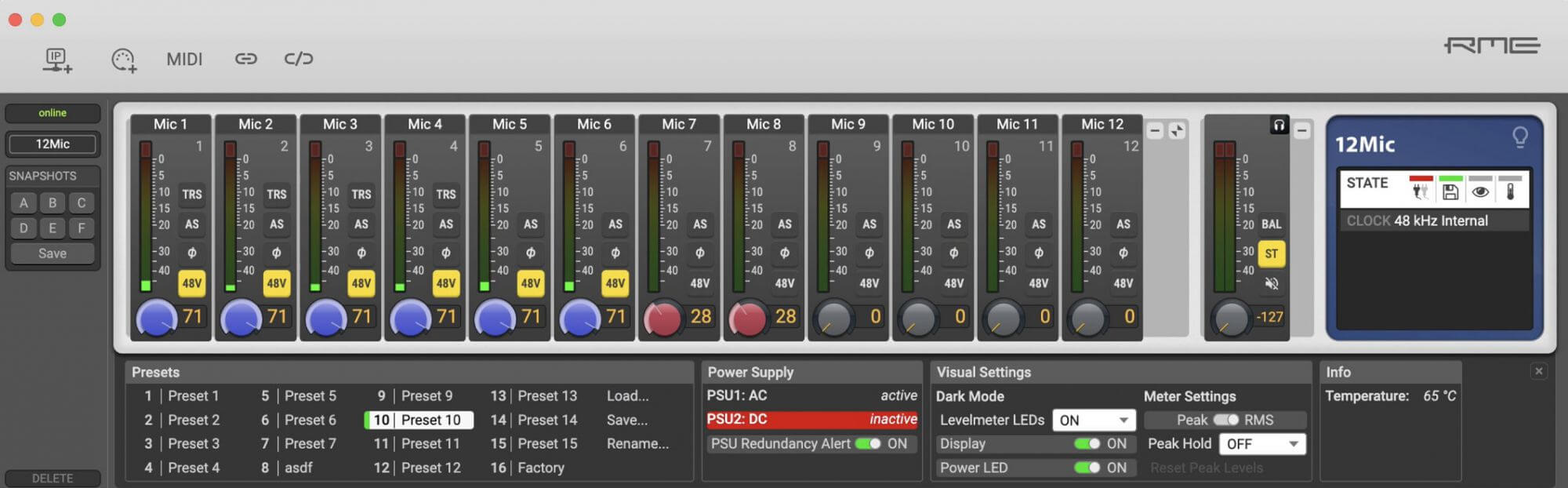
“These easily allow you to address the 12 channels of an 12Mic, or even multiple 12Mics, to TotalMix FX, which will then show a phantom power button, a Gain knob and an AutoSet button in the respective channel settings.
“Obviously this can be very handy, saving the mic pre state right within a TM FX Snapshot or Workspace.”
How to control the 12Mic/12Mic-D and AVB Tool via TotalMix FX
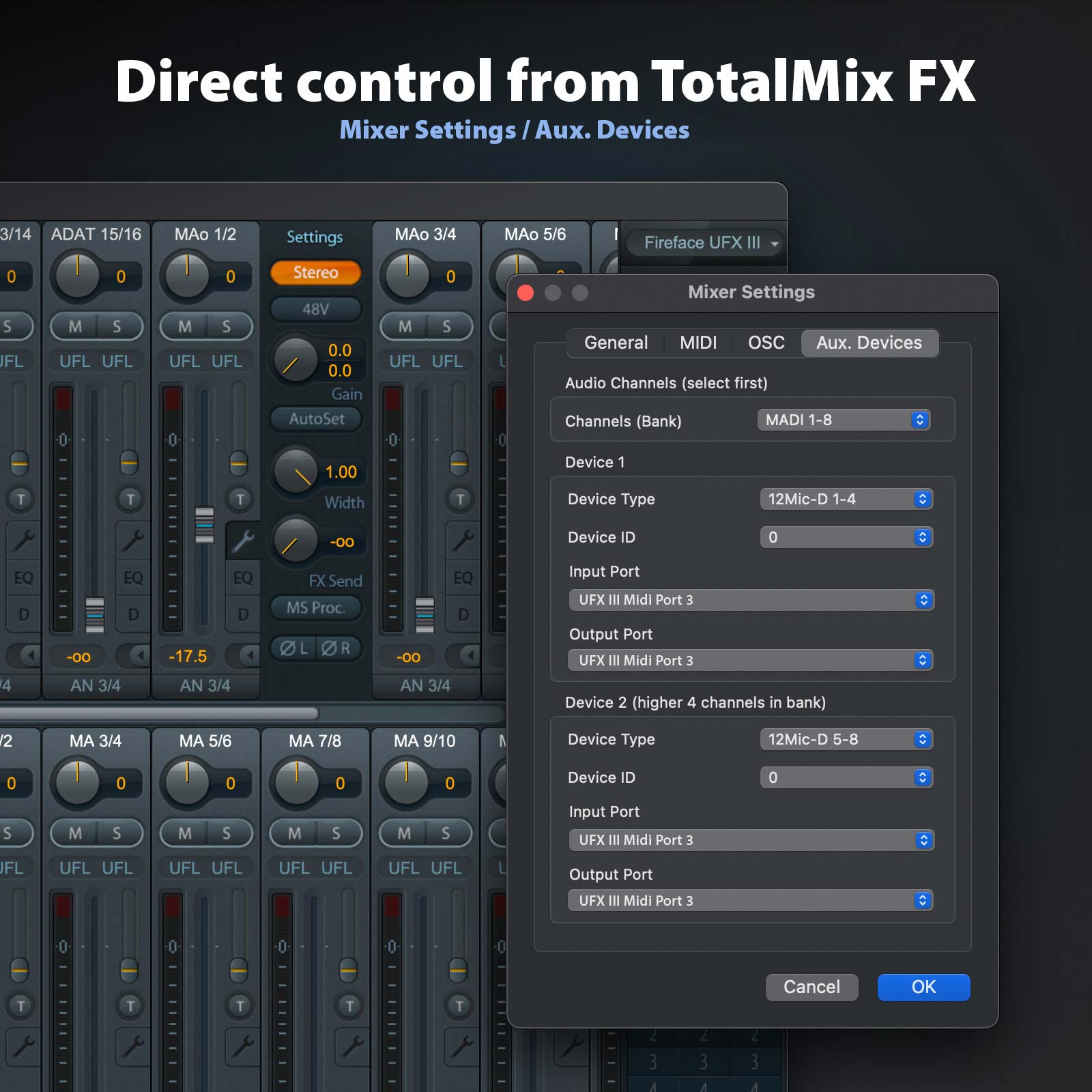
With TotalMix v1.97, input channels can be set to show controls for RME’s 12Mic/12Mic-D, AVB Tool and OctaMic XTC by going to Options > Settings > Aux. Devices.
From here, users can select which bank of channels they have routed from the mic pre under the Audio Channels (select first) heading, e.g. MADI 1-8.
Now under the Device 1 section, the user can for example choose the first 4 channels of their preamp (e.g. 12Mic 1-4) via the Device Type drop-down.
A second set of 4 channels can then be selected from the Device 2 > Device Type section (e.g. 12Mic 5-8).
To add the final 4 channels (in the case of the 12Mic or 12Mic-D), the user selects the next block of MADI channels under the Audio Channels (select first) heading again, e.g. MADI 9-16, and using the Device 1 section, the last 4 inputs, e.g. 12Mic 9-12.
Now in TotalMix, the selected input channels (MADI 1 – 12 in the above example) will change to show controls for the 12Mic’s microphone input settings (Gain, 48V, AutoSet etc).
These channels can also be renamed to make it easier to navigate the mixer (e.g. 12Mic 1 etc).
RME Microphone Preamps
High-Performance microphone preamps from RME Audio.
Known for producing sound cards and audio interfaces with pristine, transparent sound, RME extends this philosophy to its preamplifiers, offering a selection of high-performance mic pres designed for high-end studio and live recording.
Features include:
Digital remote control via software (MIDI, MIDI over MADI, Ethernet/AoIP)
Automatic gain reducation to avoid clipping (AutoSet)
High-quality on-board headphone outputs
Redundant power supplies for reliability
Options for analogue, ADAT, MADI, Dante and AVB/Milan connectivity
…and of course a 5 year warranty when purchased either from ourselves, or via our network of Authorised UK Dealers.
If you would like to discuss your requirements before purchasing, feel free to give us a call on 01727 821 870 to speak to one of our team. You can also contact us via our webform.
Comments Off on Ferrofish Pulse 16 DX & RemoteFish Beta Control Software Now Available
The Ferrofish Pulse 16 DX Dante converter is now shipping!
First announced at Musikmesse back in April, the new Ferrofish Pulse 16 DX adds a Dante option to the range of AD/DA and format converters produced by German manufacturers Ferrofish.
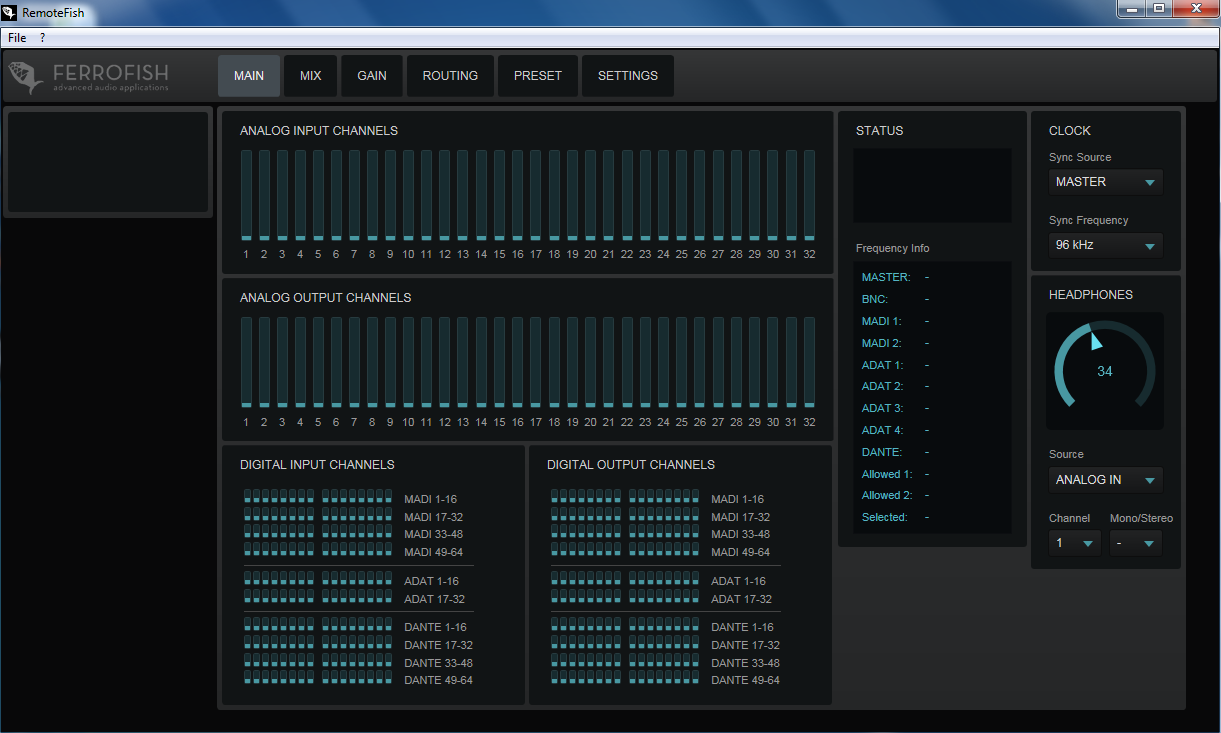
What’s more, Ferrofish have also released the beta of their control software RemoteFish, which brings full remote control of the Ferrofish A32 and A32 Dante converters to Windows PCs.
RemoteFish and the latest firmware update for the A32 / A32 Dante are available to download now from the Ferrofish website.
Watch the Ferrofish Pulse DX video from Musikmesse 2018
The Ferrofish Pulse 16 DX is equipped with 16 analogue inputs and 16 analogue outputs, plus Dante, MADI and ADAT connectivity. Through its two RJ45 connectors, the Pulse 16 DX expands any Dante audio network via its 16 AD/DA Cirrus Logic converters. Whether working in 48 kHz, 96 kHz or 192 kHz at 24 bits, the Ferrofish Pulse 16 DX will always deliver a full complement of the highest quality 16 analogue I/O channels.
The Ferrofish Pulse 16 DX features a hose of analogue and digital connectivity, plus extensive front panel controls on its 2 x TFT displays.
MADI and ADAT integrated
In addition to Dante connectivity, the Pulse 16 DX also offers full ADAT and MADI functionality. There are eight ADAT TOSLINK connectors, and MADI users are given the choice to operate in multimode or singlemode with easy-to-switch SFP modules that allow reconfiguration without the need of a factory modification. The Ferrofish Pulse 16 DX can even function as a format converter. For example, you are able to convert MADI to Dante or maybe add 16 analogue channels to an incoming MADI stream and route them onto your Dante network.
Easy level management and great sound
Thanks to the two TFT displays, you have full visibility over all 32 channels at a glance. You also have exceptional control with each channel adjustable in 1 dB increments. Most importantly, the Pulse 16 DX continues the Ferrofish reputation of delivering a superb sound, thanks in part to its active jitter reduction, ensuring accurate results and perfect conversion.
Ferrofish on tour
Ferrofish converters have become particularly popular for live, with artists such as Ellie Goulding and Björk including Ferrofish converters as part of their playback rigs.
And if you need even more channels, the Ferrofish range also includes the A32 and A32 Dante, which feature a whopping 32 analogue inputs and 32 analogue outputs in a 1U format, along with the many useful features listed above.
RemoteFish Beta – Software Remote control for Ferrofish Converters
Ferrofish has also just announced the beta release of RemoteFish, a new control software GUI for control over your Ferrofish converter. Levels, gains and channel routing can now all be controlled remotely from a computer, via USB, MIDI or MIDI over MADI.
Ferrofish RemoteFish is currently Windows only and is available for the A32 and A32 Dante, with support for the Pulse 16 range coming soon.
RemoteFish also requires that you upgrade your device to the latest firmware.
If you’d like to know more about Ferrofish AD/DA and format converters, give us a call on 01727 821 870 to speak to one of our team or to arrange a demo. You can also contact us.
Comments Off on Ferrofish Pulse 16 MX AD/DA Converter Now Available
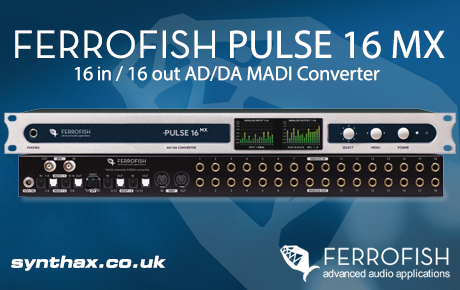
Synthax Audio UK is pleased to announce the release of the Ferrofish Pulse 16 MX, the latest AD/DA converter from German manufacturer Ferrofish.
The Pulse 16 MX joins the company’s range of cost-effective AD/DA and format converters, which also includes the 64-channel Ferrofish A32, the Ferrofish A32 Dante and the Verto Series. Designed for use in professional audio applications, Ferrofish devices regularly feature in the live setups of international touring artists, along with recording studios, broadcast and academia.
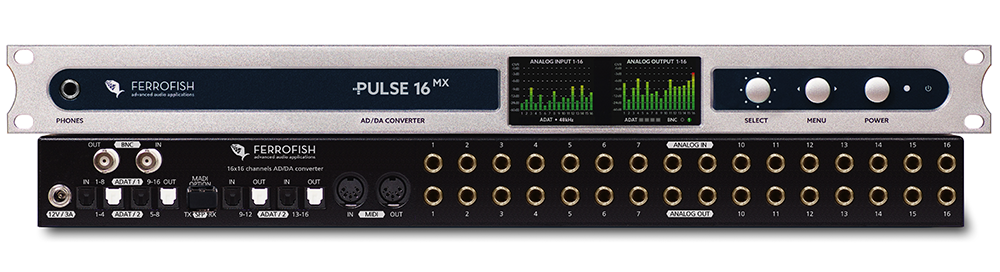
The successor to the popular Ferrofish A16 MK-II, the Pulse 16 MX features the same silver housing as the company’s latest generation of devices, along with updated colour TFT displays, and a simple and intuitive menu system. The latest Cirrus Logic converters ensure the finest audio quality, with sample rates from 32 kHz to 192 kHz. The Pulse 16 MX can be fully operated from the front panel, including control over levels (adjustable in 1dB steps), gains and channel routing.
On the connectivity side, the Pulse 16 MX features 16 inputs and 16 outputs (balanced TRS), 4x ADAT I/O, 1x MADI optical I/O, 1x MIDI I/O, plus 1x headphone output and Wordclock on BNC. All incoming and outgoing audio signals (analogue and digital) can be monitored directly from the unit via the on-board headphone output, and up to four devices can be connected in series for a full 64 channels of analogue I/O, transferrable to a computer or mixing console via a single MADI cable.
Other features include the ability to lock the screens with a pin code; remote control via MIDI (and MIDI over MADI – coming soon); and the storage and recall of up to six preset configurations.
Upgrade your Ferrofish Pulse 16 to the Pulse 16 MX
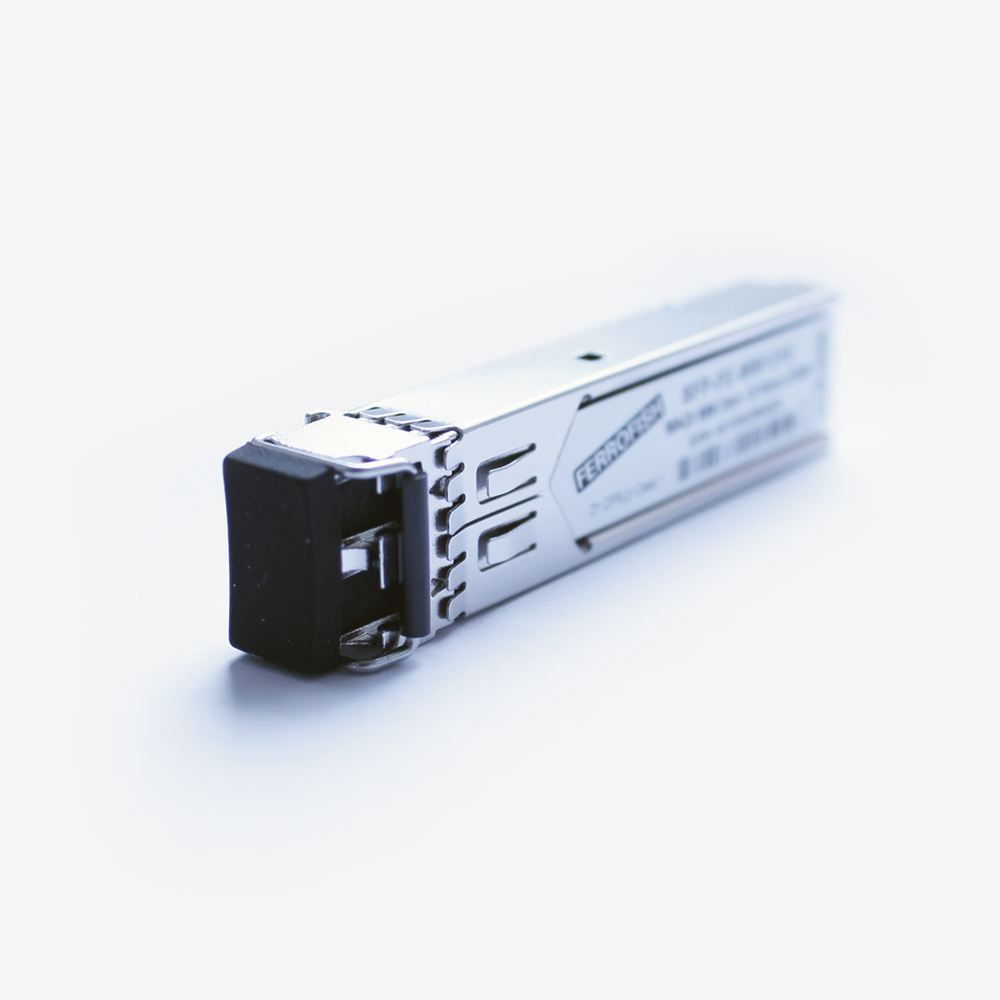
The original Ferrofish Pulse 16 was introduced in 2017, and features an unused slot for a MADI SFP module (Small Form-factor Pluggable). The Pulse 16 can also be upgraded to a Pulse 16 MX, by purchasing an unlock code and official MADI SFP module (available from Synthax Audio UK). With the module equipped, all 16 x 16 channels can be used with sample rates up to 192 kHz, so Ferrofish Pulse 16 owners can add MADI I/O to their setup at a later date when required.
If you'd like to know more about the pro audio solutions manufactured by Ferrofish, give us a call on 01727 821 870 to speak to one of our team or to arrange a demo.
You can also contact us here.


















 The Ferrofish Pulse 16 DX Dante converter is now shipping!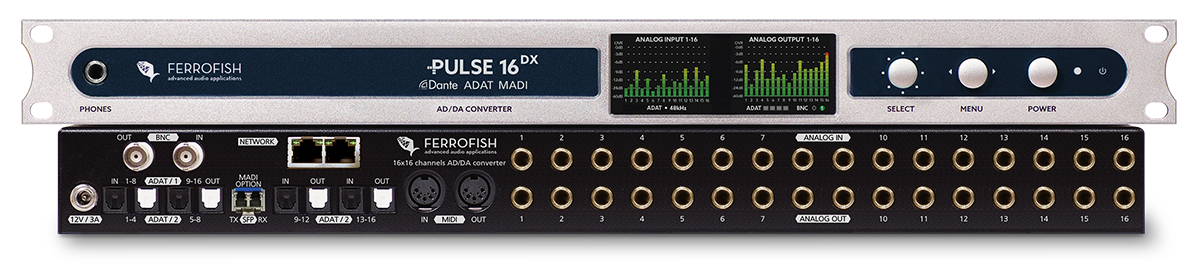

 Synthax Audio UK is pleased to announce the release of the