
















Tag Archive: adi-2

  1. Producing and Mastering with RME Fireface UFX and ADI-2 Pro | Stephen Kerrison & Paul Rafferty

    Comments Off on Producing and Mastering with RME Fireface UFX and ADI-2 Pro | Stephen Kerrison & Paul Rafferty
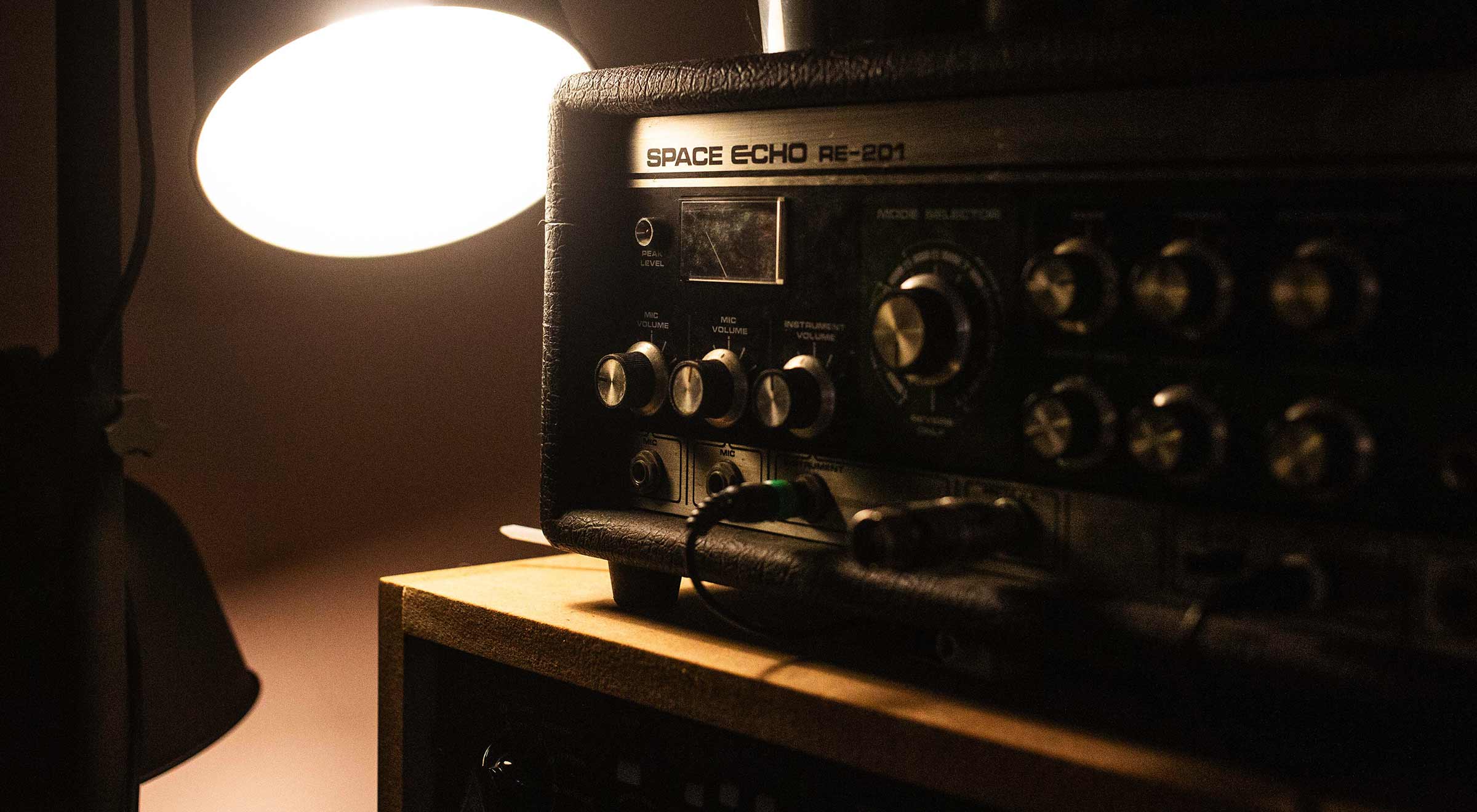
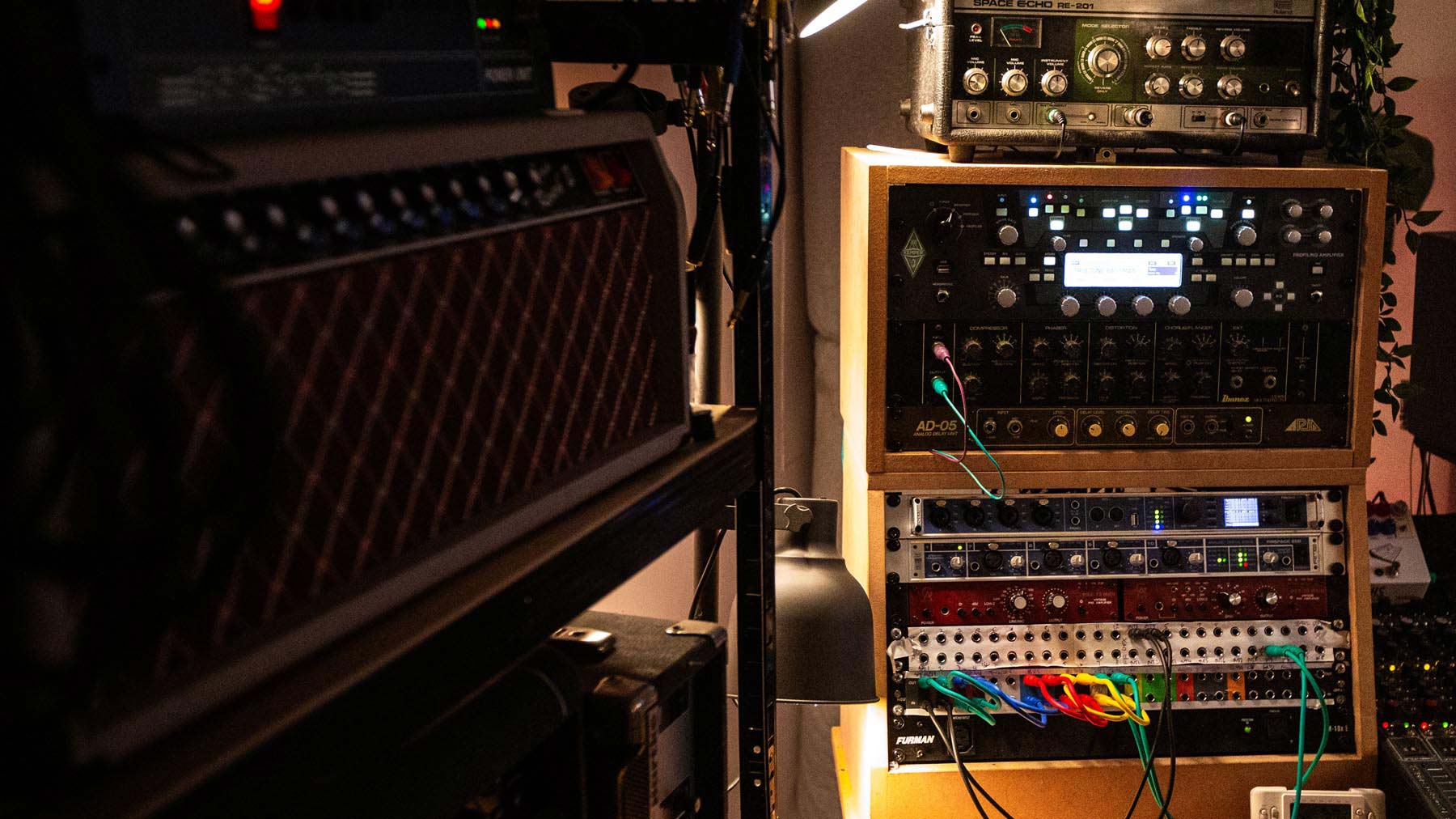
    Roland Space Echo next to a desk lamp

    Permanent Collection Studios: Mixing and Mastering Under One Roof

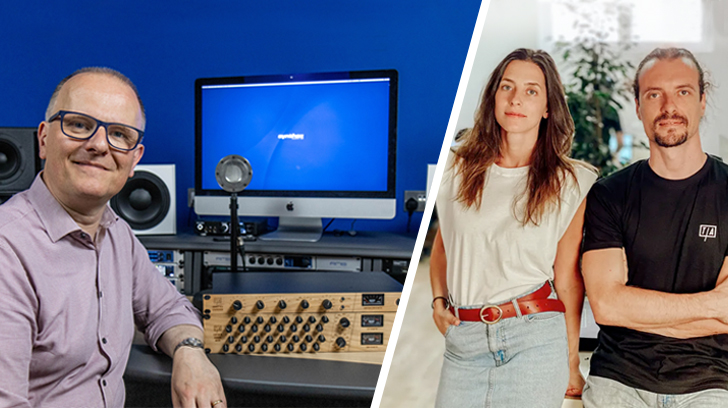
    Tucked away beneath a record store in Liverpool, Permanent Collection Studios is home to two long-time collaborators working at different ends of the record-making process.

    Equal parts creative workshop and technical environment, the studio is shared by Mastering Engineer Stephen Kerrison (www.stephenkerrison.com), and Producer and Mix Engineer Paul Rafferty (Ancient Plastix), covering everything from tracking, recording and songwriting, to mixing, mastering and creative sound design.

    We sat down with the pair for a chat about their respective workflows, and how their RME-based setup allows them to seamlessly switch from mixing to mastering depending on who’s in the studio.


    See more videos at Synthax TV


    “I am solely a mastering engineer. I do nothing else.”

    “I am solely a mastering engineer, I do nothing else,” explains Stephen Kerrison. “I love folk music and working with acoustic genres. I’ve always loved rock and heavier stuff too, as well as more experimental music. So I do tend to gravitate towards stuff that’s maybe a little bit more ‘left-leaning’. But I have no snobbery towards any genre at all.”

    For the uninitiated, Stephen describes mastering as essentially a three-part process: quality checks, audio enhancement, and delivery mediums. Often seen as a bit of a dark art, it remains an important part of professional music production – responsible for applying the final polish to a track so it’s ready for release. When a new project comes in, what are the first steps?

    “Firstly it’s a quality check for a mix,” Stephen says. “Making sure that there are no unwanted clicks or pops, and that the files are objectively ‘right’.

    “Then it’s about enhancement – so it’s your compression, EQ, all that kind of cool stuff. And then delivery – creating formats. Providing exactly what a label, artist or anyone else might need to successfully release that record.”

     

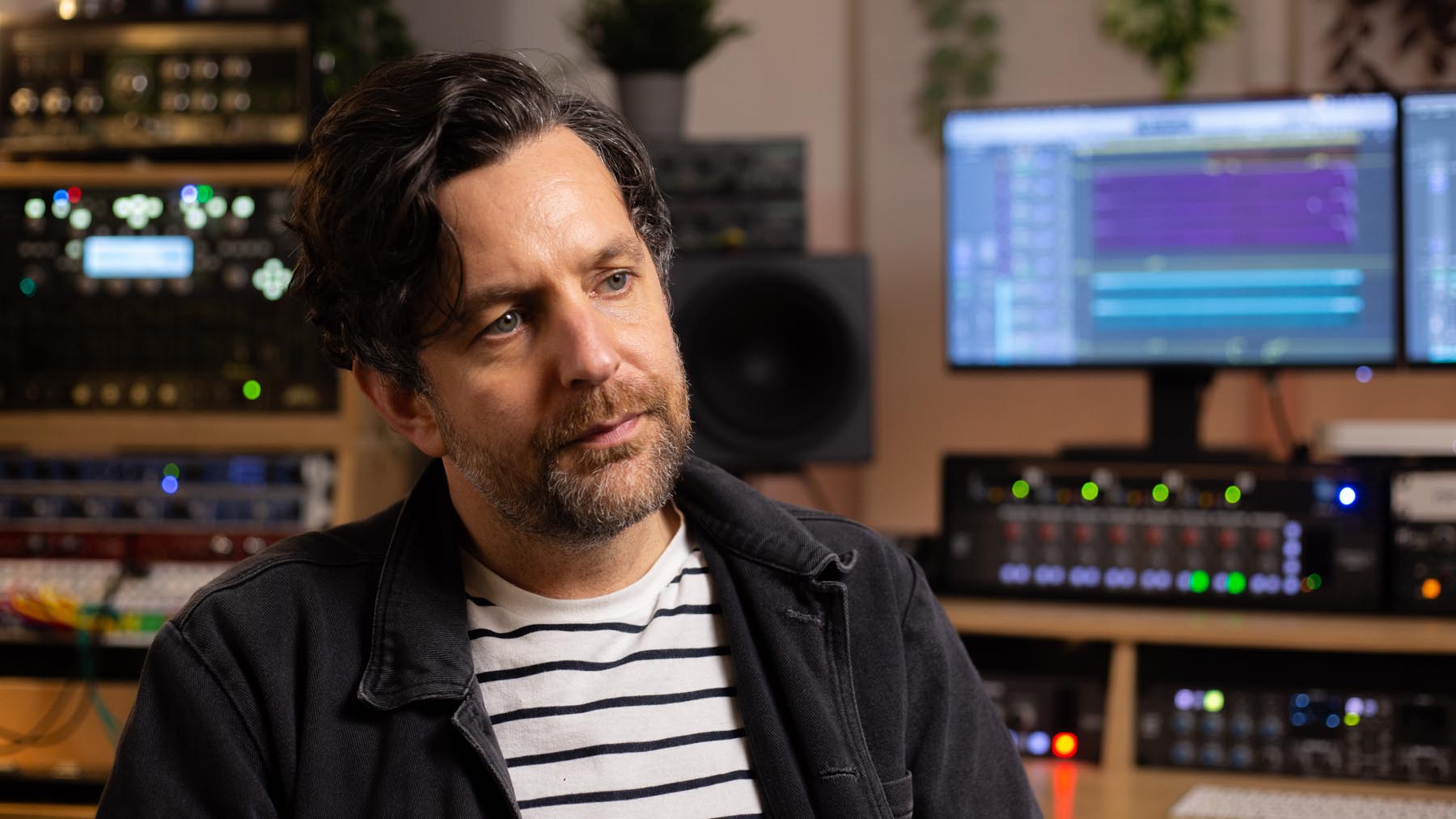
    Mastering Engineer Stephen Kerrison in his studio

    Mastering Engineer Stephen Kerrison in the studio


    It’s clear that for Stephen, mastering is as much an art as it as a craft – first and foremost, he considers himself a fan of music. Years of experience and familiarity with his space also mean decisions can be made almost immediately.

    “Knowing what it needs is quite an instinctual thing,” Stephen says on the kinds of processing he might apply. “We’ve been in here for quite a while now, and the setup is always the same. My monitor level never changes. I know exactly what the room sounds like; I know exactly what the speakers sound like. So I’ll usually know within the first minute or so roughly where I want to take it, or where it needs to go.”

    “And then sharing the space with Paul, who’s a really creative person, it just reminds that we’re all making music. Whatever I’m working on, I always like to make sure that ultimately, I’m thinking about it in terms of the music – how would I react to this as a listener? Rather than ‘oh it has to have this kind of processing’ or whatever.”
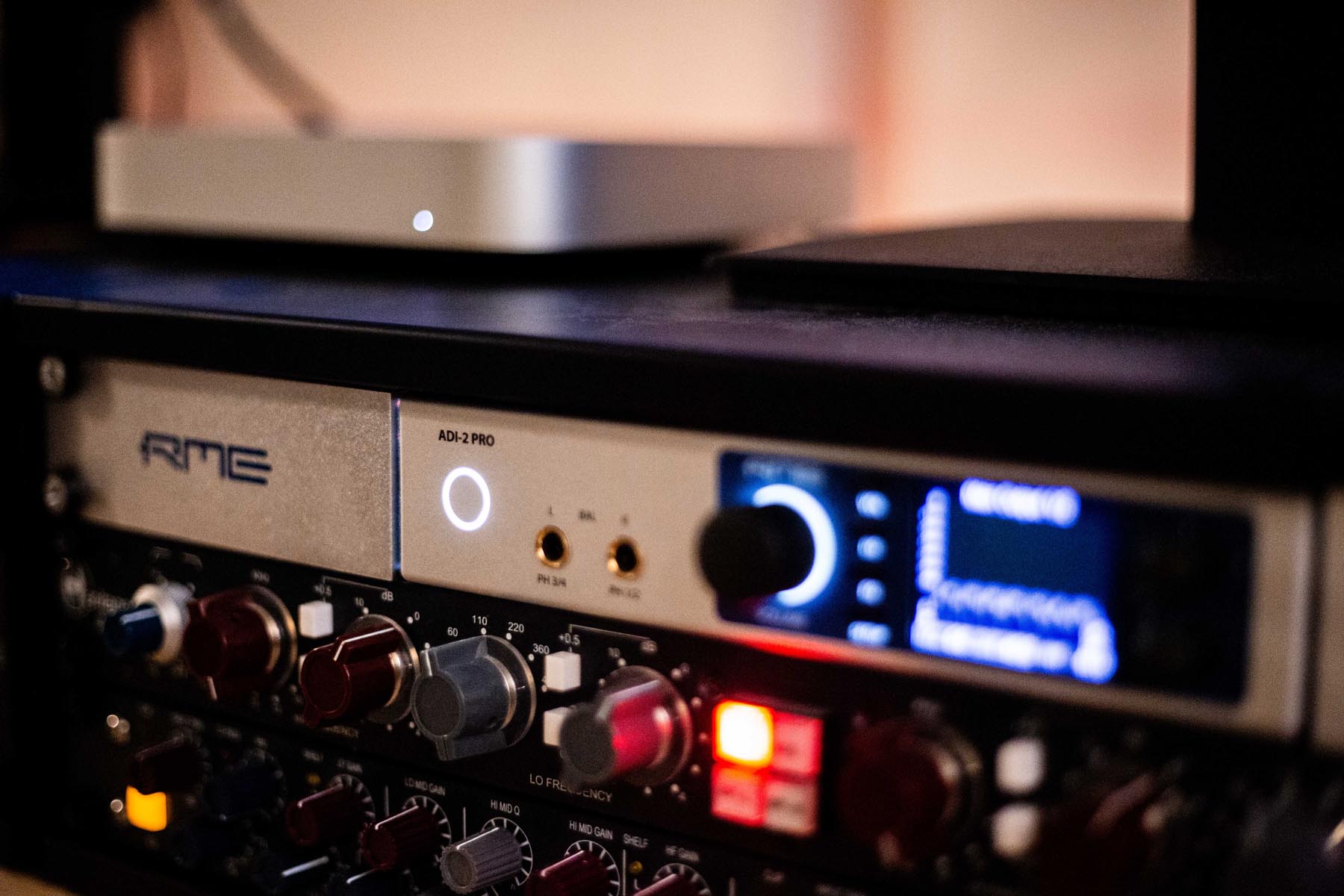
     

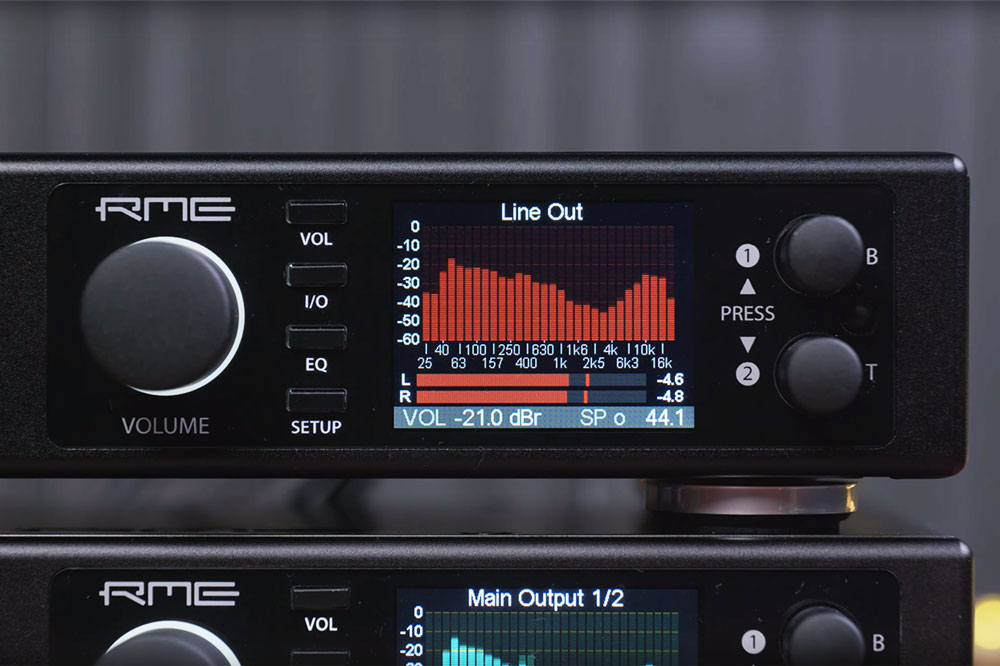
    RME ADI-2 Pro mastering converter in the rack


    When it comes to his workflow, Stephen’s modern hybrid approach includes the latest software along with some choice bits of high-end hardware, giving him a variety of options to call upon depending on the project.

    “We’ve got everything we need here to do a great master,” he says. “I do everything in WaveLab because I love the way it works, the way it’s all geared toward mastering.

    “I do also like to use hardware on most projects, when it suits the material. So much music is produced entirely in the box these days, on a laptop or a in small home studio – so once it reaches me I do enjoy injecting it with a bit of nice bit of analogue flavour. But I think I’m just as happy just working in Ozone if I have to. There’s a lot cool stuff that you can do with plug-ins and software that you can’t really do in hardware, so it usually ends up being a bit of both.

    “Then it’s about the deliverables. A full album project for a label will often involve a set of digital masters, maybe a DDP image for a CD. People still want those all the time. Or it could be for vinyl, or even a cassette master. There’s all sorts of things depending on the label.”

    “I do make a couple of tweaks for vinyl,” Stephen says when asked whether each medium requires a different master. “Just because I’ve had a lot of conversations with cutting engineers and pressing plants, so I try to make it an easy job for them. But as far as digital masters go, it’ll just be one that will translate really well across everything.

    “If it’s a really good mix and a really good master, then that will essentially transfer between different mediums. It will sound great anyway.

    “Then you’ve almost got to let it go. I can’t control what happens to it after that – how people will listen to it, whether it’s cheap ear buds or a mono speaker. I can’t control what Spotify or a streaming platform will do to it. I’ve just got to make it sound as good as it can, everywhere it will be played. A really good master will do that. It will translate.”


    How the Studio came about

    The other half of Permanent Collection Studios is Paul Rafferty. A Producer and Mix Engineer, Paul and Stephen have known each other for over 20 years, having met on tour back back when they were both playing in bands. 

    “I had a studio and invited Stephen to come and join me,” Paul says. “Then once we moved out of that place, we decided to start a studio together. Because before that I’d always been recording in rehearsal rooms.

    “That’s actually how I became a Producer really. Being a musician, being in a band, creating demos in rehearsal rooms, then being asked to do it for friends in other bands too. Before you know it you’ve got a small setup, and you find that’s what you’re focusing most of your time and energy on. But this is the first, dedicated space we’ve actually built.”

    “A friend of ours runs the record shop upstairs,” adds Stephen. “He said ‘there’s a basement downstairs, do you want to come and look at it?’ And it was it was just an empty, damp shell. And we thought ‘yeah, perfect’ haha.

    “So, we took him up on the offer, spent some time and money, built out the walls, and tried to turn it into a suitable space for production. There are a few records that have been entirely made in this room – from the recording to the mixing to the mastering – that have ended up on a piece of vinyl upstairs. That’s obviously really lovely. That’s a really satisfying thing.”

    “Sharing with a mastering engineer is really useful, because it sort of feels like you have an adult in the room the whole time,” smiles Paul. “Because mastering is so serious, whereas production and mixing is so fun.

    “You also always know that the gear is going to work. In production, you might have an echo or reverb that’s borderline broken, but as a result it does some really interesting things to a sound. Whereas mastering’s kind of the opposite in that sense.

    “So that’s another great thing about sharing with Stephen. He has some really good mastering outboard, that also works really well in a mixing scenario as well, and I’ll often mix through some of that myself.”
     

    Music Producer Paul Rafferty (Ancient Plastics) in the studio

    Music Producer Paul Rafferty also makes music under the name Ancient Plastix.
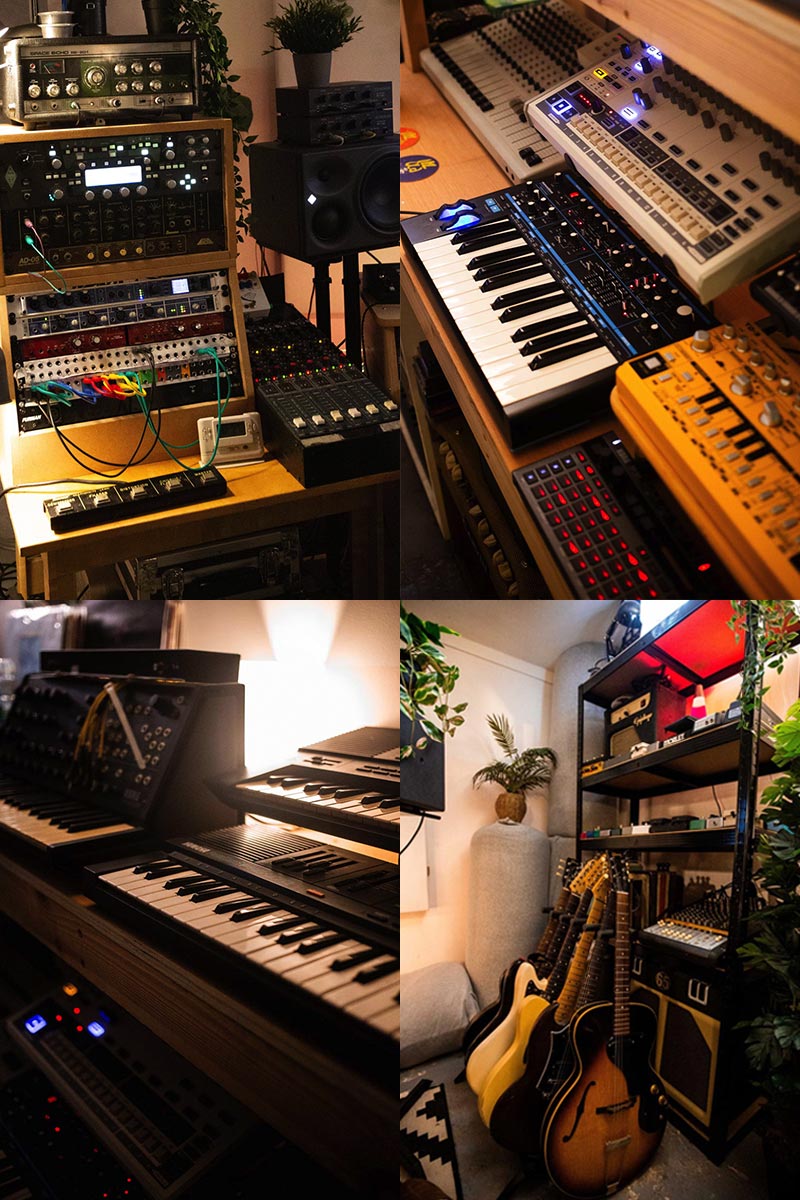
     

    Collage of synths, guitars and music equipment

    Favourite Bits of Gear

    Paul has a particular fondness for analogue gear, including vintage Japanese tape machines, a Roland Space Echo, and a big collection of guitar pedals – all of which he routes through the studio’s central interface, an RME Fireface UFX.

    “My favourite bit of gear is probably the Sansui,” Paul says. “It’s a kind of cassette ten-track, and it’s got a lovely mixing board that comes with it.

    “The fidelity on them is actually like surprisingly high. It takes a lot of the top end off, but yeah they sound really good. The pitch control is incredible. I’ll find myself pitching vocals or synths right down, and then you get all of this beautiful sort of molecular information, that just sounds super organic and almost human.”

    “In terms of plugins I’m a big fan of Sound Toys, especially the EchoBoy, and the PanMan. There’s really creative ways to use it, like sending it to two different mono busses that each do a different type of processing. So when it hits the right channel you’re getting different FX to when it hits the left.

    “You can get really, really creative with it. And then messing with the rhythm steps to create even more changes.”
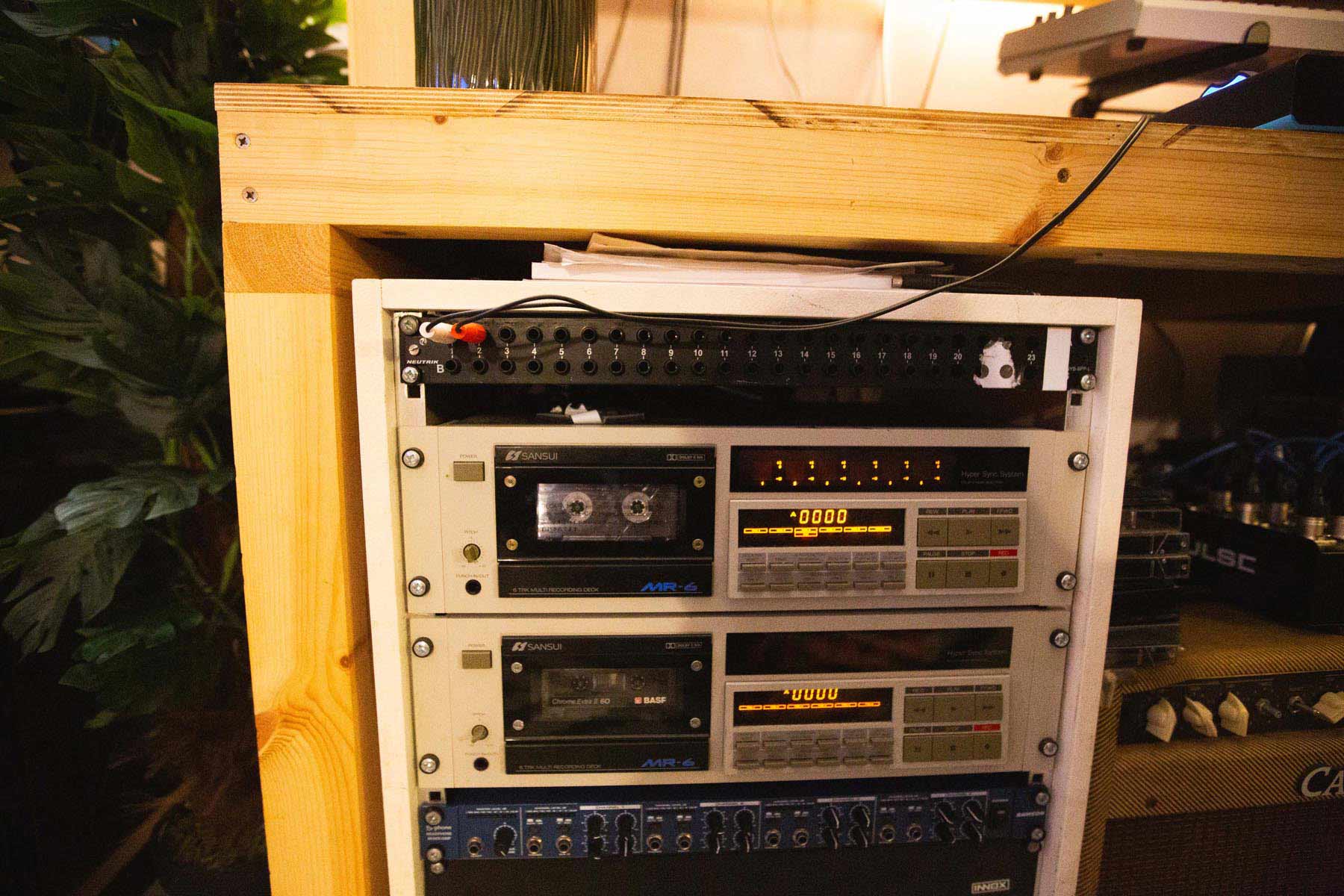
    Sansui MR-6 9-track cassette machines


    RME in the studio

    When it comes to their interface and converters, Permanent Collection combines analogue warmth with digital precision. Ste’s mastering chain includes Neumann monitors, SSL Fusion and Bus+ Compressor, Neve EQ, Heritage Audio EQ and the BetterMaker limiter. Central to the studio workflow are RME interfaces – the Fireface UFX, Fireface 800 and an ADI-2 Pro converter.

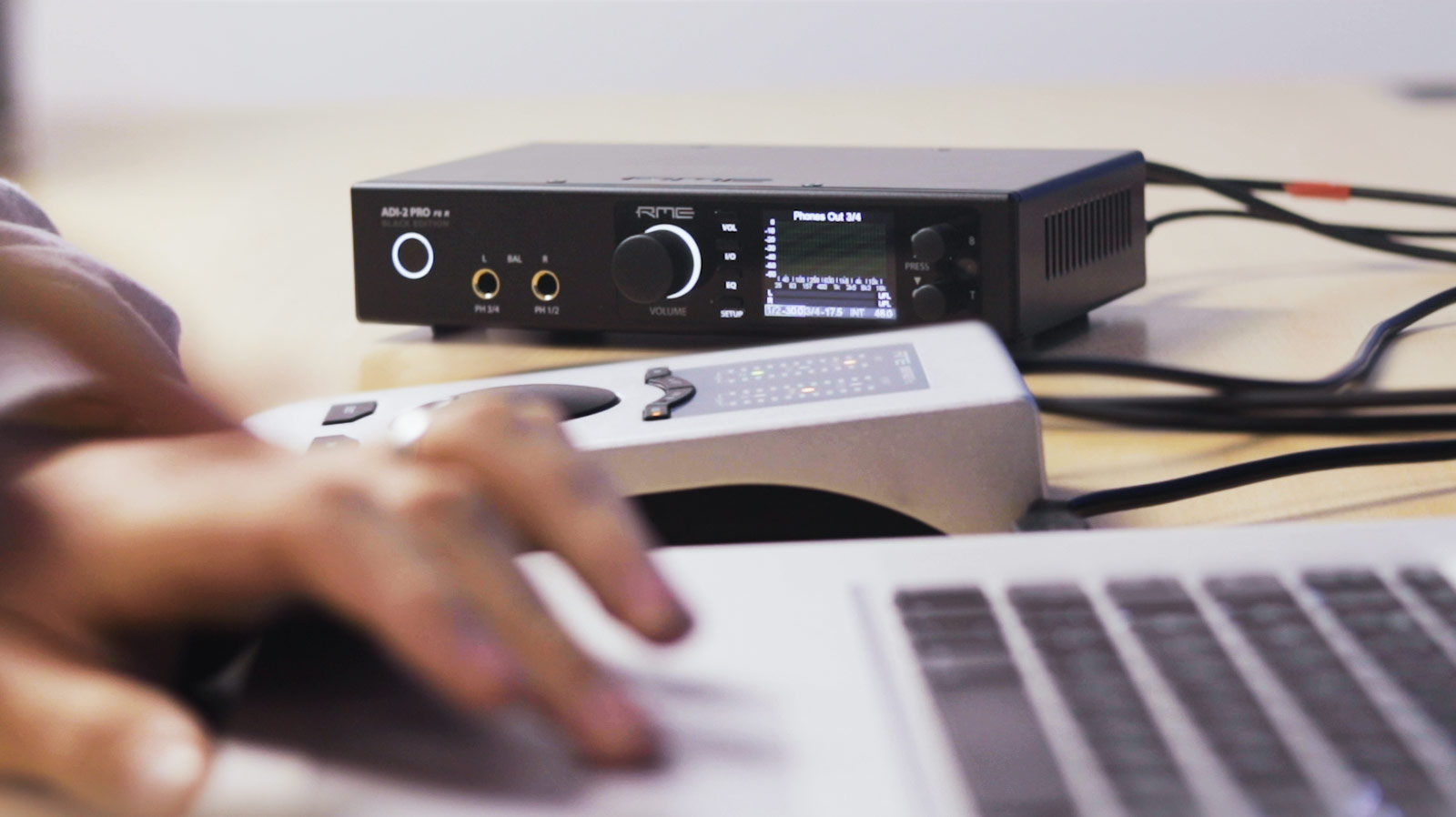
    “We have an RME Fireface UFX over there. That’s complemented by the RME ADI-2 Pro, which does all my conversion,” explains Stephen. “We have two different setups, but they’re easy to switch between. So when I’m in mastering mode, the UFX and the ADI-2 comes on – that’s like a perfect mastering setup for me. But then when Paul is doing tracking, he tends not to use the ADI and has the 800 on a different setup in TotalMix. So it’s just a couple of clicks.”

    While admitting interfaces aren’t really his thing – “I just prefer to have something that works” – Paul praised the advice and support he received on the RME Forum, which is still going strong in 2026.

    “I did find the community surrounding RME to be super useful,” he says. “While I’m not super into interfaces, it turns out there’s a whole forum of people who are, who are so generous and helpful with the information that they have.

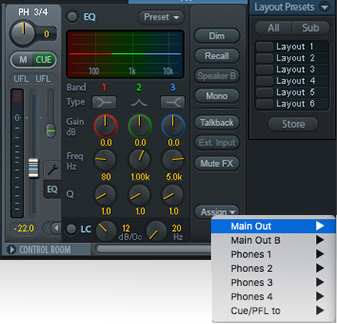
    “So it’s been a very positive experience using RME stuff. Then of course we’re able to switch the setup easily depending on who’s in the studio. We’re on the same computer, but because we have separate profiles, that means that our TotalMix setups load differently depending on which profile you load, which is perfect for us.”
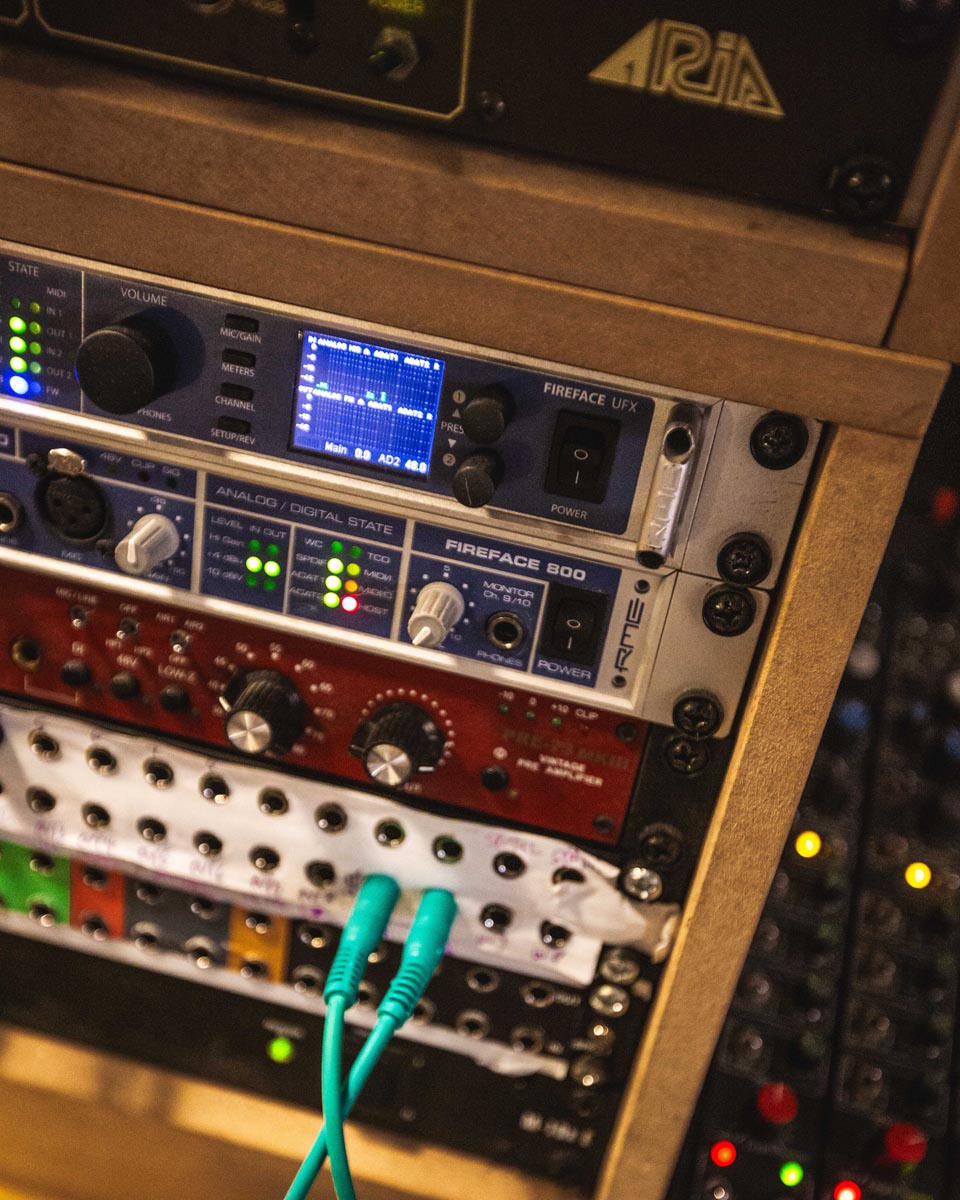
     

    RME Fireface UFX and 800 interfaces in the rack


    Advice for others? Use your ears…

    As some parting advice, both Stephen and Paul emphasise that listening is central to their work – ultimately, it’s about developing your tastes. Stephen views this as the foundation of mastering:

    “Listen to music. All the time,” Stephen says as advice for aspiring mastering engineers. “Really think about why you like something, or why you don’t like it. Why it sounds good, or why it sounds bad. Get that way of listening really familiar, so it becomes second nature.

    “That’s what mastering is all about more than anything else. Once you’re familiar with what your tastes are, then the actual technical bit is pretty easy. It’s not that hard to learn how to use an EQ or compressor, but I think learning the taste side of things is something that‘s constantly developing.

    “I still listen to music for fun all the time. Like I’ll leave a session and then be listening to music on my way home, just because I enjoy it. Which probably sounds nuts but it’s true.”

    Paul echoes that philosophy for production and mixing:

    “Yeah agreed – just listening to a lot of music, and being honest with what resonates with you. There’s so many different types of music, and people respond so differently to so many different things, and at different times.

    “I think that the one thing you have to be is super authentic with yourself, and just allow yourself to enjoy the things that you enjoy. If you can do that, if you can follow that, then you’ll make something you’re truly excited about. Because that’s going to resonate with someone else in exactly the same way.”

    Our thanks to Stephen and Paul

    See the full range of RME Audio devices


    Links

    www.stephenkerrison.com

    www.instagram.com/permanent_collection_studio

    www.instagram.com/ancientplastix



  2. 2023 End of Year Roundup

    Comments Off on 2023 End of Year Roundup
    Synthax Audio UK end of year roundup collage 2023

    A Round Up of some of our favourite announcements, blog posts and videos from 2023

    As another year comes to a close, we look back at some of our favourite product news and user stories from the past 12 months.

    A huge thank you to all of brands, partners and customers for a fantastic 2023!

    Logos for Synthax Audio UK's pro audio brands in 2022

    User Stories & Videos

    “Captured for Eternity” | Re-recording Mixer Mark Taylor on Dynaudio Core 59s

    Mark Taylor is a Re-recording Mixer and Sound Effects Editor who’s worked on some of the biggest films of the last 25 years.

    With a credits list that’s far too numerous to list in its entirety – his imdb page is something to behold – Mark’s provided the sonic midas touch for an incredible number of hit films.

    Primarily operating out of Surrey’s Shepperton Studios, Mark was kind enough to give us an insight into his work as a Dubbing Mixer / Re-Recording Mixer; some tips on mixing sound for the big screen; and why he chose Dynaudio Core 59s as his new studio monitors.

    Read the full story

    Expand for more!

    The Sound of Eurovision 2023: Josh Lloyd (Britannia Row) talks DirectOut, RME & Ferrofish

    The final of the 67th Eurovision Song Contest was held at the Liverpool Arena on 13th May 2023. Love it or hate it, the kitsch extravaganza is one of the most popular globally televised music events, with this year’s show raking in approximately 160 million viewers worldwide.

    To find out more about what goes into the design of such a large-scale production, we sat down with Britannia Row’s Head of Engineering Josh Lloyd, who kindly gave us a behind the scenes look at the system he devised for Eurovision 2023.

    Read the full story

    The VoiceLine: Celebrating 100 years of the BBC on London’s Strand Aldwych

    The Strand is one of London’s oldest and most iconic streets. A major artery in the heart of the city, the road runs roughly parallel along the north side of the river Thames, and is believed to date all the way back to the original Roman settlement of Londinium.

    Award-winning Composer, Sound Designer and resident Somerset House artist Nick Ryan kindly spoke to Synthax UK about this fascinating project, which is powered by a selection of RME Audio AVB and MADI interfaces.

    Read the full story

    “I think I’d be emotionally scarred if I couldn’t use RME anymore” | Phaeleh Interview

    Matthew Preston, aka Phaeleh is a Producer, DJ and multi-instrumentalist based in Bristol, UK. Known for combining ethereal, atmospheric soundscapes with DJ-friendly beats and powerful basslines, his music frequently carries an introspective, often dreamlike quality, seamlessly transitioning between high-energy dancefloor anthems and more introspective home-listening.

    We sat down with Phaeleh – pronounced ‘fella’ – for a chat about his music and career to date, and why he chooses to base his studio around RME audio interfaces.

    Read the full story

    Designing live playback rigs with Alex Turner of Gravity Rigs (Pet Shop Boys, Chemical Brothers, Disclosure)

    Alex Turner is one half of Gravity Rigs, a UK-based partnership with Matt Cox. The company specialise in the design of custom-built playback and live music performance rigs.

    Alongside their work as live engineers for some of the biggest names in the UK music scene, the pair have been the brains behind cutting-edge systems for a number of high-profile artists including The Pet Shop Boys, Chemical Brothers, Orbital, Disclosure, Keane, Eric Prydz and Kygo.

    We sat down with Alex to find out more about the design process, and why his builds regularly include gear from RME, Ferrofish and DirectOut.

    Read the full story

    Unravelling the blueprints: Frozen Planet II Composer James Everingham on the Ferrofish Pulse 16 MX

    James Everingham is a British-born composer and recording engineer whose musical talents have graced the soundtracks of films, TV shows, commercial recordings and computer games alike.

    Currently based out of Los Angeles, his output includes such diverse projects as the BBC’s Frozen Planet II (with Hans Zimmer and Adam Lukas), several National Geographic documentaries, NBC’s Superbowl LVI show opener, and the popular computer game series Minecraft: Education Edition.

    We caught up with James to find out more about working with Hans Zimmer; how his approach differs when composing for production music and recording sample libraries; and why the Ferrofish Pulse 16 MX was the perfect expansion for his RME-based recording studio in LA.

    Read the full story

    “Another level of precision” | Stevan Krakovic on the Dynaudio Core 59s

    Stevan Krakovic is a Recording Engineer and Music Producer whose two-decade career spans a huge variety of popular styles and genres.

    We caught up with Stevan to find out what gear he uses in the studio; his tips on recording with vocalists; and what he feels is most important in sustaining a lasting career as an audio engineer.

    Read the full story

    “I can’t believe what a difference it’s made” | Romesh Dodangoda Interview | Tierra Audio Flavours Preamps

    Romesh Dodangoda is a producer and mix engineer who’s best known for his work with legendary UK rock and metal bands like Mötorhead, Funeral For A Friend, Bring me the Horizon, Nova Twins and Twin Atlantic.

    We caught up with Romesh for a chat about his current setup, his tips on getting started as a studio engineer, and why he’s a big fan of Tierra Audio’s Flavours Preamps for breathing new life into the Shure SM7B.

    Read the full story

    Producer Paul Whalley (Alice Merton, Sigala, Lost Frequencies) on recording with the Lauten Audio LA-320

    Tileyard London is the city’s hottest creative hub. Boasting state-of-the-art recording studios, bars, cafes and a music venue (complete with a Dynaudio Atmos system), the home of artists like Sigala, Ella Eyre and The Prodigy is the ultimate destination for anyone deeply invested in the UK music scene.

    Among its residents is accomplished songwriter and producer Paul Whalley, who recently added the Lauten Audio LA-320 v2 valve microphone to his recording setup.

    Paul kindly invited us down to his studio for a chat about recording and production, and how the right microphone can help bring out the best in an artist.

    Read the full story

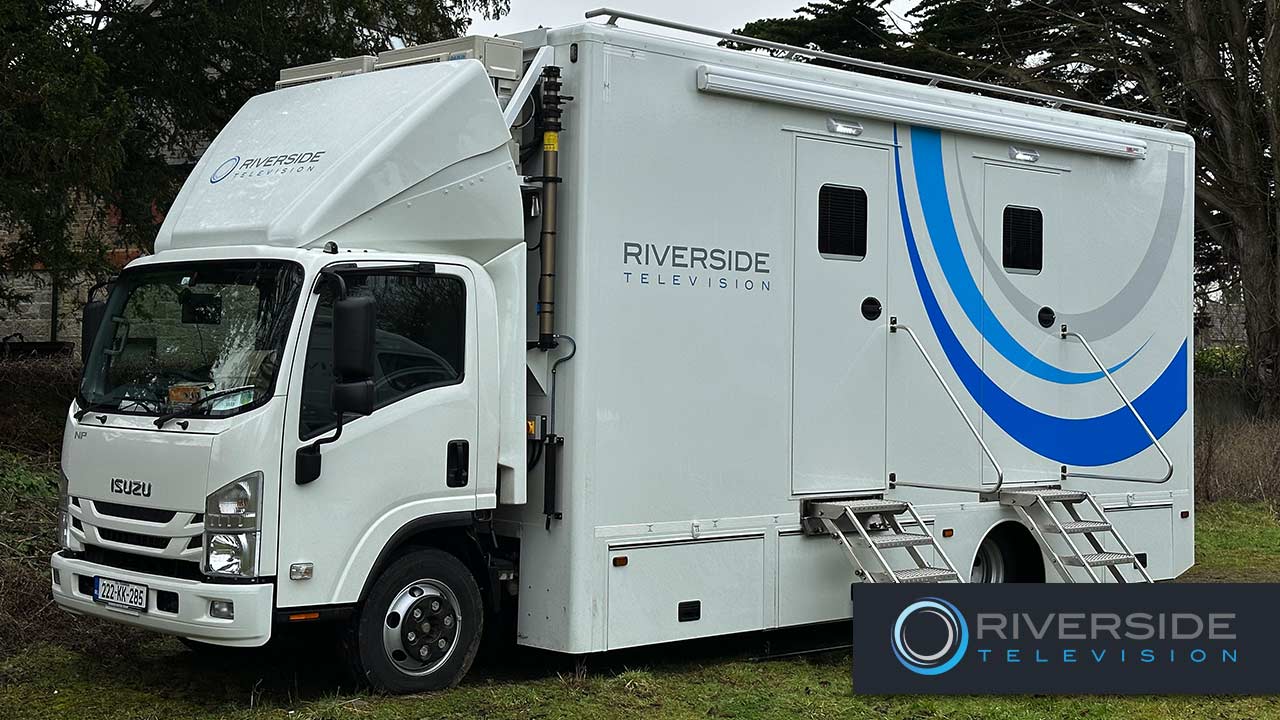
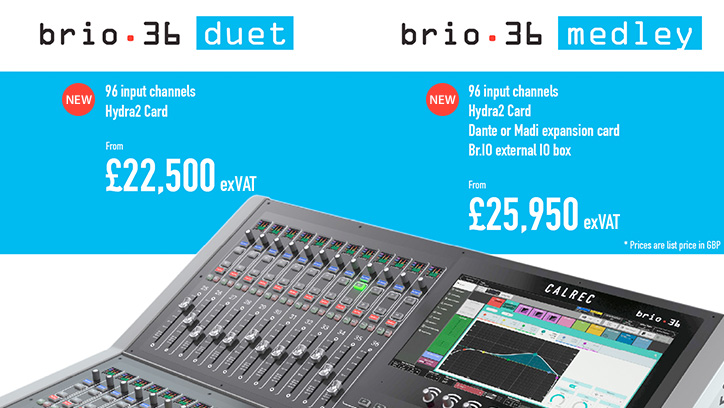
    Riverside Television chooses the Calrec Brio 36 console for Outside Broadcast Production

    Riverside Television is a broadcast technologies and outside broadcast supplier that provides a range of production services across Ireland.

    Riverside’s Gerard Hughes (Head of Sound) discusses the Outside Broadcast provider’s choice of audio console for their ‘BOB’ truck, a Calrec Brio 36 supplied by Synthax Audio UK.

    Read the full story

    DirectOut PRODIGY Series on tour with Coldplay

    Back in March 2023, pop phenomenon Coldplay had just embarked on the next phase of their massively successful “Music of the Spheres” tour, with multiple sold out dates set to fill stadiums around the world – from Rio de Janeiro’s Estádio Nilton Santos and the Rose Bowl in Los Angeles; to Manchester’s Etihad Stadium and Amsterdam’s Johan Cruijff Arena.

    Alex ‘Hadji’ Hadjigeorgiou (Digital Audio Specialist at Hadji Audio), Tony Smith (Head of Audio, FOH-Tech and Sound Designer for Coldplay), Dan Green (FOH Engineer) and Dom Thorne (System Technician) discussed the team’s choice of DirectOut for the tour, with additional comments from Jan Ehrlich (Managing Director at DirectOut).

    Read the full story

    New Product Launches

    RME Launches Fireface UFX III: New flagship 188-Channel USB 3 Interface

    RME released the Fireface UFX III – the new flagship audio interface – representing the pinnacle of RME’s audio interface design.

    With an extensive range of analogue and digital I/O across its 188 channels, as well as a powerful, professional feature-set, the Fireface UFX III is the ideal centrepiece for any professional recording setup – from studios, to live audio and multi-channel location music recording.

    Alongside its 12-channels of high-quality analogue I/O, the UFX III offers versatile expansion options via ADAT, MADI and AES digital connectivity; powerful features like SteadyClock FS, Advanced DURec, Autoset and MIDI-over-MADI; and extensive software control via TotalMix FX, TotalMix Remote and DIGICheck NG.

    Find out more

    Expand for more!

    RME announces M-32 Pro II Series of AD/DA Converters

    RME launched four new M-32 Pro II converters, succeeding the acclaimed M-32 Pro series: 32 analogue inputs or outputs with either AVB or Dante® network connectivity.

    Designed for professional studios, immersive sound installations, live sound systems, and industrial applications, the M-32 Pro II Series combine high-quality analogue conversion with advanced network audio processing.

    Find out more

    Appsys ProAudio releases Multiverter MVR-mkII digital audio “swiss-army-knife”

    Appsys ProAudio released the new Multiverter MVR-mkII. Designed in Switzerland and manufactured in Germany, the sequel to the MVR-64 introduces a host of new features including an Extended Routing Matrix, more flexible I/O options, and separate front panel clock domains (for use with the optional asynchronous SRC module).

    A one-stop shop for digital audio format conversion, the Multiverter MVR-mkII is designed to freely translate between formats such as AES3 (16x16ch), ADAT, SPDIF/AES3 optical, MADI optical and MADI coaxial, Dante/AES67, AES50 and MADI-TP, offering a wide range of connectivity for engineers working in live sound and broadcast.

    Find out more

    Lauten Audio releases Snare Mic purpose-built FET condenser

    Lauten Audio announced the release of the Snare Mic — a purpose-built, large-diaphragm FET condenser microphone designed explicitly for use on snare drums.

    At only 109mm in size, the Snare Mic is optimized for use in small spaces while delivering the impact, nuance, and distinct characteristics of a snare drum without the drawbacks of traditional solutions. A carefully tuned frequency response – tailored to the suggestions of multiple professional studio and live engineers – an ultra-high dynamic range, and up to 28dB of off-axis rejection ensure professional, mix-ready results straight out of the box.

    Find out more

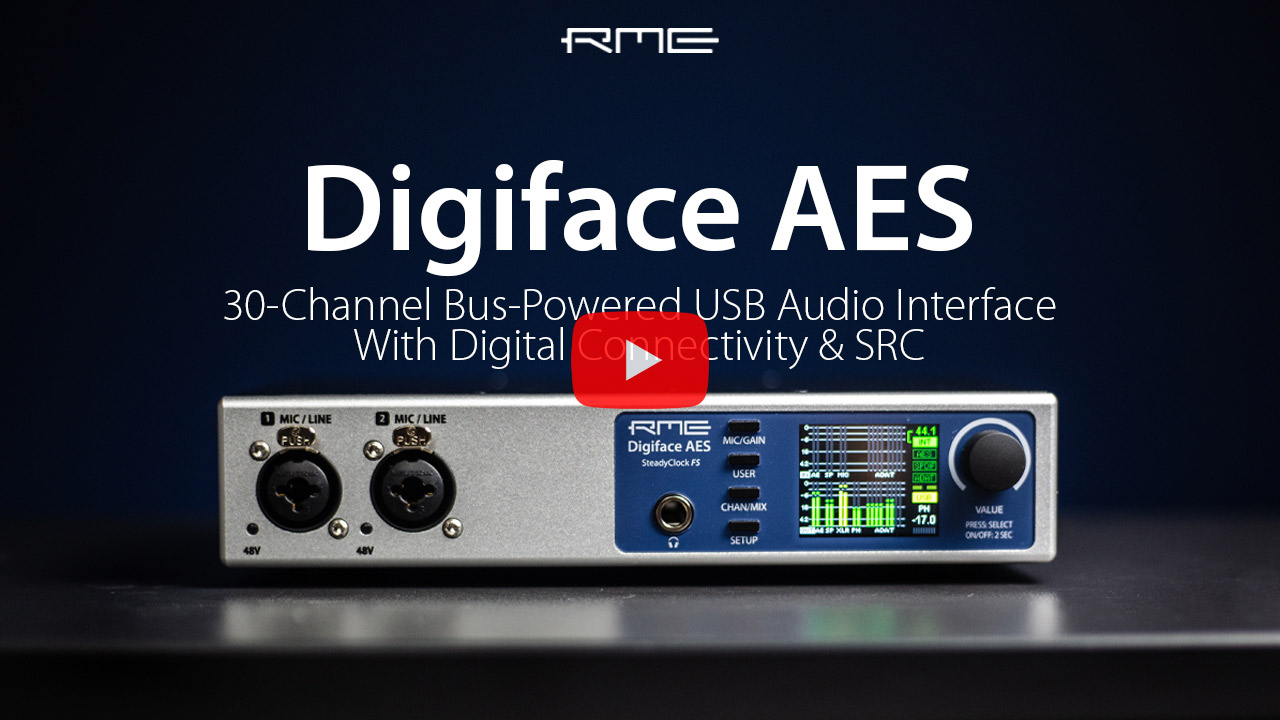
    RME Digiface AES – Overview Video – 30-channel Bus-Powered Audio Interface

    The Digiface AES is a professional 30-channel interface from RME. The newest addition to the Digiface series of interfaces, the Digiface AES is a versatile half-rack device with a focus on digital connectivity. Alongside analogue input channels and XLR outputs, the Digiface AES features AES, SPDIF and ADAT digital I/O.

    Watch our overview video for a quick introduction to RME’s latest addition to their audio interface range or read on for more information.

    Find out more

    Inside Lauten Audio Series Black V2 Microphones

    In Autumn 2022, Lauten Audio announced new V2 versions of their LA-120, LA-220, and LA-320, touting an upgraded look, new shock mounts, and new packaging. At launch time, Lauten didn’t mention any specific updates to the sound of the Series Black V2 mics.

    But Lauten Audio president Trent Thompson gave zZounds the lowdown: “We quietly tweaked the capsules in the 220 and 320 and changed the tube. We didn’t think it was going to be as big of a deal as it turned out to be, but people are hearing it, and the feedback is that it is a pretty noticeable upgrade from the originals.”

    Find out more

    RME announces DIGICheck NG Beta for Windows users

    RME announced the release of a beta version of DIGICheck NG (Next Generation) for Windows, a free suite of professional audio analysis tools available to all users of RME audio interfaces and sound cards.

    Originally developed for the Apple Silicon Macs, the benefits of DIGICheck NG can now be enjoyed by PC users as well, with RME’s developers managing to succesfully create a Windows port that meets their high and exacting standards.

    Find out more

    Tutorials

    The Mixbus OB Truck parked outside the National Theatre in LondonRME ADI-2 Remote Software – Tutorial Video (Mac/Windows)

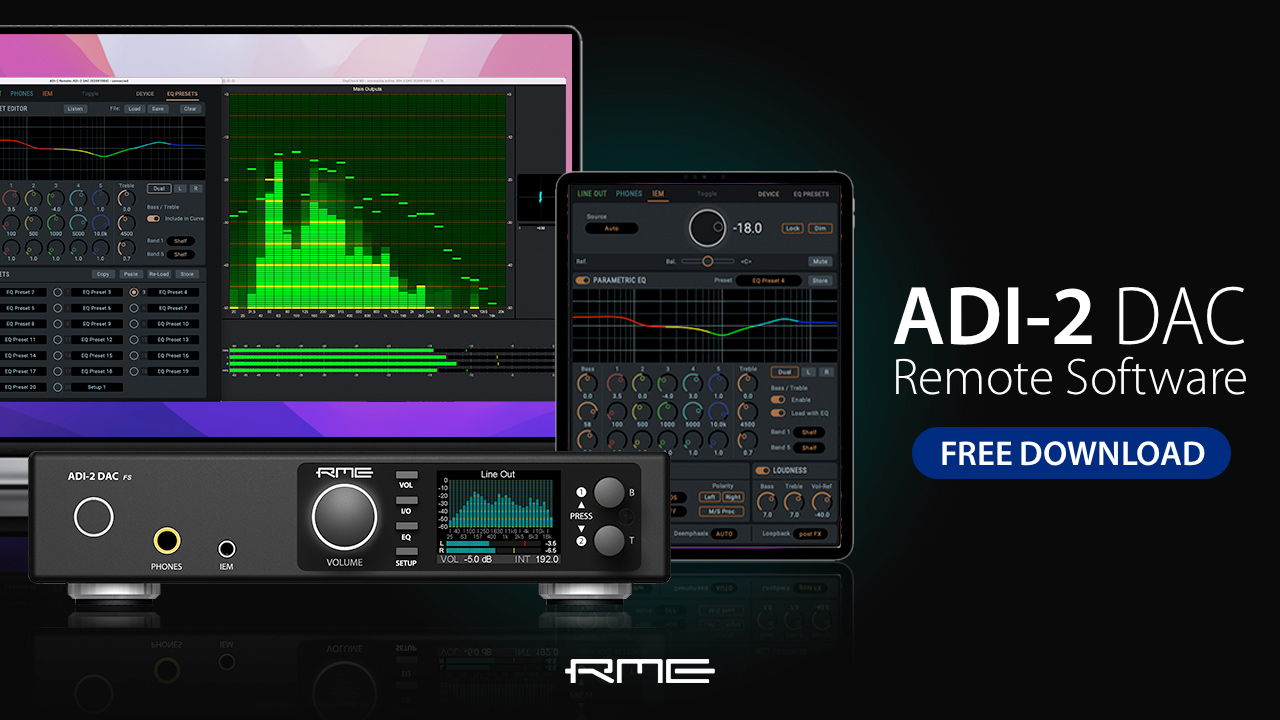
    Controlling your RME’s ADI-2 Series USB-DAC and headphone amplifier just got a whole lot easier thanks to the release of RME’s software control app.

    Available as a free download for all ADI-2 Series users, the software remote allows you to control every aspect of you device straight from your PC, Mac or iPad when connected via USB.

    To download the RME remote for yourself, head over to the downloads section of the RME Audio website, or watch our video for a run-through of this fantastic new way to control RME’s range of high-end AD and DA converters.

    Watch our video

    Expand for more!

    What is ADAT? | Synthax Explains

    In part 4 of our Synthax Explains video series, we answer the question “What is ADAT?”

    Modern professional recording and music production employs a number of different digital audio formats, which can be useful for simplifying the transfer of multiple tracks of audio between different devices in a studio or live recording setup.

    One of the most common of these formats is ADAT (the shortened name for ADAT Lightpipe, or ADAT Optical Interface), a digital audio transfer protocol capable of carrying up to 8 channels of audio via a single cable.

    Watch our video to find out why this 30-year old format remains popular to this very day, or read on for a deeper dive.

    Find out more

    Announcements

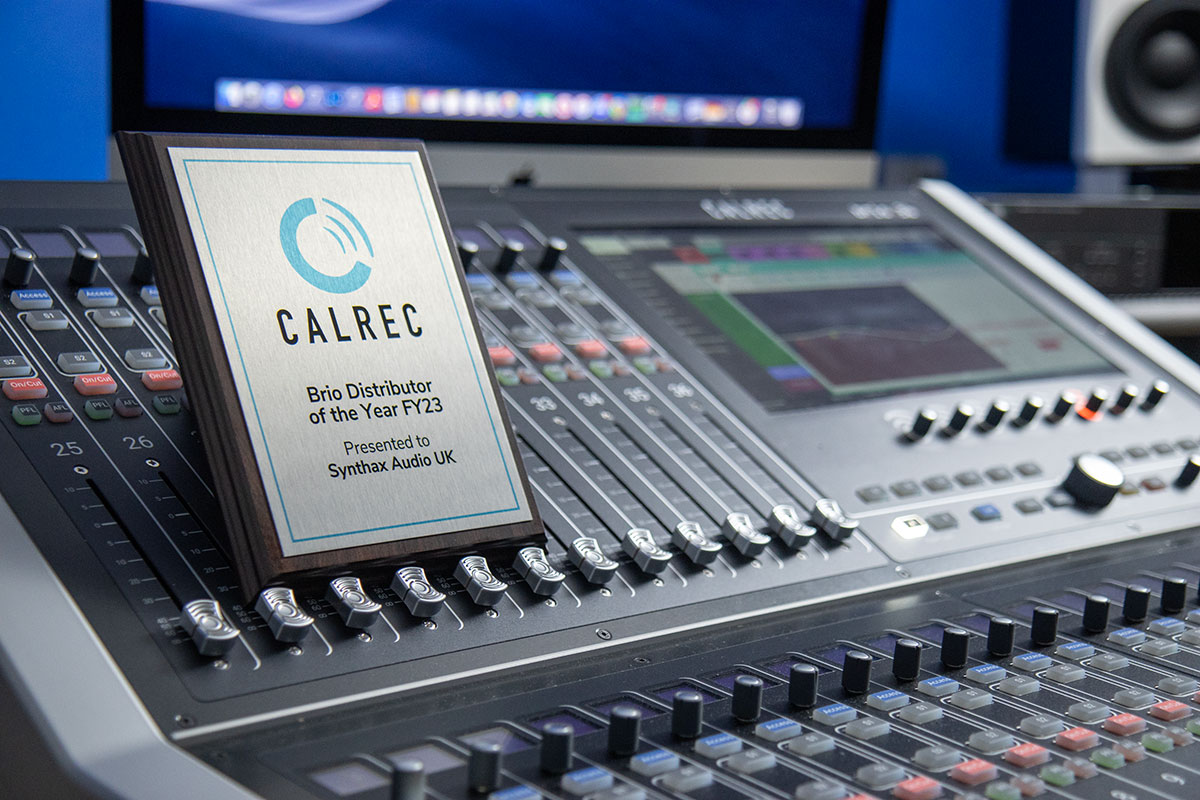
    Synthax Audio UK wins Calrec Brio Distributor of the Year 2023

    We’re delighted to have been awarded Calrec’s top Brio distributor for FY23.

    As the UK point of contact for all things Brio, we’ve been supplying and supporting customers throughout the country for several years now, and it’s always gratifying to see our work acknowledged by one of our major suppliers.

    Synthax Audio UK’s Simon Roome (Broadcast Sales Manager) says “It’s fantastic to receive this recognition for the work and success we’ve had with the Calrec Brio. This is no doubt in part due to the console’s versatility – it fits into so many applications!

    Find out more

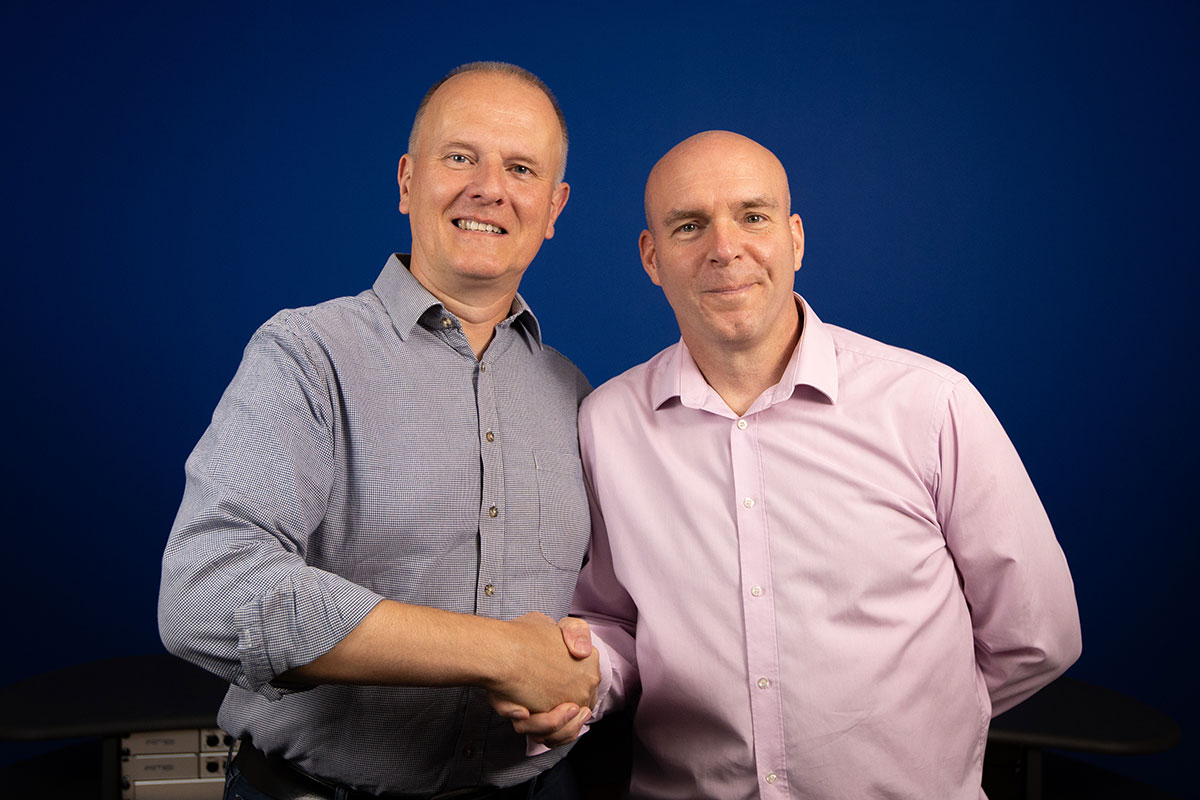
    Neil Johnston joins Synthax Audio UK as Head of Sales and Marketing

    We were pleased to welcome a new member to our team in September, with Neil Johnston joining as our new Head of Sales and Marketing.

    Having previously worked in positions at Focusrite and inMusic, Neil has brought considerable knowledge and expertise to the new role, developing and expanding upon our existing relationships with key retail and supplier partnerships throughout the Pro Audio and MI sectors.

    Welcome aboard Neil!

    TIERRA Audio appoints Synthax Audio UK as distributor for United Kingdom & Ireland

    Back in May 2023 we were delighted to announce our appointment as UK and Ireland Distributor for TIERRA Audio’s range of pro audio hardware.

    Founded in 2018 in Madrid, Spain, TIERRA Audio specialises in the creation of premium eco-friendly studio hardware, designed for use in professional recording, mixing and mastering applications.

    All TIERRA Audio products are handmade at the company’s headquarters in Madrid, using high-quality components specially selected for their sonic qualities and long-term durability.

    Find out more


    Over to you, 2024…

    So that’s it for 2023 – once again a massive thanks to all of our customers, brands and partners, we wouldn’t be here without you. Best wishes for the holidays and we look forward to seeing even more of you in 2024!


    Synthax Audio UK Logo


  3. RME ADI-2 Remote Software – Tutorial Video (Mac/Windows)

    Comments Off on RME ADI-2 Remote Software – Tutorial Video (Mac/Windows)

    RME ADI-2 DAC FS software controller news image


    A guide to using RME’s control software for the ADI-2 DAC FS, Pro FS R and 2/4 Pro SE.

    Controlling your RME’s ADI-2 Series USB-DAC and headphone amplifier just got a whole lot easier thanks to the release of RME’s software control app.

    Available as a free download for all ADI-2 Series users, the software remote allows you to control every aspect of you device straight from your PC, Mac or iPad when connected via USB.

    To download the RME remote for yourself, head over to the downloads section of the RME Audio website, or watch our video for a run-through of this fantastic new way to control RME’s range of high-end AD and DA converters.


    RME ADI-2 Remote Software Video Tutorial

    See more videos at Synthax TV


    RME ADI-2 DAC Remote software and DIGICheck NG

    The RME ADI-2 DAC FS software alongside RME’s DIGICheck NG

    Features Galore

    Whilst having so many features makes the ADI-2 DAC FS a real joy for those who love to play around and tune their playback experience, the front panel can sometimes be a bit overwhelming. If you’ve ever felt a bit lost diving through its vast menu system, you’re definitely not alone.

    The option to control the ADI-2 DAC directly via software will therefore be a welcome addition to anyone who enjoys tinkering with its many features – namely the on-board parametric EQ, Loudness On/Off and Crossfeed – or experimenting with the DACs different filter types (SD Sharp, NOS etc). Settings can also be saved to your Mac, or stored as presets on the device itself.


    How to install

    To install the RME ADI-2 Series remote software, go to RME Downloads and select the software for your operating system (Mac or Windows) from the software select drop-down menu.

    Once you’ve downloaded the zip file, run the installer to add the application to your hard drive.

    Note that you may also need to update to the latest firmware – to do so, use the left-hand drop-down menu to select your device (e.g. ADI-2 DAC FS), then your operating system (e.g. Mac), then click the link to download and run the flash update tool (named fut_madiface_mac.zip for Mac).

    With your ADI-2 DAC connected to your Mac via USB, the software should now recognise your device.


    RME ADI-2 DAC Remote software volume controlRME ADI-2 DAC Remote Software – Quick Guide
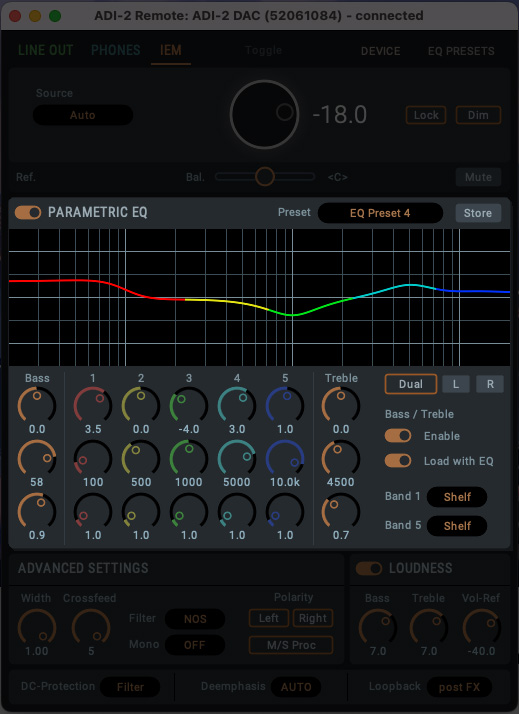
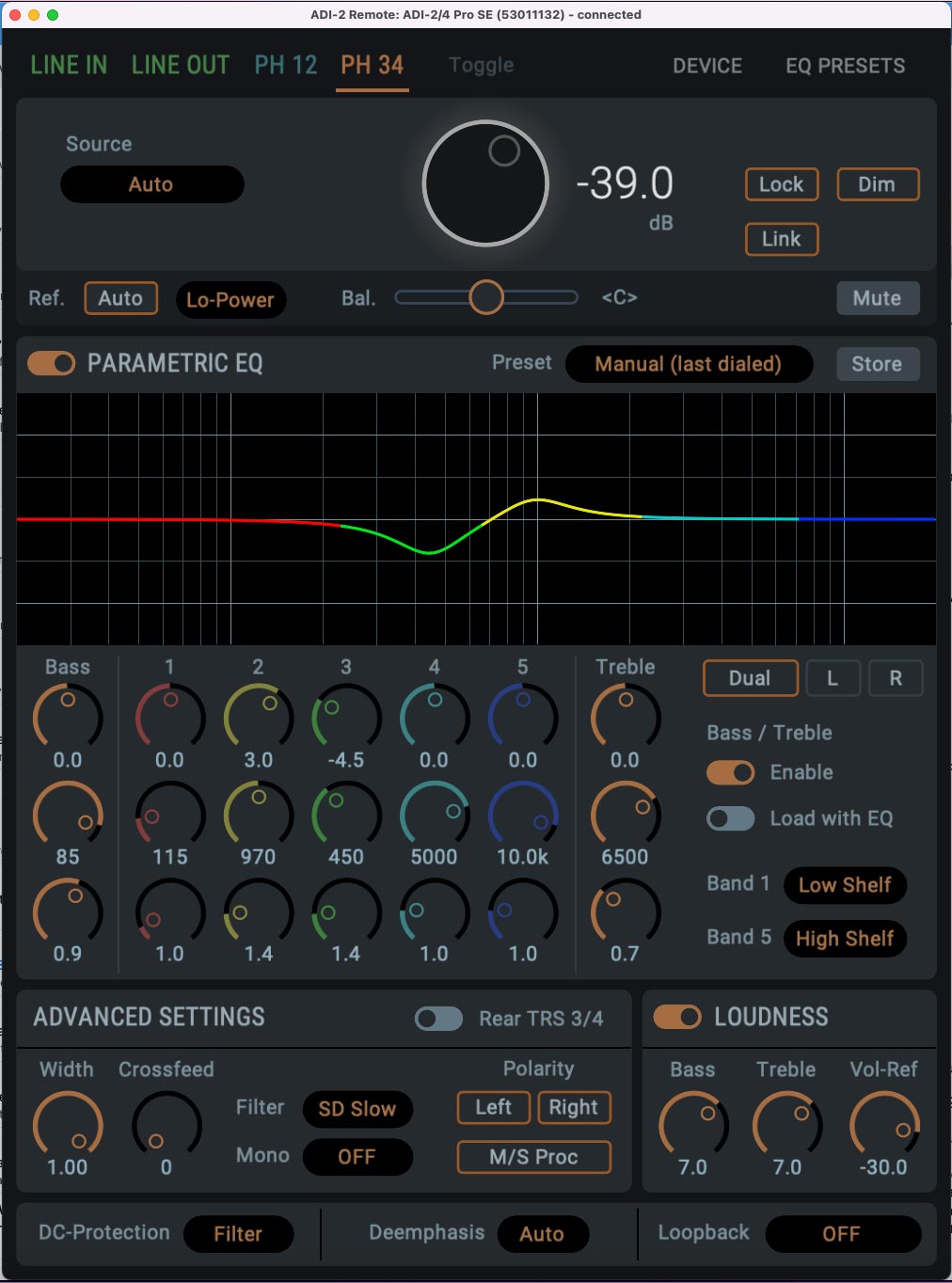
    The ADI-2 DAC Remote software is simple and intuitive to use, and its features will be instantly recognisable to longtime ADI-2 Series users.

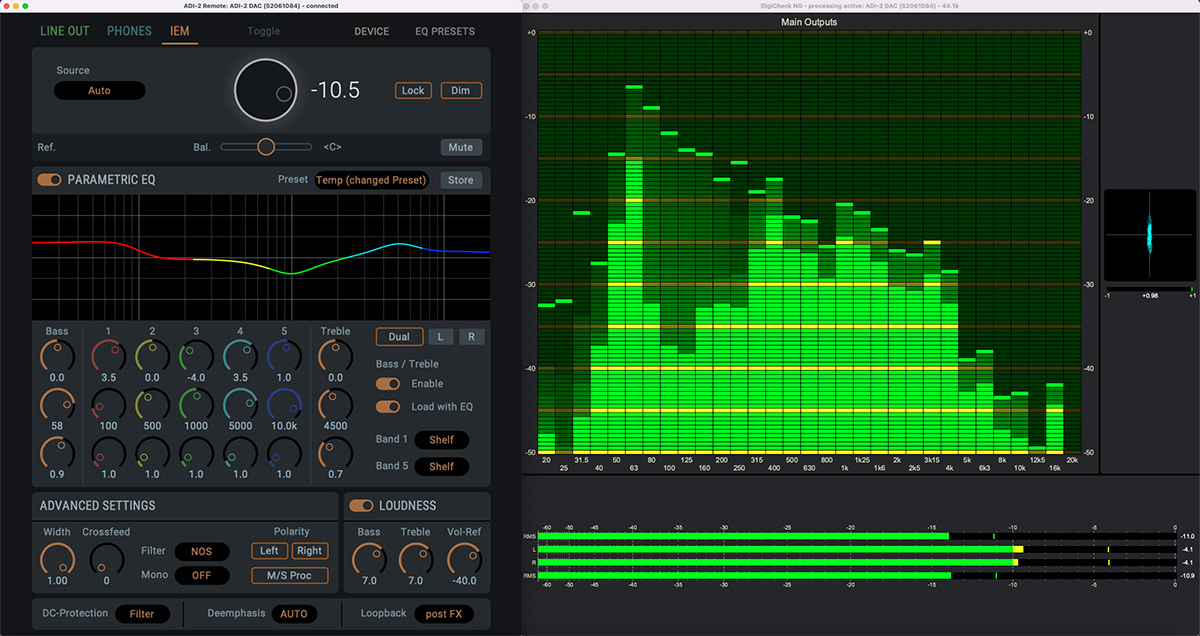
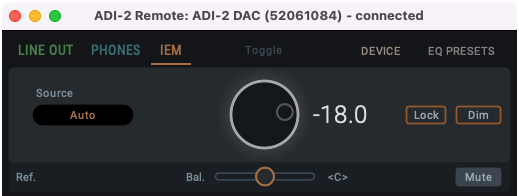
    Starting at the top you have the output section – click the tab for whichever output you wish to change the settings for, for example the IEM output.

    Next up you have your Source selection, which can be left set to Auto, and the volume control. You can also lock the unit from here, and Dim the volume (temporarily dropping the output level – useful if you receive a phone call etc), as well as control the left/right balance and the Mute switch.


    ADI-2 DAC Remote software EQ section Parametric Equalizer

    Now we move into the EQ section. The ADI-2 DAC FS has long been popular for adjusting the EQ curve to suit different pairs of headphone (check out RME’s video on that here), and now you can do this straight from your Mac or PC!

    After the EQ’s on/off switch, we have the eye-catching parametric equalizer, which features 5 adjustable bands, along with the bass and treble controls.

    If you’re familiar with EQ then chances are you won’t need any explanation on how to use this section, but here’s a quick run-through just in case:

    Starting with a single Band (e.g. Band 1), you’ll find three vertically-stacked encoders. The top is the gain control, which allows us to increase or decrease the level of the chosen band (with 0 being no boost or cut applied).

    The middle encoder controls the target frequency (20 Hz – 20 kHz), whilst the third encoder adjusts the Q (Quality or Q Factor), which alters the shape of the curve for the EQ band.

    Whilst there are no set rules when it comes to EQing, a good rule of thumb is that narrow Q settings are generally good for making cuts (-), whilst wider curves are better for boosts (+), and tend to sound more natural.

    Finally we also have the Bass and Treble controls. These two bands have fixed curve types (shelf EQ), with the cut-off frequency for each band fully adjustable, along with the Q control.


    Dual Button

    To the right of the EQ we also have the Dual button. The ADI-2 DAC can famously apply EQ to the left and right channels independently – great for those who are hard of hearing in one ear, or if you want to make some slight room adjustments when connecting the DAC to speakers.

    Pressing this button allows us to create different EQ curves for the left and right channels.


    Saving the EQ settings

    The EQ section also allows you to save your settings as a preset. Click on the Store button and give your preset a name, and choose whether you want to save it to your hard drive, or to one of the ADI-2 DAC FS’s on-board memory slots.  


    ADI-2 DAC Remote software Advanced Settings sectionAdvanced Settings – Width, Crossfeed and Filtering
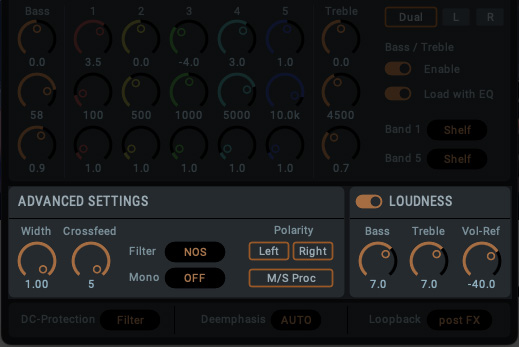
    Next up we have the section labelled Advanced Settings.

    Here we can adjust the Width (Mono < > Stereo), and try out the Crossfeed.

    What is Crossfeed?

    If you’ve not come across Crossfeed before, essentially it works by feeding a small amount of the left channel into the right, and vice versa.

    Headphones provide a very isolated way of delivering sound to our ears – in the real world, a sound source is received by both ears (albeit with a slight delay between them, which helps us perceive what direction a sound is coming from).

    Crossfeed therefore emulates the experience of real-world listening – like when listening to a pair of speakers, or watching a live band – by playing a small amount of sound from one channel into the other. The effect of this tends to vary with different recordings, but can work very well on certain types of music – well worth experimenting with!

    The Advanced Settings is also home to the filter section, which allows you to change the type of filtering the DAC uses, such as the SD Sharp or NOS filter. We can also swap the polarity here – useful for checking that speakers aren’t aligned out of phase, or for checking phase issues in music production – and activate the Mid/Side mode.

    RME ADI-2 DAC fs product renderLoudness

    We also have the DAC’s popular Loudness section, which many will remember from older HiFi amplifiers. This clever feature adjusts the treble and bass in response to volume changes, providing a more consistent listening experience regardless of the volume level.

    As with most things on the DAC, the treble and bass are user-adjustable, so you can fine-tune them to find your perfect settings.


    DC-Protection, De-emphasis and Loopback

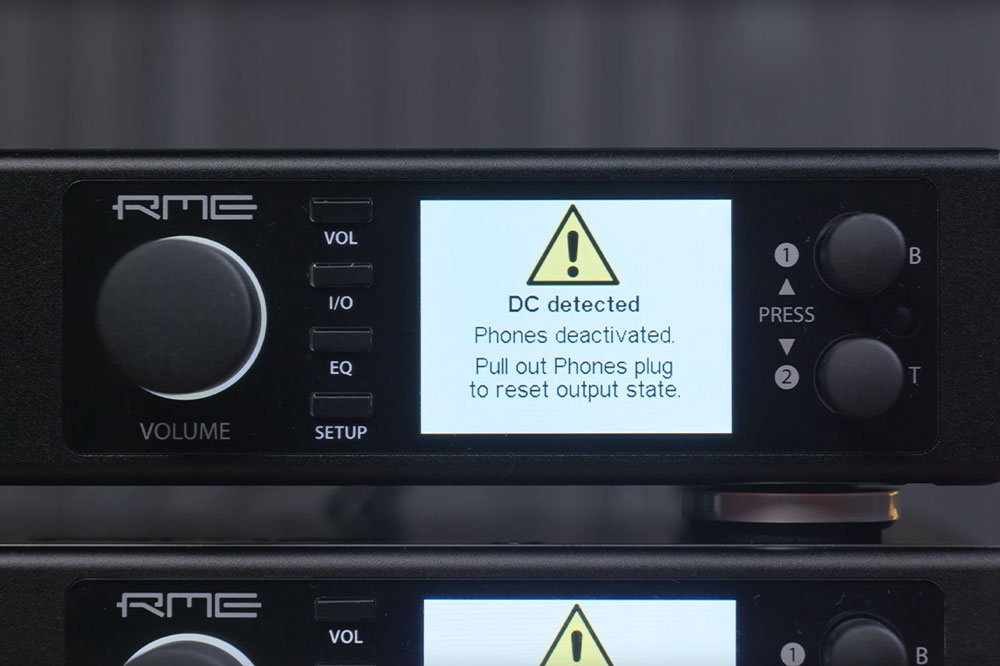
    Finally we have a switch for the DC-Protection filter, and the Deemphasis control (which allows you to add or remove some of the highs on some digital material – more info can be found on p55 of the RME manual here).

    You’ll also find the Loopback button here in the bottom-right, which you’ll need to activate if you want to use the ADI-2 with DIGICheck NG, RME’s free suite of audio analysis tools. You can choose between pre FX, i.e. measuring the signal before the EQ is applied, as well as post FX and post FX at -6dB.


    Device Tab

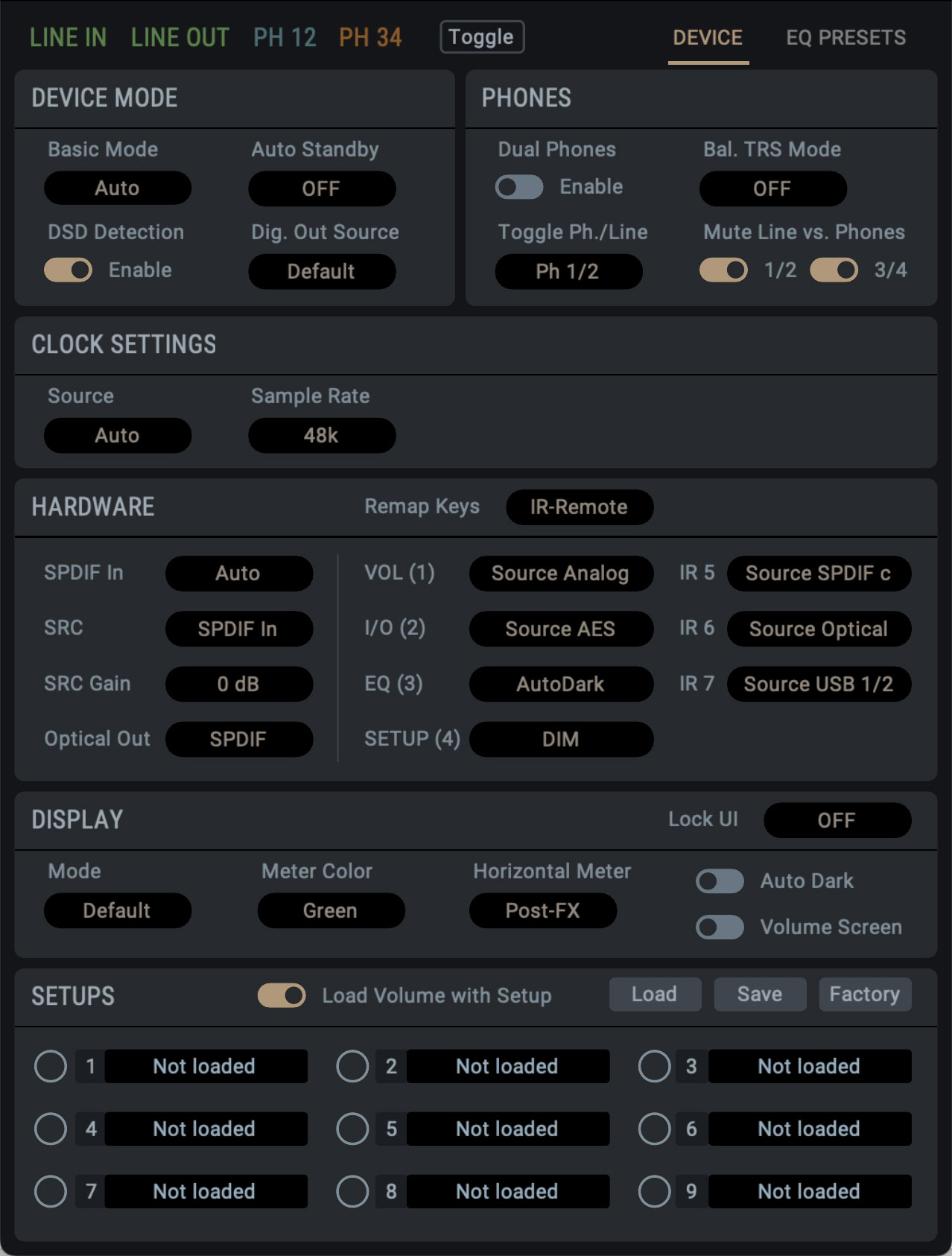
    The Device tab gives you access to a range of functionality to adjust the hardware. You can choose whether the line outputs are muted when headphones are inserted, and also whether the device will enter standby automatically when no signal is detected after a set amount of time.

    There’s also a range of DSD playback controls, including a switch for enabling DSD detection, DSD filter options and control of DSD Direct mode. 

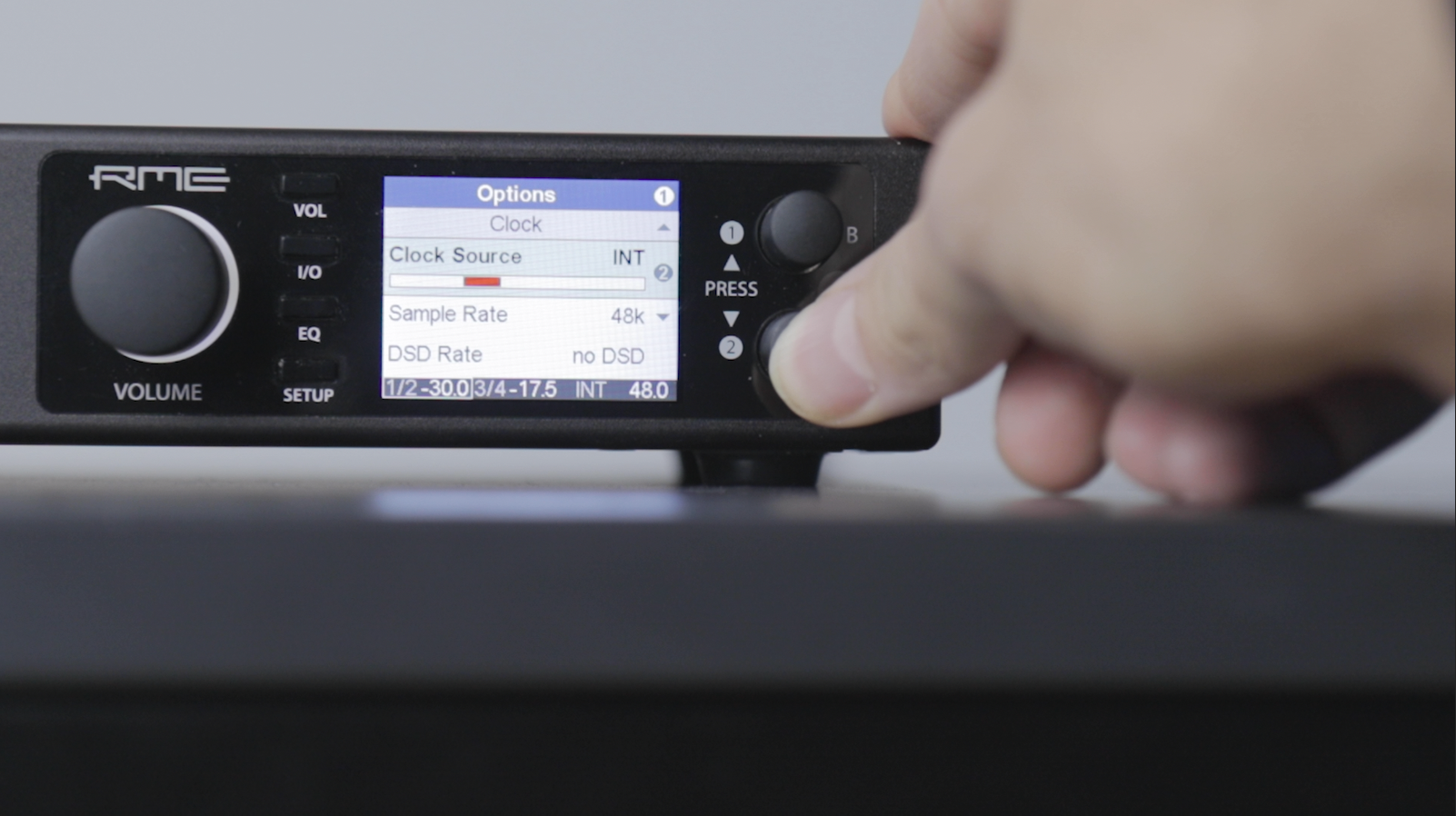
    The clock subsection does as the name suggests, allowing changes to the clock source and sample rate. With the ADI-2 series featuring RME’s SteadyClock FS technology, it’s worth keeping this set as internal, and clocking any other digital audio devices in your chain to the ADI-2, though the option to slave the ADI-2 is there should you need it.

    The ADI-2 series is also capable of sample rates all the way up to 768 kHz, but in most cases, the media player can dictate this setting for the best audio performance.

    RME ADI-2 DAC software device tab With the remap keys section, it’s possible to configure and add quick commands to each of the front panel buttons, as well as the four configurable buttons on the remote.
    Setting this to ON enables both the ADI-2’s four front panel buttons, and the remote’s 4 numbered buttons, as shortcut keys, while setting it to ‘remote’ enables the Remote control buttons only.

    So for instance, in ON, if you wanted to add the Dim command to the volume button, pressing the volume button on either the remote or the front panel will now Dim the output.

    You can still access the normal menu system on the front panel by pressing and holding.

    There’s a whole load of options here you can save as shortcuts on your remote or front panel – Setup choices, Mono control, Crossfeed and EQ presets for example – making it easy to customise the physical remote and front panel to your liking.

    And then we have the display settings, which offer a few tweaks to the behaviour of the ADI-2’s front panel display, such as switching to Dark Mode, or changing the colour of the display’s metering.

    There’s also a pair of controls for enabling the AutoDark feature, and another control for the volume screen, which enables and disables the large volume display on the screen when the level is adjusted.


    Saving a Setup

    Once you’re done adjusting all of these settings, you can save them as setups.

    There’s nine available slots, each of which will store the entire state of the device into one of the SETUPS. Note that the EQ Presets are not included in the stored setup – they are stored separately, and are available for any of these 9 setups.

    To save a setup, click the SAVE button, then click on one of the setup slots. Loading is the exact same – just click the LOAD button once, then click on your desired setup.

    To factory reset the settings, you can press LOAD followed by FACTORY. This resets all of the settings adjusted on the controller, but keeps your currently stored setups and EQ curves, meaning you get a nice clean slate to create a new setup from.


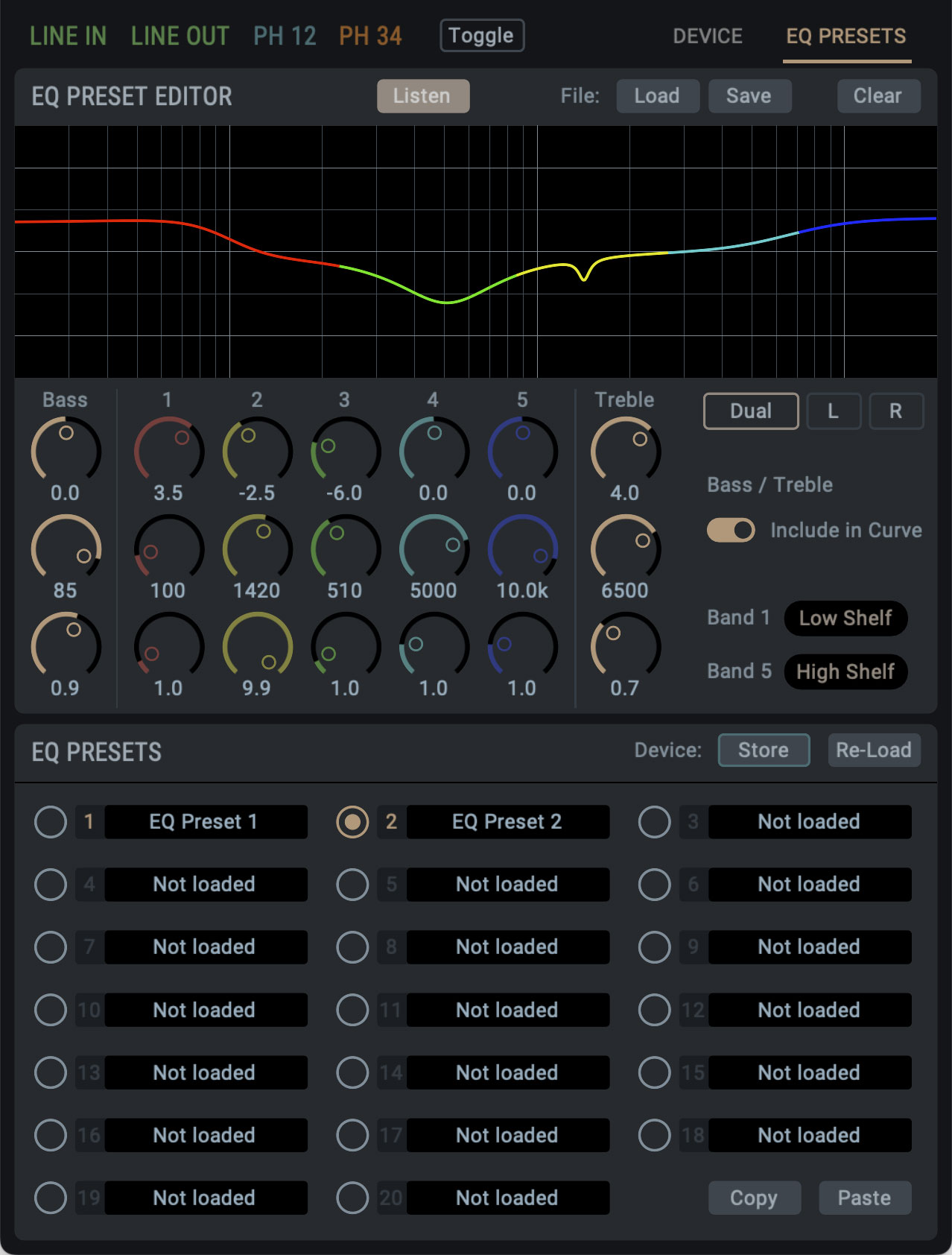
    RME ADI-2 DAC software EQ presets tabEQ Preset Editor

    Under the last tab, EQ Presets, you’ll find the extensive EQ Preset Editor. It’s identical to the EQ view in the output panels, with the added PRESET section. Unlike the output panels, this section is devoted solely to creating EQ presets, as well as the management of these presets.

    The main feature of this page is its LISTEN function, which allows you to quickly preview any of your saved EQ curves, and A/B them with another EQ curve you currently have loaded.

    It’s also possible to save EQ presets as standalone files. Let’s say you’ve created an EQ curve for your Sennheiser headphones – you can save this EQ curve to your computer’s hard drive as a file and recall it at any time, or even share it with other ADI-2 users.

    Finally you have the EQ Presets section. This is where you can find all of the various EQ presets stored to the device itself. There’s twenty slots to use, and if you want to use one preset as a starting point for another, you can copy and paste this into a new slot. You can also name each Preset individually from within the remote software, and if you click on the Store button, the EQ curve will be stored to your ADI-2 itself.


    Saving all of your settings

    One final thing worth noting is that you can save your entire setup by going to File > Save Setup As. This allows you to create a backup of everything on your ADI-2 – so, all of your Settings, EQ curves etc, all saved to a master file you can easily recall any time.


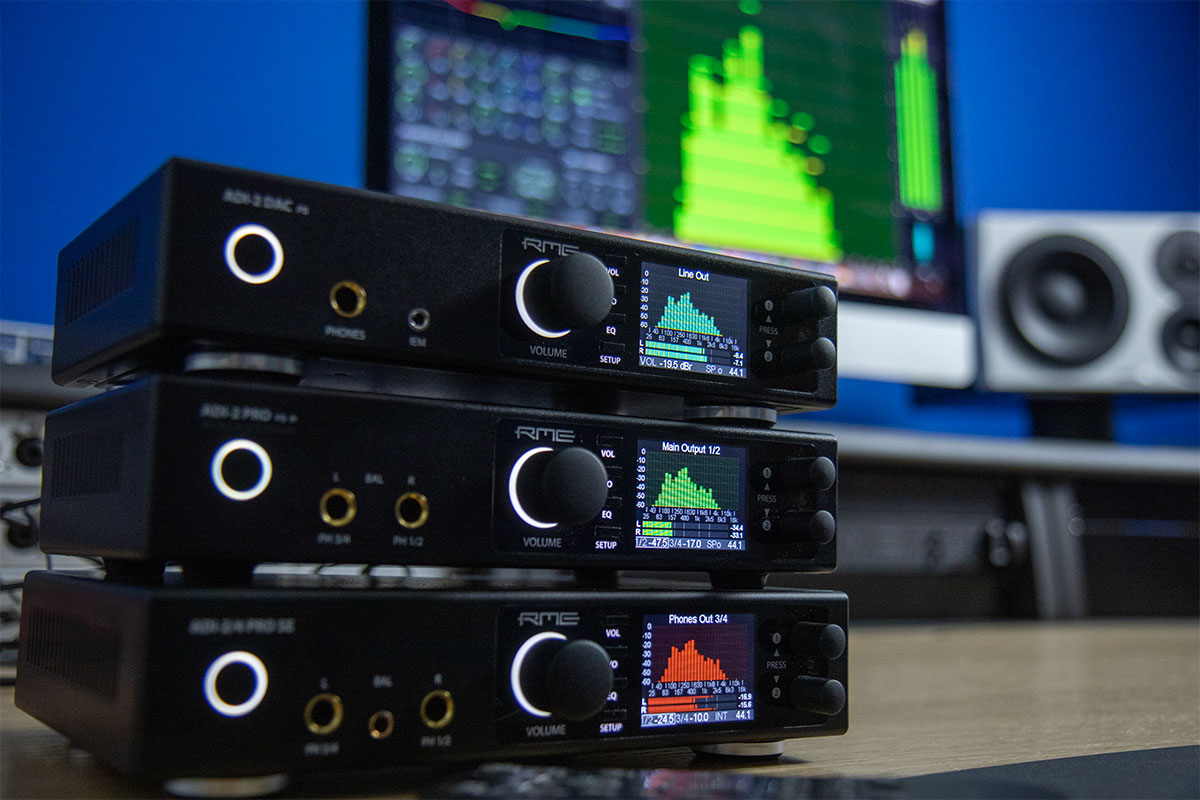
    RME ADI-2 Series converted stacked in front of a Mac display


    Ultra-Fidelity Reference Class Converters

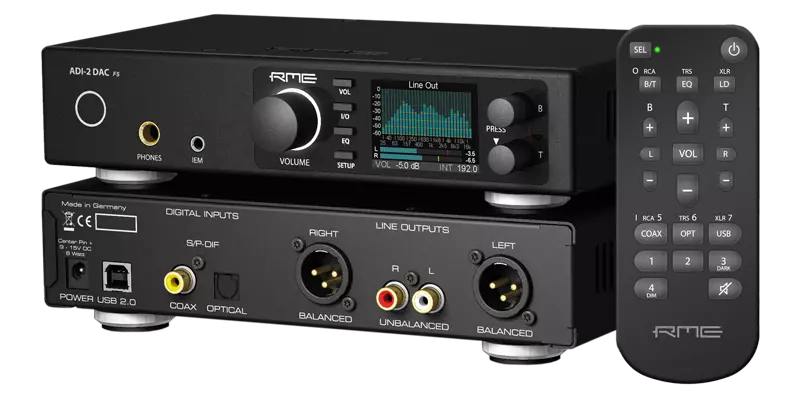
    The RME ADI-2 Series is an award-winning range of ADCs, DACs and headphone amplifiers from German pro audio specialists RME Audio.

    Adapted from its beginnings as a studio and mastering converter of the highest quality, the latest generation of ADI-2s have been optimised for the Audiophile and home Hi-Fi markets, with a host of fresh ideas, innovative features and numerous useful functions.

    Combining high-end DA conversion with exceptional headphone outputs, remote control and USB operation, the ADI-2 DAC and Pro FS R have received countless enthusiastic reviews for their sound, flexibility, and technical capabilities.

    Welcome to a new standard of digital audio technology: This is RME.

    See the full range of RME ADI-2 Series converters


  • RME ADI-2 Series Remote Software: Now Available for ADI-2 Pro and 2/4 Pro SE

    Comments Off on RME ADI-2 Series Remote Software: Now Available for ADI-2 Pro and 2/4 Pro SE

    Software remote control now available for all RME ADI-2 Series of ADC/DAC and headphone amplifiers.

    Download from the RME Forum here.

    Following on from the release of the ADI-2 DAC FS software remote, we can now confirm the availability of pre-release versions for the ADI-2 Pro FS R and ADI-2/4 Pro SE models! This software is available for Mac, Windows and iPad, and once again is absolutely free of charge to all RME ADI-2 Series owners.

    To read what RME’s Head of Design Matthias Carstens has to say about the release, and to download the RME ADI-2 Software Remote for yourself, head over to the RME forum.

    You’ll also need to update to the latest firmware via the Flash Update Tool, which is also available on the forum post, and Windows users will need to ensure they have the latest driver installed (0.9827 and above).

    We know this has long been a dream for ADI-2 owners, so it’s fantastic to once again see the RME development team listening and responding to the requests of its user-base.


    RME ADI-2/4 software remote control UIControl your ADI-2 Pro and ADI-2/4 SE from your PC, Mac or iPad

    Alongside its high-end sound, the ADI-2 Series is known for providing a serious amount of different features and options built directly into each device – quite frankly putting other ADCs and DACs to shame.

    Such flexibility does inevitably lead to a fair amount of menu-diving at times, and it can be a bit tricky to find exactly what you’re after via the front panel. Thankfully, the new software controller makes it easier than ever to play around with the many different features the ADI-2 Series has to offer.

    For a quick overview of how the software works, check out our ADI-2 DAC software Quick Guide.

    One thing of course that you don’t get with the DAC is the hardware inputs – you’ll notice therefore that the ADI-2 Pro and 2/4 SE software have input sections, complete with EQ for adjusting the signal on the way in when you’re recording.

    The ADI-2/4 Pro SE also features a digital RIAA mode, removing the need to use an external phono preamp in front of the ADI-2/4’s line inputs, and making it the ultimate choice if you’re looking to archive your vinyl collection in the highest quality.

    RME ADI-2 Series converted stacked in front of a Mac display


    Ultra-Fidelity Reference Class Converters

    The RME ADI-2 Series is an award-winning range of ADCs, DACs and headphone amplifiers from German pro audio specialists RME Audio.

    Adapted from its beginnings as a studio and mastering converter of the highest quality, the latest generation of ADI-2s have been optimised for the Audiophile and home Hi-Fi markets, with a host of fresh ideas, innovative features and numerous useful functions.

    Combining high-end DA conversion with exceptional headphone outputs, remote control and USB operation, the ADI-2 DAC and Pro FS R have received countless enthusiastic reviews for their sound, flexibility, and technical capabilities.

    Welcome to a new standard of digital audio technology: This is RME.


    See the full range of RME ADI-2 Series converters


  •  

  • RME releases ADI-2 Remote Software: Software controller for the ADI-2 DAC FS

    Comments Off on RME releases ADI-2 Remote Software: Software controller for the ADI-2 DAC FS

    RME ADI-2 DAC FS software controller news image

    Another treat for RME ADI-2 DAC users…

    RME have just released a software controller for their incredibly popular RME ADI-2 DAC FS DA converter and headphone amplifier.

    As if RME hadn’t added enough additional features to the ADI-2 Series since its initial release, the German pro audio experts have added yet another feature for existing users to play with – a fully-fledged software controller no less!

    Note that the ADI-2 Remote is currently labelled as a pre-release, and as such is only available for the Mac and iPad at the moment*, although we’ve had it confirmed that a Windows version will follow shortly. It’s also currently only available for the ADI-2 DAC models, however an ADI-2 Pro FS R and ADI-2/4 SE port are also planned for the near-future.

    To read what RME’s Head of Design Matthias Carstens has to say about the release, and to download the RME ADI-2 DAC Remote for yourself, head over to the RME forum.

    You’ll also need to update to the latest firmware via the Flash Update Tool (fut_madiface_mac.zip), which is also available on the forum post.

    * Update 21/07/23 – a Windows beta has also just been released! Note that the driver must also be updated to the latest version (0.9824 or higher) – More info on the RME forum here!


    RME ADI-2 DAC Remote software and DIGICheck NG

    The RME ADI-2 DAC FS software alongside RME’s DIGICheck NG

    Features Galore

    Whilst having so many features makes the ADI-2 DAC FS a real joy for those who love to play around and tune their playback experience, the front panel can sometimes be a bit overwhelming. If you’ve ever felt a bit lost diving through its vast menu system, you’re definitely not alone.

    The option to control the ADI-2 DAC directly via software will therefore be a welcome addition to anyone who enjoys tinkering with its many features – namely the on-board parametric EQ, Loudness On/Off and Crossfeed – or experimenting with the DACs different filter types (SD Sharp, NOS etc). Settings can also be saved to your Mac, or stored as presets on the device itself.


    How to install

    Currently the pre-release comes without an installer, so simply download and unzip the zip file, then drag the ADI-2 DAC Remote icon to your applications folder and open it from there.

    You can also add a shortcut on your desktop, or drag it to your icons at the bottom.

    With your ADI-2 DAC connected to your Mac via USB, the software should recognise your device straight away.


    RME ADI-2 DAC Remote software volume controlRME ADI-2 DAC Remote Software – Quick Guide

    The ADI-2 DAC Remote software is simple and intuitive to use, and its features will be instantly recognisable to longtime ADI-2 Series users.

    Starting at the top you have the output section – click the tab for whichever output you wish to change the settings for, for example the IEM output.

    Next up you have your Source selection, which can be left set to Auto, and the volume control. You can also lock the unit from here, and Dim the volume (temporarily dropping the output level – useful if you receive a phone call etc), as well as control the left/right balance and the Mute switch.


    ADI-2 DAC Remote software EQ section Parametric Equalizer

    Now we move into the EQ section. The ADI-2 DAC FS has long been popular for adjusting the EQ curve to suit different pairs of headphone (check out RME’s latest video on that here), and now you can do this straight from your Mac itself!

    After the EQ’s on/off switch, we have the eye-catching parametric equalizer, which features 5 adjustable bands, along with the bass and treble controls.

    If you’re familiar with EQ then chances are you won’t need any explanation on how to use this section, but here’s a quick run-through just in case:

    Starting with a single Band (e.g. Band 1), you’ll find three vertically-stacked encoders. The top is the gain control, which allows us to increase or decrease the level of the chosen band (with 0 being no boost or cut applied).

    The middle encoder controls the target frequency (20 Hz – 20 kHz), whilst the third encoder adjusts the Q (Quality or Q Factor), which alters the shape of the curve for the EQ band.

    Whilst there are no set rules when it comes to EQing, a good rule of thumb is that narrow Q settings are generally good for making cuts (-), whilst wider curves are better for boosts (+), and tend to sound more natural.

    Finally we also have the Bass and Treble controls. These two bands have fixed curve types (shelf EQ), with the cut-off frequency for each band fully adjustable, along with the Q control.


    Dual Button

    To the right of the EQ we also have the Dual button. The ADI-2 DAC can famously apply EQ to the left and right channels independently – great for those who are hard of hearing in one ear, or if you want to make some slight room adjustments when connecting the DAC to speakers.

    Pressing this button allows us to create different EQ curves for the left and right channels.


    Saving the EQ settings

    The EQ section also allows you to save your settings as a preset. Click on the Store button and give your preset a name, and choose whether you want to save it to your hard drive, or to one of the ADI-2 DAC FS’s on-board memory slots.  


    ADI-2 DAC Remote software Advanced Settings sectionAdvanced Settings – Width, Crossfeed and Filtering

    Next up we have the section labelled Advanced Settings.

    Here we can adjust the Width (Mono < > Stereo), and try out the Crossfeed.

    What is Crossfeed?

    If you’ve not come across Crossfeed before, essentially it works by feeding a small amount of the left channel into the right, and vice versa.

    Headphones provide a very isolated way of delivering sound to our ears – in the real world, a sound source is received by both ears (albeit with a slight delay between them, which helps us perceive what the direction a sound is coming from).

    Crossfeed therefore emulates the experience of real-world listening – like when listening to a pair of speakers, or watching a live band – by playing a small amount of sound from one channel into the other. The effect of this tends to vary with different recordings, but can work very well on certain types of music – well worth experimenting with!

    The Advanced Settings is also home to the filter section, which allows you to change the type of filtering the DAC uses, such as the SD Sharp or NOS filter. We can also swap the polarity here – useful for checking that speakers aren’t aligned out of phase, or for checking phase issues in music production – and activate the Mid/Side mode.

    RME ADI-2 DAC fs product renderLoudness

    We also have the DAC’s popular Loudness section, which many will remember from older HiFi amplifiers. This clever feature adjusts the treble and bass in response to volume changes, providing a more consistent listening experience regardless of the volume level.

    As with most things on the DAC, the treble and bass are user-adjustable, so you can fine-tune them to find your perfect settings.


    DC-Protection, De-emphasis and Loopback

    Finally we have a switch for the DC-Protection filter, and the Deemphasis control (which allows you to add or remove some of the highs on some digital material – more info can be found on p55 of the RME manual here), as well as the Loopback control which allows us to use the device with RME’s DIGICheck software.

    That’s it for our quick run-through of the ADI-2 DAC Remote software. If you haven’t downloaded the software for yourself yet, head over to the RME Forum here.


    See the full range of RME ADI-2 Series converters


  • 2022 End of Year Roundup – RME, Ferrofish, Calrec, Dynaudio, DirectOut, Appsys & Lauten Audio

    Comments Off on 2022 End of Year Roundup – RME, Ferrofish, Calrec, Dynaudio, DirectOut, Appsys & Lauten Audio
    Synthax Audio UK 2022 RoundUp Collage

    A Round Up of some of our favourite blog posts and videos from 2022

    As another year comes to a close, we look back at some of our favourite product news and user stories from the past 12 months.

    A huge thank you to all of brands, partners and customers for a fantastic 2022!

    Logos for Synthax Audio UK's pro audio brands in 2022

    New Product Launches


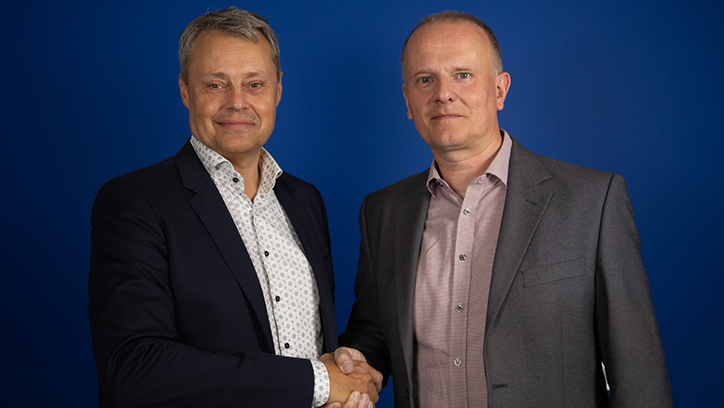
    Pictured: Michael Cordt Møller (VP of EMEA Region for Dynaudio, left) and Martin Warr (Managing Director for Synthax Audio UK, right)

    Dynaudio appoints Synthax Audio UK as Distributor for UK and Ireland

    In September 2022 we were delighted to be appointed as Dynaudio’s exclusive PRO distributor for the UK and Ireland.

    Renowned for producing high-quality speakers across the home, installation, automotive and professional audio industries, Dynaudio studio monitors can be found in thousands of home and pro studios around the globe, and we’re super excited to be involved with another iconic pro audio brand.

    Read the press release

    Find a Dynaudio PRO UK Dealer

    Expand for more!

    Ferrofish A32pro Dante overview videoFerrofish announces A32pro & A32 pro Dante

    Ferrofish unveiled their next-generation successors to their popular A32 and A32 Dante – the A32pro and A32pro Dante.

    The latest in a long line of multi-channel audio converters, With a host of new features and additional monitor controls, the A32pro and A32pro Dante are Ferrofish's most accomplished AD/DA converters to date.

    Watch our overview video

    RME 12Mic-D video overview - Synthax Audio UKRME launches 12Mic-D with Dante at NAMM 2022

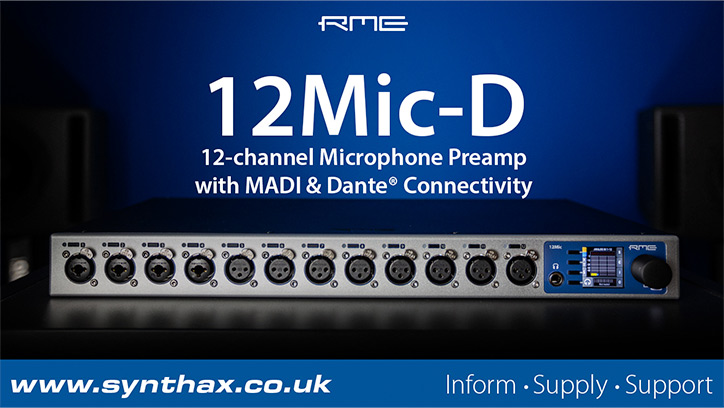
    RME introduced a new version of the 12Mic featuring Audinate's popular networking format Dante.

    Offering an alternative to the AVB-based original model, the 12Mic-D is a high-end network-capable preamp offering 12 channels of transparent, ultra-clean audio capture designed for high-end recording studios and location music recordists.

    Watch our overview video

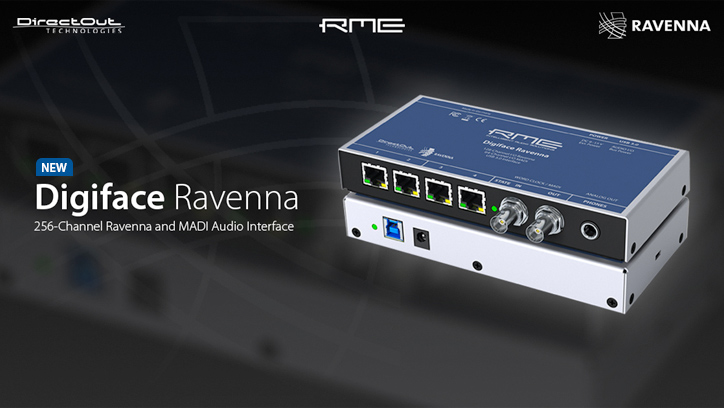
    RME & DirectOut Digiface Ravenna promo image RME and DirectOut announce the Digiface Ravenna at IBC 2022

    RME and DirectOut announced they've teamed up on a new interface designed for the broadcast market.

    Combining DirectOut's vast knowledge of the Ravenna format with RME's extensive driver stability and routing flexibility, the Digiface Ravenna is scheduled for release sometime in Q1 2023.

    Find out more

    User Stories & Videos

    RME M-32 Pro in front of a Sicilian beach backdropRecording live music for feature films with Victor Chaga, RME and DirectOut

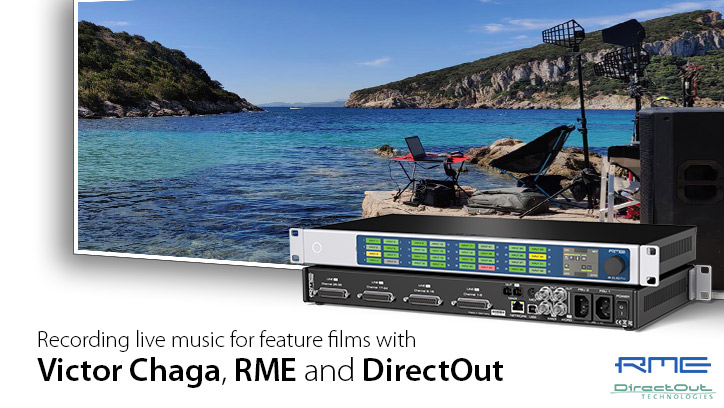
    Victor Chaga is a composer, recording engineer and on-set music editor who works primarily in the film industry. Originally from St. Petersburg, Victor studied music and engineering in Chicago before moving to California, working alongside some of the top composers in Hollywood. He currently resides in the UK, operating mostly out of Pinewood Studios and specialising in live, on-set music recording and playback.

    A long-time user of RME Audio interfaces and converters, we sat down with Victor for a lengthy chat about his career, and to find out more about a recent recording venture to the beaches of Sardinia for an upcoming feature film, with a rig that also featured the DirectOut Prodigy Series.

    Read the full story

    Expand for more!

    Faz at Damage Audio Video - Feature Image - Synthax Audio UKRecording with Ben ‘Faz’ Farestvedt at Damage Audio Studios

    Ben ‘Faz’ Farestvedt is a producer and mix engineer who runs the Damage Audio studio in Bedford. Having started out as a touring musician and FOH engineer, these days he spends most of his time in the studio, producing and engineering long-standing artists such as The Blockheads (Ian Dury) & Tomirae Brown (James Brown Band), as well as helping to develop and build the careers of newer names such as Don Broco, Sarpa Salpa, The Scruff and Low Girl.

    As part of a major refurbishment to his recording space, Faz recently upgraded his main recording rig to an RME HDSPe MADI FX, and we were keen to get his thoughts about RME’s triple-MADI PCIe sound card – including how it’s allowed him to completely swap out his console, with a recording workflow now solely based around RME’s TotalMix FX software mixer (and an ARC USB for monitor control).

    Watch the video

    Anthony Leung interview for Synthax & RME UKLocation Recording with Anthony Leung (Ed Sheeran, Holly Humberstone)

    Anthony Leung is a Sound Engineer, Sound Recordist and Playback Operator working out of The Crypt Studios in North London. From working with Ed Sheeran and "one-shot" live music videos for Holly Humberstone, to live show recordings with Foals and The National, Anthony has been involved with some of the biggest names in the music industry.

    We sat down with Anthony to discuss his path to location recording, his love for RME gear, and how the Ferrofish Pulse 16 MX and MADIface XT fit into The Crypt's 360 Reality Audio work with Sony.

    Watch on YouTube

    Turning a house into a recording studio with Strange PillTurning a house into a Recording Studio with Strange Pill

    Audio-Visual artists Ben Hardy and Zahara Muñoz-Vicens have been embracing the analogue and digital realms together since 2009.

    Primarily working under the name Strange Pill, the duo combines music and field recordings with video and other technologies to create experimental mixed-media collages, blurring the lines between musical performance and interactive art show.

    We caught up with Strange Pill in their London home to find out more about their latest project – turning their entire house into a recording studio – with a recording setup that includes the RME 12Mic and the Ferrofish Pulse 16 MX.

    Read the full story

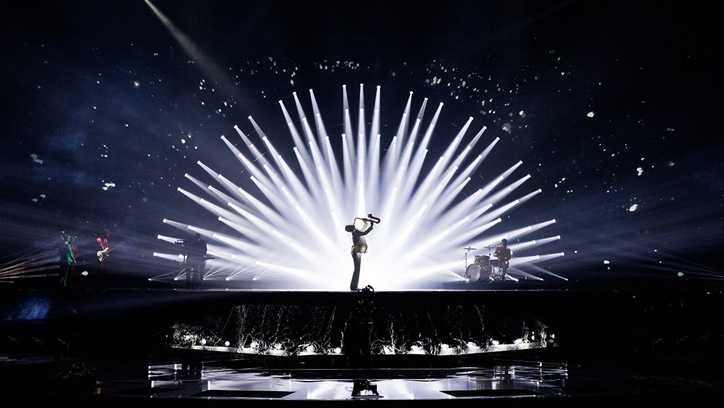
    Eurovision Song Contest 2022 - Picture provided by: EBU / CORINNE CUMMINGDirectOut PRODIGYs shine at the Eurovision Song Contest 2022

    Broadcast in over 50 countries, Eurovision remains one of the most popular televised events of the year, with an estimated 200 million tuning in for 2022.

    This year’s performances included winners Kalush Orchestra of Ukraine, as well as the U.K.’s own Sam Ryder who finished second with his song ‘Spaceman’.

    A huge part of the show’s audio infrastructure was built around DirectOut’s modular Prodigy Series, with a large number of units deployed throughout the system, providing a seamless integration between multiple disciplines within the production – FOH, Monitoring, Playback, Patch Rooms and Broadcast.

    Read the full story

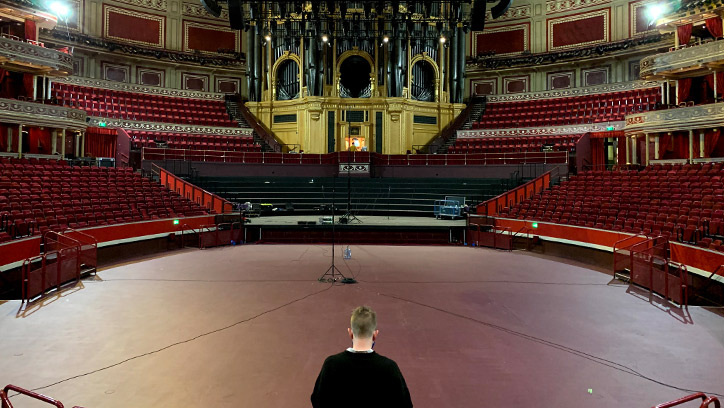
    Man standing in front of an empty Royal Albert Hall, LondonRecording the Royal Albert Hall’s Grand Organ

    One of the world’s most iconic instruments, the Grand Organ at the Royal Albert Hall certainly lives up to its name. 65ft wide and 70ft high, the instrument weighs around 150 tonnes.

    And whilst the Covid-19 lockdown was an uncertain time for live music venues across the country, one positive to arise from the Hall’s temporary closure was the opportunity to create an official sample library for the Grand Organ, endorsed by the RAH itself.

    Co-engineering the project (along with chief engineer Oli Jacobs of Real World Studios) was mobile recording engineer Chris Kalcov, who alongside composer James Everingham, kindly gave us a window into this historic recording.

    Read the full story

    Snarky Puppy horn players with Lauten Audio MicrophonesSnarky Puppy Uses 26 Lauten Audio Mics on New Album “Empire Central”

    Released in the Autumn of 2022, Snarky Puppy’s album “Empire Central” is a return-to-roots masterpiece, tracked fully-live in front of a studio audience.

    Tasked with capturing 19 musicians simultaneously, recording and mix engineer Nic Hard chose to record the group’s 14th album with 26 Lauten Audio microphones.

    Read the full story

    Beardyman RME interview main imageBeardyman chooses RME Fireface UCX II for his live touring rig

    Darren Foreman is a London-based beatboxer, singer, rapper and voice artist who performs under the stage name Beardyman.

    A sonic innovator with a keen interest in new music technologies, Beardyman’s unforgettable live performances combine his own wide-ranging vocal talents with live looping, visuals, and even live sampling of the audience itself.

    We sat down with the man behind the beard to chat about his recording setup, his ventures into live-streaming during the lockdown, and why RME audio interfaces are crucial to his live performances.

    Read the full story

    Simon Roome and Howard Austen with the Calrec Brio 36 at RavensbourneRavensbourne University upgrades to Calrec Brio broadcast console

    Located next to the iconic O2 venue, Ravensbourne University London offers a wide range of practically focused digital media and design courses, from pre-degree and foundation level, to undergraduate and postgraduate, as well as a variety of professional short courses.

    With the addition of a Calrec Brio 36 broadcast console (and Hydra2 network) to its studios, Ravensbourne is providing students with the opportunity to hone their audio mixing skills on an industry-standard mixing desk, used in professional broadcast applications worldwide.

    Read the full story

    The Mixbus OB Truck parked outside the National Theatre in LondonThe Mixbus: Mixing Live-to-Cinema with Conrad Fletcher & Chris Kalcov

    The MixBus is a large-format location recording vehicle, designed to produce up to 5.1 audio from a mobile critical listening environment. The MixBus has provided audio for shows on broadcasters like the BBC and ITV, as well as many state events, including royal weddings and funerals.

    Parked outside the National Theatre preparing to record another edition of National Theatre Live, we sat down with Sound Supervisor Conrad Fletcher and Sound Guarantee Chris Kalcov to talk about the pressures of recording Live-to-Cinema events, the evolution of the Mixbus, and the important role of RME, Ferrofish and Appsys devices in their large-format location recording vehicle.

    Watch the video

    Tutorials

    The Mixbus OB Truck parked outside the National Theatre in LondonCalrec releases Audio over IP Primer Series (AoIP)

    Knowledge of AoIP systems is a valuable skill for audio engineers looking to remain flexible and up to date with the latest developments.

    With this in mind, Calrec is keen to help its customers maintain and develop their technical expertise, most notably with the establishment of the Calrec Sound Institute in August 2020. Providing easy access to a number of free resources, in 2022 Calrec added their IP Primer, an 8 part introduction to the technical aspects of AoIP.

    Check out Calrec’s AoIP Primer

    Expand for more!

    Synthax Explains - What is an audio interface?Synthax Explains Videos Series - Recording Studio Hardware Explained

    Synthax Explains is our video tutorial series where we break down some of the terminology you’re likely to come across in sound engineering, music recording and audio production.

    Covering topics like "What is an audio interface" and "What is a microphone preamplifier", we also explain the differences between some of the many professional audio devices we supply from our brands like RME, Ferrofish, Calrec, Appsys and DirectOut.

    Synthax Explains Video Playlist on YouTube

    An introduction to Dynaudio's BM SeriesAn introduction to Dynaudio’s BM Classic series of Studio Monitors

    Not a tutorial as such, but we thought it would be worthwhile to put together an introduction to Dynaudio's BM Classic series of studio monitors. Alongside Dynaudio's updated LYD Series (and the high-end Core Series), Dynaudio BMs remain popular with engineers who prefer a more traditional sound from their monitor.

    Watch our overview video for an introduction to the current models offered by Dynaudio under the “BM Classic” label.

    Watch our video

    Product Reviews

    Headliner Magazine review of the Lauten Audio Eden LT-386 microphone“There is simply nothing not to like about this microphone”

    Headliner Magazine’s Paul Watson puts Lauten Audio’s flagship Eden LT-386 microphone through its paces on a recording session with UK rock band Fuzz Skyler.

    Part of Lauten Audio’s Signature Series, the Eden is a large-diaphragm, valve condenser microphone described as “three microphones in one”, with Lauten’s Multi-Voicing technology providing three different microphone “voices” at the flip of a switch.

    Read the full review


    Over to you, 2023…

    So that’s it for 2022 – once again a massive thanks to all of our customers, brands and partners, we wouldn’t be here without you. Best wishes for the holidays and we look forward to seeing even more of you in 2023.


    Synthax Audio UK - Logo 2020If you’d like to know more about any of the pro audio solutions produced by RME, Ferrofish, Calrec, Dynaudio, DirectOut, Appsys ProAudio or Lauten Audio, give us a call on 01727 821 870 to speak to one of our team or to arrange a demo.
    You can also contact us here.

  • Thanks for joining RME & Synthax at CanJam 2022

    Comments Off on Thanks for joining RME & Synthax at CanJam 2022

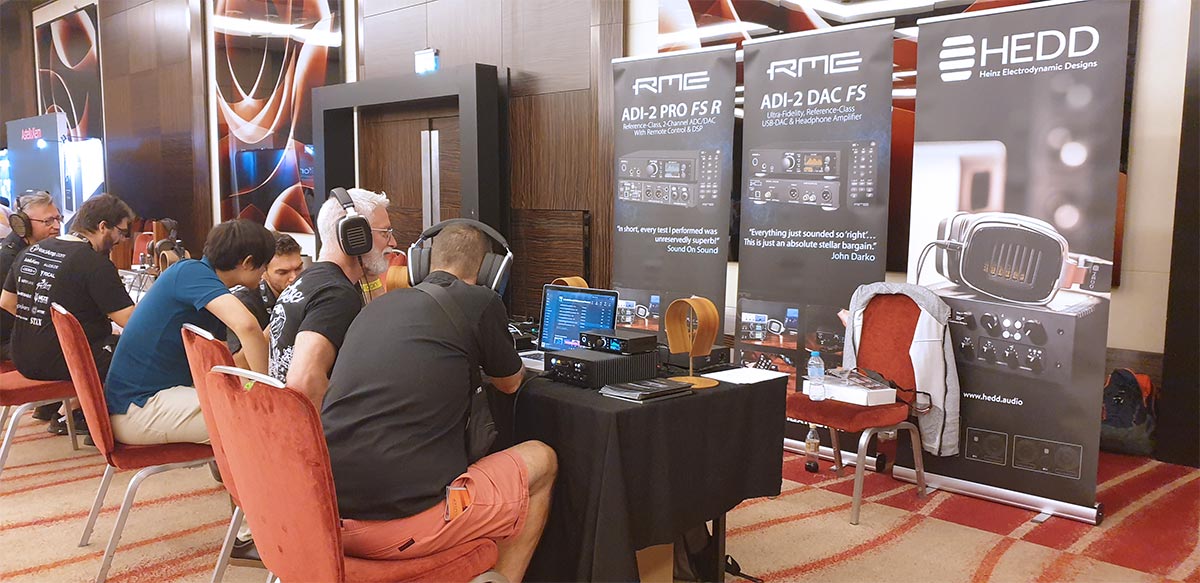
    Visitors to CanJamm London 2022 listening to the RME ADI-2/4 Pro SEBig thanks to everyone who stopped by our stand at CanJam 2022!

    Held at the Park Plaza Hotel (Westminster Bridge), CanJam London is the UK’s only trade event dedicated to high-end headphones, organised by Head-Fi.org .

    The main news from our stand was a sneak peak of RME’s new ADI-2/4 Pro SE. Expected to arrive before the end of this year, the ADI-2/4 Pro SE is an exciting new addition to RME’s supremely popular range of Headphone Amplifiers and USB-DACs.

    Paired with the RME DPS-2 – RME’s upcoming Linear Power Supply – feedback on the new ADI-2/4 SE was highly positive, and we’ve no doubt this new model will be an instant hit upon its release.

    We shared our stand with a couple of other German pro audio specialists – HEDD Audio, who exhibited their HEDDphone Air Motion Transformer audiophile headphone, and Zähl, who showcased their HM-1 Headphone Amplifier.

    Many thanks to everyone at CanJam / Head-Fi for organising, and to all who visited our stand!


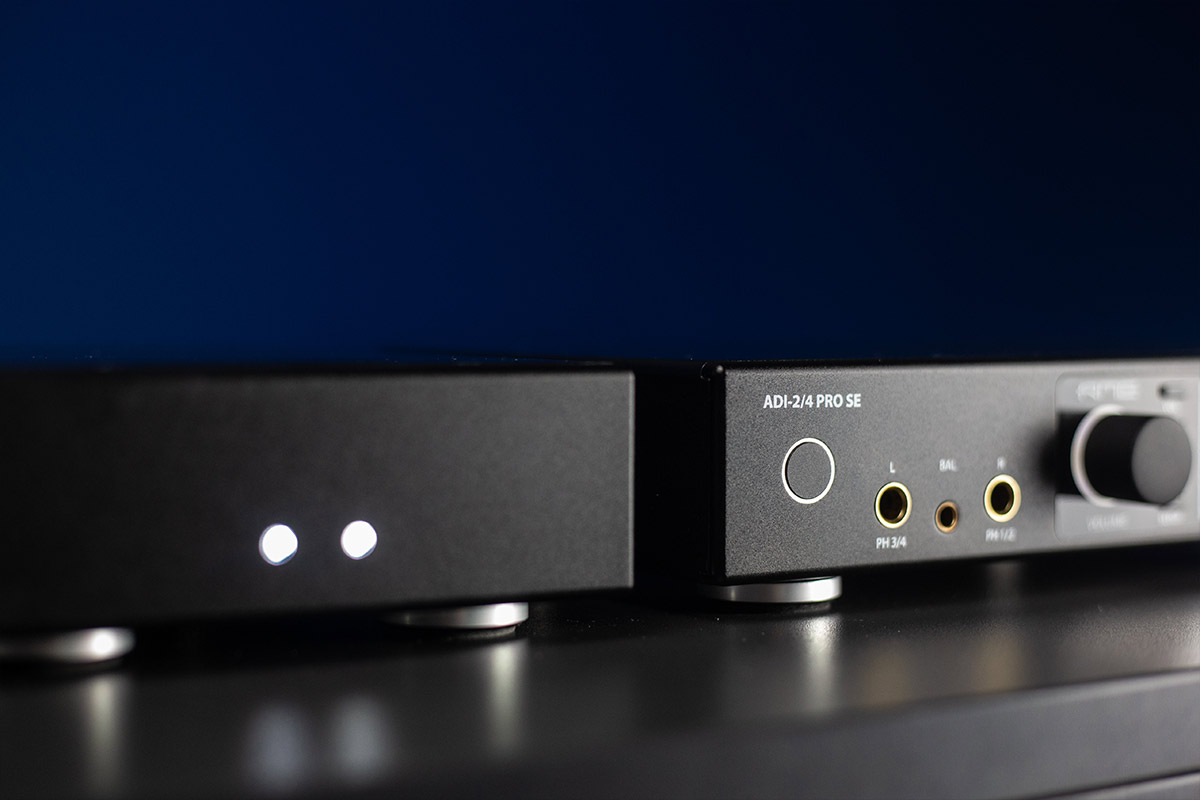
    RME ADI-2/4 Pro SE at CanJam London 2022RME ADI-2/4 Pro SE

    The RME ADI-2/4 Pro SE is a powerful 2 In / 4 Out ADC/DAC and headphone amplifier from RME Audio.

    This latest masterpiece comes with a newly developed circuit board, improved specs and faster DSP for an outstanding transparent sound signature.

    New features include a second stereo analogue output on balanced TRS; updated “Extreme Power” headphone amplifiers (including a dedicated IEM power setting); super-low noise 4.4 mm Pentaconn balanced connection; trigger out functionality for powering on/off external devices; and an RIAA mode for directly digitizing vinyl discs in highest quality.

    Find out more about the RME ADI-2/4 Pro SE


    RME ADI-2 Pro FS R at CanJam London 2022RME ADI-2 Pro FS R

    Primarily designed for high-end recording and mastering, the ADI-2 Pro FS R features the same exquisite DA section as the popular ADI-2 DAC FS (see below), whilst adding equally impressive 2-channel recording functionality.

    Alongside the obvious studio applications – capturing mixing consoles, vintage gear and other studio outboard in incredible detail – the AD section can also be put to use for more general purpose applications, such as the archiving and converting of analogue source material (e.g. vinyl) to digital in extremely high-quality (up to 768kHz PCM / DSD256).

    The two front-panel 6.3mm headphone outputs can also be level-matched, making it a great option for anyone with a large headphone collection to compare each set side by side. Alternatively, both outputs can be employed simultaneously for use with balanced headphones.

    All of the other many features found on the DAC are also found on the Pro, including the front-panel spectral analyser and level metering (for inputs and outputs), automatic headphone detection and input switching, ‘Dark Mode’, bit testing, and access to DIGICheck (RME’s software suite of audio analysis tools).

    Find out more about the RME ADI-2 Pro FS R


    RME ADI-2 DAC FS and Zähl HM-1 at CanJam London 2022RME ADI-2 DAC FS

    Described as “the DAC to beat for under £1000“, the RME ADI-2 DAC FS became an instant hit with audiophiles upon its release.

    Sonically revealing and transparent, the ADI-2 DAC excels in its communication of microdynamics, exposing the many subtleties of a great recording or musical performance (and exposing the flaws of the not so great!).

    Of course, this is not just a DAC – it’s also a headphone amplifier (with dedicated connections for larger 6.3mm connectors, and IEMs with 3.5mm connectors), as well as a DSP FX-laden box of tricks, with on-board EQ, Loudness, adjustable Bass and Treble controls, and features like Crossfeed, different filter types, Mono, Phase and Polarity switching, Mid-Side and more.

    The ADI-2 DAC can also be employed as a preamp when connected to larger sound systems – feeding larger amplifiers with beautiful high-end sound – and includes a user-definable remote control (volume, EQ, input selection (USB / SPDIF), L-R balance etc) and support for the popular Logitech Harmony.

    Find out more about the RME ADI-2 DAC FS


    RME DPS-2 linear power supply and ADI-2/4 Pro SE headphone amplifierRME DPS-2 (Dual Linear Power Supply)

    RME also teased a new linear power supply for the ADI-2 Series back at Superbooth earlier this year. Whilst most modern devices operate using a switch mode power supply (SMPS), linear power supplies offer an alternative method of power delivery, and remain popular with some audiophiles who prefer this classic method for powering high-end audio devices.

    More info coming soon!


    RME-Logo - Synthax Audio UKIf you’d like to know more about any of RME’s audio interfaces, sound cards, AD/DA Converters or microphone preamps, give us a call on 01727 821 870 to speak to one of our team or to arrange a demo.
    You can also contact us here.

  • White Sea Studio Upgrades to the RME M-32 Pro Series and HDSPe MADI FX

    Comments Off on White Sea Studio Upgrades to the RME M-32 Pro Series and HDSPe MADI FX

    RME M-32 Pro - White Sea Studio Review - Synthax Audio UKWhite Sea Studio share their thoughts on the RME M-32 Pro Series AD/DA Converters and RME HDSPe MADI FX PCIe sound card.

    Many engineers, producers and musicians that have spent time browsing YouTube for gear reviews will be familiar with White Sea Studio. Operating primarily as a studio in the Netherlands, the White Sea Studio YouTube channel – run by engineer Wytse – is filled with useful audio engineering tutorials and gear reviews.

    At the end of 2021, Wytse reviewed the RME ADI-2 Pro FS R, a purchase that he admitted made him want to switch his whole setup to RME. Fast forward to May 2022 and White Sea Studio have upgraded their setup by adding more RME products – the RME HDSPe MADI FX and a pair of M-32 Pro Series converters.

    In one of their latest videos, Wytse talks about the reasons behind the switch to a full RME workflow, including their stability and reliability, as well as the renowned transparent RME sound.

    Check out the full video from White Sea Studio below, or read on to learn more about the devices featured.


    White Sea Studio Reviews the RME M-32 Pro Series

    See more videos at Synthax TV


    On RME’s Reliability

    When discussing his reasons for upgrading his studio to RME, Wytse highlights the company’s renowned reliability and stability as a large draw.

    “Reliability is something that is really important to me and it’s something that has caused a lot of headaches in my former setup” he starts. “On the software side RME really has a very good reputation. History really shows that they are dedicated to long term support, and they are very quick with their software updates. So, all in all, this feels reliable and that’s what I want. Work needs to be done here! I have no time to deal with technical problems.”

    With many manufacturers, there will come a time when products stop receiving driver updates. With new versions of operating systems being released yearly in some cases, the lifespan of a product can fade quickly as technology changes.

    RME continues to provide up to date drivers for products released as far back as 2001, meaning that your RME audio interface and sound card is ready to use with the latest operating system despite its age.

    Together with rock-solid audio drivers that are designed in-house, RME are also known for their build quality, with professional users relying on them for years of use in the studio and on the road.

    RME has become well renowned for its reliability and stability over the company’s 20 years in operation. That’s why Synthax Audio UK offers 5 year warranty on all RME products bought from ourselves or an authorised UK dealer at no extra cost. For more information on the 5 Year Warranty, scroll to the bottom of this article.


    RME M-32 Pro Series

    RME’s M-32 Pro Series converters represent the pinnacle of their converter technology. The 32-channel converters are based around the popular ADI-2 Pro 2-channel converter, which is renowned for its true and transparent audio conversion. With the ADI-2 Pro in mind, the M-32 Pro Series was designed as class-leading AD and DA converters for high channel count applications, the M-32 Series is ideal for scenarios that require extremely accurate recording and playback across a high number of channels.

    With state-of-the-art components and a fully balanced analogue circuit design, the M-32 Pro offers reference-class conversion quality, including a signal-to-noise ratio of 120 dB(A) with extremely low THD values.

    Emphasis has been put on designing converters that are made for professional applications and this is evident in the feature-set of the M-32 Pro Series. The series comprises two devices – a 32 channel AD converter, and a 32 channel DA converter. Both fit conveniently into most recording setups, only taking up 1U of rack space per unit. Both devices feature redundant power supplies with front-panel alerts in case of power loss. Automatic switchover of the PSU means there is no noticeable loss of audio in the event of a power issuee

    Digital connection is provided via dual MADI I/O in both optical and coaxial. These can be used individually for up to 128 channels of digital audio or can be paired together for a redundant MADI setup. The M-32 Pro can also convert between MADI formats too, making them a versatile converter for a range of MADI-based setups.


    AVB: Audio Video Bridging

    Alongside its MADI I/O, both the AD and DA M-32 Pros also benefit from the networking capability of AVB. This open audio networking format enables all 32 channels of the M-32 Pros to be sent and received at up to 192kHz sample rate. With its included AVB I/O, the M-32 Pro Series slots into RME’s next generation audio networking range. RME’s flagship microphone preamp the 12Mic is AVB-ready with redundant ethernet connections, whilst the AVB Tool is ideal as a breakout point on any network for recording and monitoring, as well as for MADI/AVB conversion. All RME AVB devices can be quickly integrated to become a part of a complex audio network with the help of dedicated AVB switches.

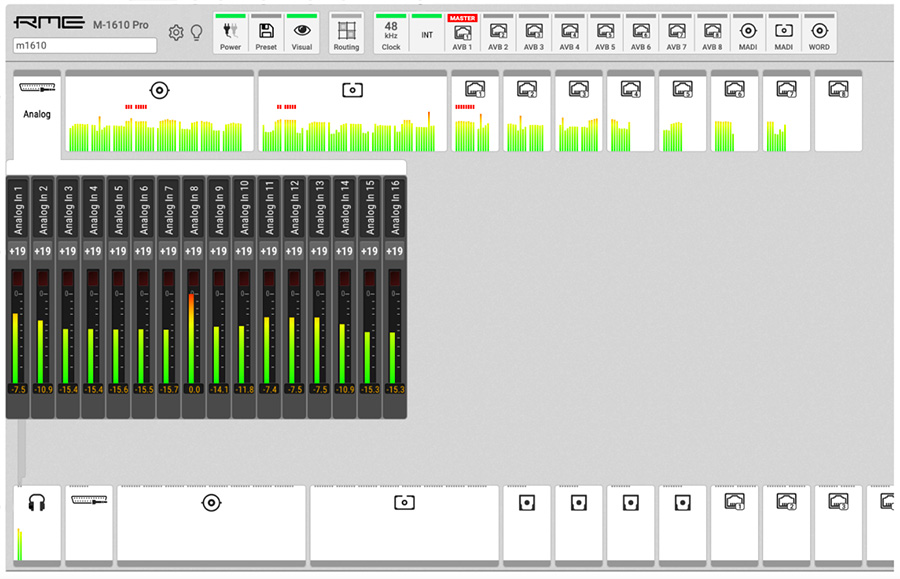
    RME M-1610 Pro - Web Remote - Synthax Audio UK


    Remote Control Options

    The RME M-32 Pro Series features a user interface that is designed to be easy to navigate from the front panel. A colour coded warning system highlights issues quickly, whilst all navigation is done using a simple pushable encoder.

    Like the rest of RME’s audio networking range, the M-32 Pro Series benefits from access to RME’s all-new Web Remote. This free browser-based web remote offers click-and-drag routing as well as access to the same on-board controls as the front panel.

    The click and drag functionality allows you to easily route directly from an input to an output, giving you both visual and hands-on control of every incoming and outgoing signal. What’s more, any signal can be routed to any output, regardless of format.

    The web-based control also allows for control over the input channels, including selecting gains and phantom power.

    Finally, when paired with the RME Digiface AVB, the M-32 Pro Series can be easily managed via RME’s AVB software controller, or via other third-party AVDECC controllers such as Hive.

    Learn more about RME’s Audio Networking range.


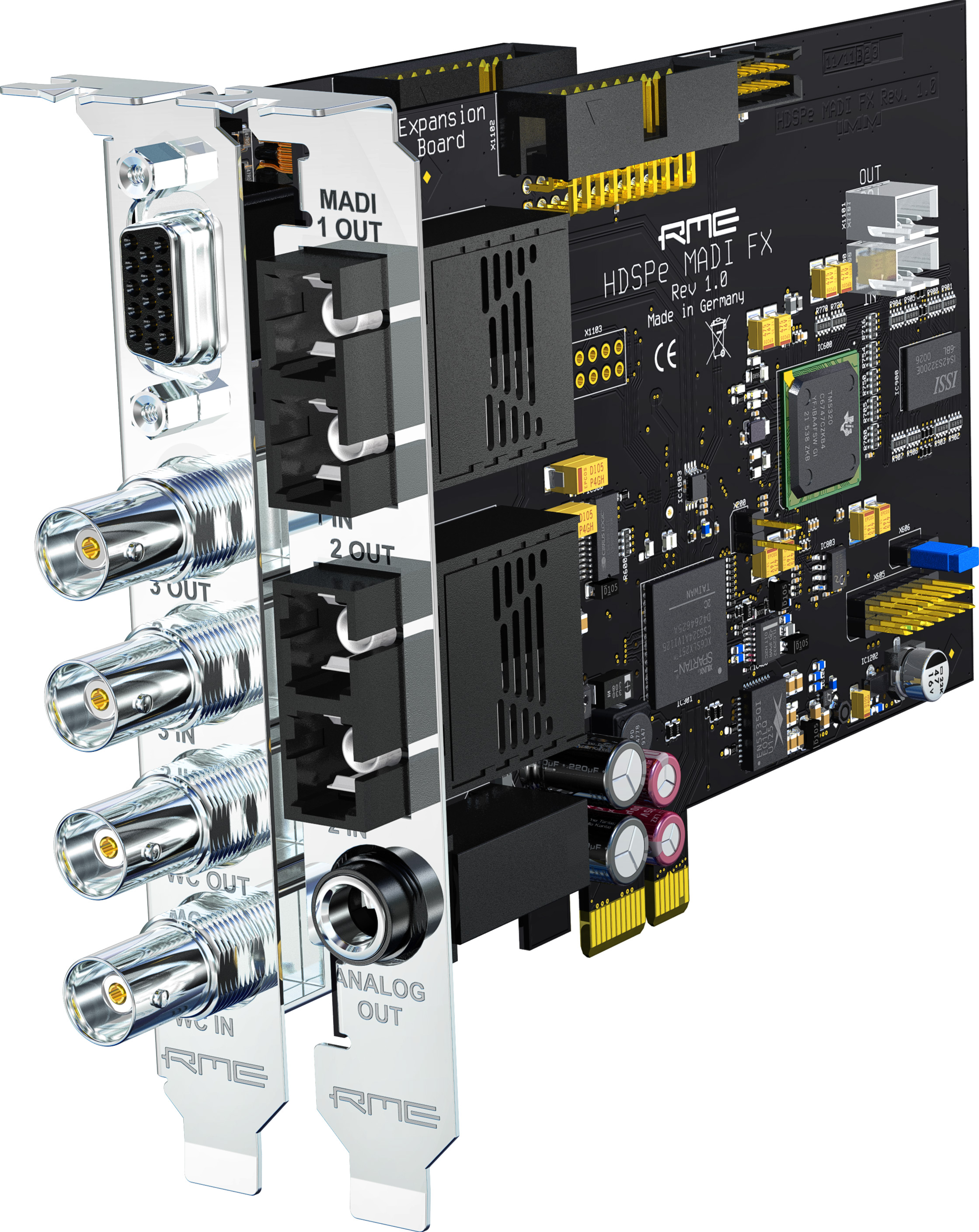
    RME-HDSPe-MADI-FXRME HDSPe MADI FX

    With the RME M-32 Pro Series serving as the AD and DA Converters in the studio’s updated setup, White Sea Studio also opted for an interface upgrade to match their new converters. Wytse chose RME’s highest-channel count PCIe card, the HDSPe MADI FX.

    Capable of handling a staggering 390 channels – 194 input channels and 196 output channels – the MADI FX is the highest channel count internal soundcard and second highest audio interface in RME’s range.

    RME’s design ethos often means that highly integrated devices are built into the smallest amount of space. This extends into the MADI FX PCIe card, with its vast collection of channels available thanks to its triple MADI I/O. This is made up of two optical MADI slots and one coaxial MADI I/O on BNC connectors. Each MADI connection offers 64 channels of audio, so this provides more than enough spare channels for future MADI expansion at Wytse’s White Sea Studio.

    Whilst the MADI FX features a dedicated stereo output, the breakout AES/EBU I/O allows Wytse to add his ADI-2 Pro FS R into the setup to truly reflect the sound reproduction of his M-32 Pros in his monitoring stage.

    Learn more about the RME HDSPe MADI FX PCIe Sound Card


    TotalMix FX

    A standout workflow benefit of RME audio interfaces is the inclusion of TotalMix FX, RME’s powerful on-board DSP mixer and software. TotalMix gives you the ability to route any hardware or software input to any physical output, creating near limitless possibilities in terms of mixing. This is particularly useful when paired with high-channel count devices like the MADI FX card, giving you visual control over all channels. Because TotalMix is DSP-based, all the processing takes place within the PCIe card itself. This allows the MADI FX to offer latency-free monitoring as well as the ability to create complex routings without any performance issues.

    A full Control Room section is available, with shortcuts for commonly used functions like Speaker A/B switching, Dim, Mono, Level Recall and Talkback.

    Alongside Control Room functionality, the HDSPe MADI FX also benefits from TotalMix FX, a version of the software that includes a range of effects to improve monitoring. A 5-band parametric EQ and Dynamics are available on every channel, whilst Reverb and Delay sends allow for enhanced monitor mixes during recording.

    New to TotalMix FX? Check out RME’s Beginner’s Guide


    Closing Points

    The vast majority of industry professionals rely on products that work day in, day out without an issue. This is something that Wytse finds imperative for his daily workflow at White Sea Studio. Reliability has formed a large part of the RME brand ethos, with rock-solid audio drivers and build quality being an important aspect of all their products. In closing, Wytse sums up his brand new acquisitions in a similar way to many other professional RME users:

    “There’s nothing flashy or special about it but that’s actually what I want. I just want it to work and do its job very well.”

    Our thanks to Wytse from White Sea Studio for the review. Don’t forget to check out their YouTube channel for all your music technology and audio engineering needs!


     5-Year-Warranty-Badge - Synthax Audio UK5 Year Warranty (UK Only)

    Over the past 20 years, the word ‘reliability’ has become synonymous with the RME Audio brand, thanks to both the exceptional build quality and the now industry-renowned, rock-solid drivers.

    For this reason, we are happy to offer all of our UK customers a complimentary 5 year warranty on all RME products, when purchased either from ourselves, or from one of our authorised UK dealers, and remain the only interface manufacturer to offer this at no extra cost.

    To activate your 5 year warranty, simply register your RME device with us within 30 days of purchase via our warranty page.

    To ensure you are buying your device from a UK-based retailer, please check our list of authorised UK dealers before purchase.


    If you’d like to know more about any of RME’s audio interfaces, soundcards, AD/DA Converters or microphone preamps, give us a call on 01727 821 870 to speak to one of our team or to arrange a demo.
    You can also contact us here.

  • RME ADI-2 DAC FS: New firmware available for the ADI-2 DAC and ADI-2 Pro FS

    Comments Off on RME ADI-2 DAC FS: New firmware available for the ADI-2 DAC and ADI-2 Pro FS

    The latest firmware update for the RME ADI-2 DAC and ADI-2 Pro brings improved functionality and new features to RME’s flagship AD/DA converters.

    RME has released the latest firmware update for the ADI-2 DAC and ADI-2 Pro AD/DA converters. Featuring new functions and building on the already comprehensive feature-set of both units, the latest release brings an expansive list of new additions to the DAC and Pro. Alongside small usability tweaks comes brand new features like the ability to change EQ presets from the remote control, full USB Loopback and even all-new analyser colour options.

    To mark the latest firmware release, RME released a video highlighting some of the improvements the update would provide users, which you can watch below. Read on to find out some of the big new additions coming to the DAC and Pro via the update.

    A full list of the new additions, as well as background information provided by head designer Matthias Carstens and download links can also be found on the RME forum.


    See more videos at Synthax TV


    New Analyser Colours - RME ADI-2 Firmware Update - Synthax Audio UKUpdated User Experience Features

    The new firmware update for the DAC and Pro features a heap of enhancements to the user experience.

    A brand-new Balance screen has been redesigned to work similarly to the main volume screen. Now, the left and right balance is shown in big letters which makes it far easier to make adjustments from a distance.

    Auto Standby is also now available, switching the unit off after 30 minutes of inactivity. When using AutoDark – which turns off the main display after several seconds – Auto Standby is especially useful given that the unit may already appear to be in standby.

    New analyser colour choices have been added to both the DAC and Pro too. Alongside the amber, cyan and green options, a brand new red and monochrome colour schemes have been included in the latest update. What’s more, these colour options are saved to each individual setup, making it possible to know which setup you are using just by the colour of the analyser.

    It is now also possible to lock all controls apart from the volume encoder, perfect for scenarios where you don’t want to be able to inadvertently change any settings on your unit. Unlocking the unit is simple; just hold down Encoder 1.


    Brand New EQ Features

    The DAC and Pro’s 5-band Parametric EQ has been further improved with the ability to load the settings of the individual Bass and Treble controls within EQ presets. The Bass and Treble levels now also appear on the EQ graph. This offers users of either device further flexibility when it comes to shaping sound to their individual taste.

    Further developments to the functionality of the EQ presets comes in the form of the ability to swap EQ presets. It’s now easy to swap EQ presets to any order by using the ‘Swap with Preset x’ function.

    Thanks to a new remote remapping feature, it’s now possible to change your EQ setting from the comfort of your seat. The Remap Keys dialogue now includes the option to map Parametric EQ presets to any of the buttons on the RME Multi Remote Control.


    Digital DC Protection - RME ADI-2 Firmware Update - Synthax Audio UKDigital DC Protection

    Amongst the technical improvements offered in the latest firmware is Digital DC protection. During their research for this new function, RME found that a large amount of music features a large amount of DC in the signal. The effects of this DC component can range from slight distortion to destruction of headphones. The new Digital DC Protection deactivates the outputs when a DC component is detected in the input signal and reveals a warning message. This protects sensitive headphones from damage. Once the headphones are removed and the DC signal is no longer present, the outputs become active again.

    For users of the ADI-2 Pro, a brand-new selectable DC Filter is also available, giving you multiple filtering options for the input signal. This includes the filter available on the AD converter, as well as RME’s own method for filtering DC signals.


    USB Loopback

    Full USB loopback functionality has now been added to the ADI-2 Pro too, sending the output signal to the USB recording side for use with RME’s Digicheck NG. This is possible on up to three different stereo channels. This signal can be sent to the USB pre or post FX and it is also possible to use Loopback at -6dB to avoid signal overload. The -6dB option has also been added to the ADI-2 DAC.

    Loopback includes all effects available for Main Output 1/2 and Phones 3/4, including Mono, Width, M/S-Proc, Phase Invert and Crossfeed, as well as EQ, Bass and Treble and Loudness.


    Encoder Filters

    Over time, the encoder switching contacts can become less effective. This can cause jumps in volume when making changes or in some extreme cases, can cause the encoder to run backwards. A new Encoder Filter option helps to attenuate large jumps in volume.


    Download the latest RME ADI-2 DAC and Pro firmware here:

    Windows: http://www.rme-audio.de/download/fut_madiface_win.zip

    Mac: http://www.rme-audio.de/download/fut_madiface_mac.zip


    If you’d like to know more about any of RME’s audio interfaces, soundcards, AD/DA Converters or microphone preamps, give us a call on 01727 821 870 to speak to one of our team or to arrange a demo.
    You can also contact us here.

  • 2021 End of Year Roundup

    Comments Off on 2021 End of Year Roundup

    Synthax Audio UK end of year roundup 2021 main image

    A Round Up of some of our favourite news, tutorials, blog posts and videos of 2021

    There’s no doubt 2021 has been yet another disruptive year for us all, particularly our friends working in event production and live sound. Despite the continued uncertainty of the pandemic, we were fortunate to get out and film with a few of our customers in between restrictions. We also had a couple of exciting new product launches – and some great reviews to match – not to mention rounding off the year with a Sound On Sound GOTY Award, and a Product Of The Year shout-out from Production Expert.

    Here’s a round-up of some of our favourite news, stories and videos from 2021. A huge thanks to all of brands and partners, and of course all of our customers!

    Synthax Audio UK - Pro Audio Brands Footer


    New Product Launches

    Calrec Brio Duet & Medley Consoles - News Images - Synthax Audio UKCalrec launches Brio Medley & Duet

    Calrec’s Brio console got a boost with the announcement the Brio Duet and Brio Medley packages, offering greater channel counts and expanded connectivity as standard.

    As the UK distributor for Calrec’s Brio and Type R consoles, we’ve been supplying the Brio to broadcast engineers for a number of years now – get in touch if you want to know more about these powerful, broadcast audio consoles.

    Read the press release

    RME Fireface UCX II - Video Review - Synthax Audio UKRME Fireface UCX II – First Look video

    Back in June 2021 RME released the Fireface UCX II Advanced Audio Interface, the long-awaited update to the popular Fireface UCX, and which Production Expert have named one of their ‘Products of the Year 2021’.

    Cramming a massive 40 channels of I/O into a single 1/2U frame, the UCX II combines the latest AD/DA converters and SteadyClock FS with RME stalwarts like TotalMix FX, TotalMix Remote and DIGICheck, plus new standalone multi-track recording courtesy of the ‘Advanced DURec’ functionality.

    Watch our overview video


    User Stories

    Rob Ashard with his mobile recording setup which includes the Ferrofish A32 DanteFerrofish A32 Dante with Rob Ashard

    Rob Ashard is a Sound Supervisor who heads up the sound for a number of the UK’s best-loved Saturday night entertainment shows, including The Graham Norton Show, Ant and Dec’s Saturday Takeaway and I’m A Celebrity…Get Me Out Of Here!

    Rob was kind enough to speak to us about his portable recording rig which includes the Ferrofish A32 Dante – a professional 32-Channel AD/DA converter that has become particularly popular in broadcast audio – as well as giving us a real insight into his approach when recording and mixing TV productions with a live audience.

    Read the full story

    Pete Cowasji speaks to Synthax Audio UK about his collection of RME devicesPete Cowasji and the RME DMC-842

    Pete Cowasji is a Sound Supervisor and founding member of The Sound Hounds, a collective of sound recordists working across some of the UK’s most popular reality TV series. From shows like BBC’s Top Gear to MTV’s Geordie Shore and Ex on the Beach, Pete and his team have provided location recording equipment for some of the biggest names in British TV.

    Working on large TV productions comes with its own unique set of problems, so we sat down with Pete to find out about the extensive RME kit list he’s acquired during his career – including his recently added 4 x RME DMC-842s.

    Watch the video

    Dave Grohl recording guitar with the Lauten Audio Atlantis microphoneRecording the Foo Fighter’s tenth album with Lauten Audio

    A collection of Lauten Audio microphones were used by Grammy Award-winning Engineer Darrell Thorp during the recording of Foo Fighters’ tenth studio album “Medicine at Midnight”.

    Recorded entirely inside a holiday rental home in Encino, California, the unique recording setup surrounding “Medicine at Midnight” came to life after frontman Dave Grohl spent time in “the Encino House” writing and recording demos. The sound of the 1940s house would soon become a key component of the recording process for the album.

    Read the full story

    TesseracT livestreaming PORTALS with RME and FerrofishTesseracT with the RME Fireface UFX+ & Ferrofish A32

    Half concert, half film, TesseracT’s PORTALS combined full arena-style live musical performances – complete with stunning lighting and visual effects – with a conceptual storyline, allowing the band to deliver the full live concert experience to their fans during the coronavirus lockdown, and taking the live-stream format to new heights.

    With Tesseract long-time users of RME both in the studio and on tour, we were keen to get the thoughts of bass player Amos Williams, who kindly told us about how the concept for PORTALS first came about; what the band are planning next; and why TesseracT rely on hardware from RME Audio and Ferrofish for their live performances.

    Watch the video

    In the studio with Sound Artist Marco Perry and the RME M-32 Pro DA converterMarco Perry and the RME M-32 Pro

    Working from within his “Sonic Shed” – an old industrial structure hidden behind a grade II listed building in Wandsworth, South-West London – Marco Perry creates experiences. Blending unique animations and visuals with atmospheric sonic and musical collages, his compositions are mixed and played back via specially designed immersive audio installations – a way of experiencing music that Marco himself has been championing for over a decade.

    We joined Marco in the Sonic Shed to find out more about his passion for designing and mixing spatial audio installations, as well as to hear more about the many pieces of RME gear he’s used over the years, which includes a large number or RME’s multi-channel AD/DA Converters.

    Watch the video

    Live sound engineer Femi Bello in rehearsals with Pa Salieu and the RME MADIface XTRME MADIface XT: On Tour with Pa Salieu, Aitch and Little Simz

    Having already worked with some of the biggest names in the UK Rap and Grime scene, Femi Bello has been behind the desk as an FOH and monitor engineer for the likes of Little Simz, Central Cee and Headie One. And at this year’s Reading and Leeds festivals, Femi was the engineer behind UK artist Aitch’s Main Stage debut.

    We met up with Femi at John Henry’s in North London, on the last day of production rehearsals for rapper Pa Salieu’s headline UK tour, to chat about getting started in the live sound industry; working with some of the biggest rap artists in the UK; and how the RME MADIface XT has become an invaluable addition to his setup.

    Watch the video

    The 3 Doors Down live audio crew with the DirectOut Prodigy SeriesDirectOut PRODIGY Series on tour with 3 Doors Down

    Earlier this year American rock band 3 Doors Down embarked on a 4-month “20th Anniversary Tour”, in celebration of 20 years since the release of their first studio album “The Better Life”. Featuring the hit singles “Kryptonite” (the song that launched the band’s career) and “Be Like That”, a version of which featured in the soundtrack for the film American Pie 2, the album went on to sell over 6 million copies worldwide.

    Production for the tour was handled by the North Carolina-based Special Events Services, who deployed their new d&b audiotechnik KSL rig alongside a pair of DirectOut PRODIGY.MP and PRODIGY.MC converters.

    Read the full story


    Tutorials

    Video thumbnail for controlling virtual instruments with the Icon Platform M+Controlling virtual instruments with the Icon Platform M+

    Compact and versatile, the Icon Platform M+ is the perfect DAW Controller for small studio and home setups, offering tactile control of a wide range of Digital Audio Workstations.

    Whilst primarily designed for mobile mixing and recording, the Platform M+’s use of MIDI means it can also be used for a range of other applications, including as an expression controller for virtual instruments.

    Watch the video

    Video thumbnail for How to connect the RME ADI-2 DAC to a Babyface ProHow to connect the RME ADI-2 DAC to an audio interface

    Featuring class-leading conversion, Extreme Power Headphone output stage and high performance DSP, the RME ADI-2 DAC FS and RME ADI-2 Pro FS R are the poster-boys for high-end sound.

    A popular request with our YouTube subscribers, in this video we outline the easiest way to combine an RME ADI-2 DAC or Pro FS R with an audio interface, taking advantage of the incredible ADI-2 conversion for one seriously high-quality recording and monitoring setup.

    Watch the video


    Product Reviews

    John Darko reviewing the RME ADI-2 DAC FSRME ADI-2 DAC FS review by John Darko

    The RME ADI-2 DAC FS has quickly become one of the most popular products we supply, despite being something of an outlier for a manufacturer traditionally found in ‘pro’, rather than ‘home’ or ‘domestic’ audio.

    Quite honestly we could have probably picked any review to showcase here – the DAC has been that well received by the Hi-Fi community! This one comes from the highly respected John Darko of Darko.Audio, who we were thrilled to see giving the DAC his own stamp of approval, calling it “the DAC to beat under 1000 euros”.

    Watch the review

    Robin Vincent, aka 'Molten Music', reviewing the Ferrofish Pulse 16 CVFerrofish Pulse 16 CV review by Molten Music

    Robin Vincent’s website and YouTube channel is home to anything and everything modular synthesis. From module reviews to performance patches and even DIY builds, Molten Music Technology is a fantastic resource for anyone looking to get into the world of modular synthesizers and voltage-controlled analogue gear.

    In this video review of the Ferrofish Pulse 16 CV, Robin pairs Ferrofish’s DC-coupled output AD/DA with Bitwig Studio, whilst demistifying the process of sending CV and Gate messages from a computer to a modular rack setup.

    Watch the review

    RME AIO Pro PCIe Sound Card wins Sound On Sound Gear of the Year Award 2021RME HDSPe AIO Pro review by Sound On Sound

    The RME HDSPe AIO Pro is the latest and greatest PCIe sound card from RME. Taking the reference-class AD/DA converters of the ADI-2 Pro FS and re-housing them into a cutting-edge PCIe card, this 30-channel powerhouse combines the finest RME sound quality with frighteningly low latency values.

    “I can’t recommend it highly enough,” says reviewer Hugh Robjohns of the AIO Pro, who went on to give it his Editor’s Choice Award in Sound On Sound’s ‘Gear Of The Year’ Awards 2021!

    Read the full review

    2021 signing off…

    So, another year comes to a close. Once again a massive thanks to all of our customers, brands and partners, we wouldn’t be here without you. Best wishes for the holidays, and fingers crossed we can get out there and visit more of you again in 2022. See you all on the other side!

    Synthax Audio UK - Logo 2020If you’d like to know more about any of the pro audio solutions produced by RME, Ferrofish, Calrec, DirectOut, Appsys ProAudio, Icon Pro Audio or Lauten Audio, give us a call on 01727 821 870 to speak to one of our team or to arrange a demo.
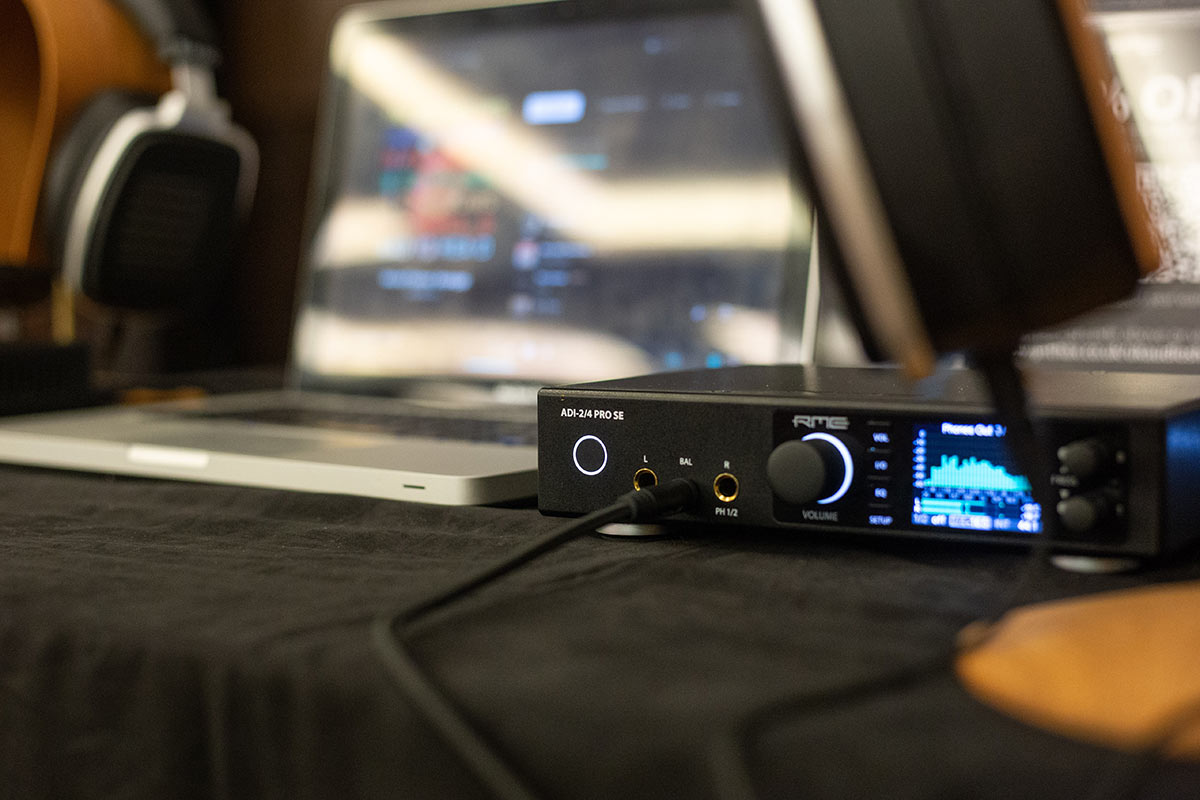
    You can also contact us here.

  • RME ADI-2 Pro FS R – Review by Jay’s Iyagi (Jay Soulsik & Thujan K)

    Comments Off on RME ADI-2 Pro FS R – Review by Jay’s Iyagi (Jay Soulsik & Thujan K)
    Jay Soulsik and Thujan K discuss the RME ADI-2 Pro FS R

    YouTubers Jay Soulsik and Thujan K review the RME ADI-2 Pro FS R for Hi-Fi channel Jay’s iyagi (‘Jay’s Journey’)

    It’s no exaggeration to say that RME’s ADI-2 DAC FS and Pro RS FS have caused a real stir in the world of Hi-Fi.

    In terms of sound quality both the ADI-2 DAC and Pro FS R offer an exceptional level of detail – rivalling the sound of devices often two or three times the price – and that’s before you’ve taken a look at the remarkable number of additional features available, courtesy of powerful on-board DSP and some classic German engineering.

    Needless to say both devices offer very good value for money, from a design team that brings 25 year’s of experience in the production of professional audio hardware – plying their trade in the world of studios, live audio and broadcast, alongside commercial product and measurement testing applications.

    Both devices also have a long list of highly positive reviews to their name – in fact we’ve yet to see a negative one! – and a quick search on YouTube will bring up a variety of videos from happy end users and Audiophile / Hi-Fi channels.


    “This is the tinkerer’s paradise here, this box has so much”


    This latest review comes from YouTubers Jay Soulsik and Thujan K, who’ve provided a detailed discussion of the ADI-2 Pro FS R alongside their enjoyable banter.

    Featuring the same sound quality as the DAC but adding an exquisite A-D section for high-end recording, the Pro still offers plenty for Hi-Fi users to get excited about – such as the excellent on-board headphone amplifier, which Jay and Thujan discuss extensively in the review.

    “Very clean sounding, very neutral, no real colouration,” says Jay of the Pro’s headphone amp. “It’s detailed, but I don’t think it’s bright. And with both headphones I was quite impressed.”

    “Yeah it was very clean,” adds Thujan. “And the power is really smart where – we’ve got both of these headphones are running at low-gain – and as the headphones get more demanding, as you increase the volume, it will automatically switch to high-gain mode, it’s really smart that way.”

    Check out the video below, or watch it on the Jay’s iyagi YouTube channel here.


    Jay’s iyagi review of the RME ADI-2 Pro FS R

    See more videos at Synthax TV


    RME ADI-2 Pro FS R Black Edition - Synthax Audio UK

    Is It The Best HiFi “PRO” DAC Money Can Buy..?

    One of the features that Jay was particularly taken with is the ADI-2 Pro FS R’s Loudness setting, which is designed to address the changing way our hearing responds to the audible frequency spectrum at different volume levels.

    “One of the settings that I really really liked was the loudness setting” says Jay. “This allows you to set the bass and treble at a point where you want it to be at a lower level, and as you increase the volume, the bass and treble elevation drops. So it’s like a tone control for very low volume listening.”


    “If I were to describe it in one word, it’s so clean. Absolutely clean.
    No matter what volume level, it was just, ‘consistent’.”


    “So that’s really cool because we don’t have to change the tone control every single time you listen at low volume. You can just have it set, and it will be a consistent sound quality all throughout the volume range you listen at. So that to me is something I would personally use, and I find it very beneficial.”

    To wrap up the review, Thujan says “If I were to describe it in one word, it’s so clean. Absolutely clean. No matter what volume level, it was just, ‘consistent’.”

    “Just as a standalone DAC and preamplifier combination, the preamplifier section is quite good on this unit, and aside from that it’s a very good headphone amplifier,” concludes Jay. “And you can power two [pairs of headphones] at the same time… Just the DAC alone for HiFi systems, you have that loudness setting, you have EQ functionality, you have bass boost, treble boost.”

    “It’s just a very good DAC, out of the box it sounds good, detailed, great resolution, measures great if that matters to you. But it’s also very adjustable to your system if you are looking for something like that.”

    Massive thanks to Jay Soulsik and Thjuan K for the great review! Check out the Jay’s iyagi YouTube channel here.

    Find out more about the RME ADI-2 Series

    See our list of authorised RME ADI-2 UK dealers


    If you’d like to know more about any of RME’s audio interfaces, soundcards, AD/DA Converters or microphone preamps, give us a call on 01727 821 870 to speak to one of our team or to arrange a demo.
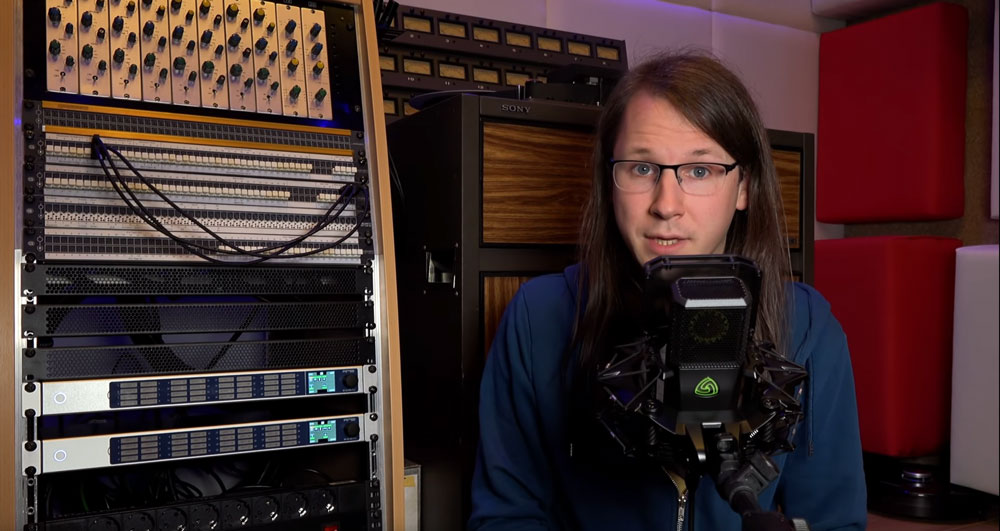
    You can also contact us here.

  • How to connect the RME ADI-2 DAC or Pro FS R to an audio interface

    Comments Off on How to connect the RME ADI-2 DAC or Pro FS R to an audio interface

    RME ADI-2 Pro and Babyface Pro - Synthax Audio UKOur latest tutorial shows how to add the reference-class conversion of the RME ADI-2 DAC FS and ADI-2 Pro FS R to your recording setup.

    Featuring class-leading conversion, Extreme Power Headphone output stage and high performance DSP, the RME ADI-2 DAC FS and RME ADI-2 Pro FS R are the flagship models of RME’s 2-channel AD/DA converter range.

    RME’s signature sound signature is at the heart of the ADI-2 Series, providing AD/DA conversion that reproduces any signal in incredible detail, whilst still retaining all of the sonic qualities of the source material witout any colouration.

    In our latest tutorial, we show you how to combine the RME ADI-2 DAC FS and ADI-2 Pro FS R with an audio interface – such as the RME Babyface Pro FS – to take advantage of the incredible ADI-2 conversion for a high-end monitoring and headphone solution.

    Watch the full tutorial below, or scroll down for a full text walkthrough. We’ve used the Babyface Pro in our example, however you can easily connect either device with any interface that features ADAT, SPDIF or AES-3 connectivity.

    Table of contents

    (Video) How to connect the RME ADI-2 DAC FS and Pro FS R to an audio interface

    (Text version) How to connect the RME ADI-2 DAC FS to an audio interface

    (Text version) How to connect the RME ADI-2 Pro FS R to an audio interface

    (Text version) How to use the RME ADI-2 DAC or Pro FS R in Class Compliant mode


    How to connect the RME ADI-2 DAC FS and ADI-2 Pro FS R to an Audio Interface

    See more videos at Synthax TV


    RME ADI-2 DAC FS - Rear Connections - Synthax Audio UKHow to connect the RME ADI-2 DAC FS to an audio interface

    The simplest way to connect your ADI-2 DAC FS to an audio interface is via the SPDIF coaxial or optical connection. The majority of RME audio interfaces feature optical I/O (inputs and outputs), which allows for the connecting of external devices digitally (via the 2-channel SPDIF format, or the 8-channel ADAT format).

    As we’ve used a Babyface Pro in our example we’re using an optical TOSLINK cable, which are inexpensive and easy to find online. The digital audio signal is then routed from the Babyface to the DAC, where it will be converted to an analogue signal for playback.

    Connecting the RME ADI-2 DAC FS and Audio Interface

    To reiterate, we’re connecting via optical SPDIF / the first two channels of ADAT, however if your interface features coaxial SPDIF or AES, these formats will also be recognised by the DAC, providing you use the correct cabling. For AES, this will most likely be an AES-3 (female) to SPDIF phono cable.

    1 – Connect the TOSLINK cable from the ADAT OUT on your interface to the OPTICAL IN on the ADI-2 DAC FS.

    2 – As soon as connection is made, the DAC will automatically use the optical output. The Status screen on the DAC can be used to verify this connection, click the encoder marked “B” on the DAC until you find the “State Overview” menu.

    RME Fireface Settings

    Users of RME Interfaces will be familiar with the RME Fireface Settings dialogue, which allows for a number of settings changes to be made for your interface (such as clock source and sample rate).

    1 – Find “Clock Source” and make sure this is set as “Internal”.

    2 – The sample rate can be changed here too. For the tutorial, this is set at 48kHz, but can be changed to any sample rate from the drop-down.

    Please note that if you aren’t using an RME interface, you won’t have access to RME Fireface Settings. Instead, configuraton would be done using your interface manufacturer’s method. Check your interface’s manual to find out how this is achieved.

    RME TotalMix FX - Output Assign - Synthax Audio UKConfiguring TotalMix FX

    Routing audio from our RME audio interface to the ADI-2 DAC FS is simple thanks to TotalMix FX, which provides real-time audio routing capabilities for all channels on an RME interface or sound card.

    Similarly to the Fireface Settings program, if you aren’t using an RME interface, you won’t have access to TotalMix. Refer to your interface’s manual to find out how to route audio to the DAC from your interface.

    It’s worth noting that in the tutorial video the ADI-2 DAC is attached to output AS 1 / 2. This is because on the Babyface Pro, the digital output combines both the ADAT and SPDIF formats (hence the A in AS being ADAT and the S being SPDIF).

    On other interfaces, this might be shown as ADAT 1 / 2. Likewise, if you have chosen to use another format like AES, you will need to use the AES output in TotalMix.

    TotalMix also features a Control Room section, which offers a number of parameters typical of a recording studio’s Master section, including functions like Monitor Dim and Mono.

    We’ll make use of these features by assigning our AS 1 / 2 channels as the Main Output in TotalMix (which is being fed to the ADI-2 DAC FS).

    1 – Find the Control Room section in the bottom right of Totalmix.

    2 – Click the “assign” button and from the “Main Out” list and select AS 1 / 2 (or ADAT 1 / 2, depending on your interface). We’d also recommend turning the fader all the way down at this point (or the volume on your DAC fully down), to make sure you don’t accidentally send a very loud signal to your DAC.

    3 – Now that the Main Out is set, we’re going to route some audio to the DAC.

    4 – The sub mix for the Main Out should also now be selected (as indicated by a slightly lighter gray colour), but if not simply click anywhere around the fader to select it.

    5 – Play back some audio from your Mac or PC, the level of which will be shown in the Software Playback row (middle row of TotalMix).

    6 – Turn up the fader attached to this channel to route the signal to the Main Out, which should now also be receiving a signal.

    7 – Now slowly turn up the Main Out’s fader, to send this signal to the ADI-2 DAC, and if neccesary turn up the volume on the DAC. The audio signal should be visible on the DAC’s spectral analyser, as well as being audible through any monitors or headphones you have connected to the DAC.


    How to connect the RME ADI-2 Pro FS R with an audio interface

    For the ADI-2 Pro FS R, we’re once again using optical TOSLINK cables to route audio to (and from) the ADI-2 Pro and the Babyface.

    To connect the RME ADI-2 Pro FS R to your interface, you’ll need two TOSLINK cables – one cable for the input, and one for the output. As with the DAC, the ADI-2 Pro FS R also supports the SPDIF and AES-3 digital audio formats. Just make sure you’re using the right cables for your preferred connection method.

    Connecting the RME ADI-2 Pro FS R and Audio Interface

    1 – Connect one TOSLINK cable from the ADAT OUT on your interface to the OPTICAL IN on the ADI-2 Pro FS R.

    2 – Connect the other TOSLINK cable from the ADAT IN on your interface to the OPTICAL OUT on the ADI-2 Pro FS R.

    RME ADI-2 Pro FS R - Clock Settings - Synthax Audio UKConfiguring the RME ADI-2 Pro FS R

    To take advantage of RME’s SteadyClock FS, I’ll be using the Pro as the device that our clock signal is taken from. If you’d like to learn more about SteadyClock FS, check out RME’s video on digital clocking for a deep-dive on the technical aspects of word clock.

    1 – Press the SETUP button on the ADI-2 Pro FS R.

    2 – Use the encoders to find the OPTIONS menu and scroll to the CLOCK section.

    3 – Change “clock source” to internal so that the Pro is Clock Master.

    4 – Set the sample rate, which in the tutorial has been selected as 48kHz.

    RME Fireface USB Settings - Synthax Audio UKRME Fireface Settings

    Using the ADI-2 Pro FS R as Clock Master requires a slightly different configuration to the RME ADI-2 DAC through the RME Fireface Settings dialogue.

    1 – Find “Clock Source” and make sure this is set as “Optical In”. This means our audio interface is now taking it’s clock from the ADI-2 Pro FS R.

    2 – It is important to make sure the Sample Rate matches that which has been set on the ADI-2 Pro FS R in the previous device configuration (in this case, 48kHz).

    Note that if you aren’t using an RME interface, you won’t have access to RME Fireface Settings. Instead, configuraton would be done using your interface manufacturer’s method. Check your interface’s manual to find out how this is achieved.

    Configuring TotalMix FX

    Similarly to the Fireface Settings program, if you aren’t using an RME interface, you won’t have access to TotalMix. Refer to your interface’s manual to find out how to route audio to the ADI-2 Pro from your interface.

    It’s worth noting that in the tutorial video the ADI-2 Pro FS-R is attached to output AS 1 / 2. This is because on the Babyface Pro, the digital output combines both the ADAT and SPDIF formats (hence the A in AS being ADAT and the S being SPDIF). On other interfaces, this might be shown as ADAT 1 / 2.

    Likewise, if you have chosen to use another format like AES, you will need to use the AES output in TotalMix.

    As with the ADI-2 DAC above, we’re going to assign our AS 1 / 2 channels to the Control Room section of TotalMix, which offers a number of useful features typical of a recording studio (such as Monitor Dim and Mono).

    We’ll make use of these features by assigning our AS 1 / 2 channels as the Main Output in TotalMix (which is being fed to the ADI-2 Pro FS R).

    1 – Find the Control Room section in the bottom right of Totalmix.

    2 – Click the “assign” button and from the “Main Out” list and select AS 1 / 2 (or ADAT 1 / 2, depending on your interface). We’d also recommend turning the fader all the way down at this point (or the volume on your DAC fully down), to make sure you don’t accidentally send a very loud signal to your DAC.

    3 – Now that the Main Out is set, we’re going to route some audio to the DAC.

    4 – The sub mix for the Main Out should also now be selected (as indicated by a slightly lighter gray colour), but if not simply click anywhere around the fader to select it.

    5 – Play back some audio from your Mac or PC, the level of which will be shown in the Software Playback row (middle row of TotalMix).

    6 – Turn up the fader attached to this channel to route the signal to the Main Out, which should now also be receiving a signal.

    7 – Now slowly turn up the Main Out’s fader, to send this signal to the ADI-2 DAC, and if neccesary turn up the volume on the DAC. The audio signal should be visible on the DAC’s spectral analyser, as well as being audible through any monitors or headphones you have connected to the DAC.

    8 – When using the ADI-2 Pro FS R’s analogue inputs for recording, input signals will be visible in TotalMix FX on the Hardware Input channels AS 1 / 2 (or ADAT 1 / 2, depending on your interface), in the top row of TotalMix.


    Mac - Sound Settings - Synthax Audio UKHow to use the RME ADI-2 Series in Class Compliant Mode

    Both the RME ADI-2 DAC FS and RME ADI-2 Pro FS R can be used as USB class-compliant audio devices. This means that they can both be plugged directly into a computer – or even a phone or a tablet – and used as a playback device via USB (as well as for 2-channel recording in the case of the ADI-2 Pro FS R).

    To use the ADI-2 DAC or Pro FS R as a class compliant device, you just need a USB B-type cable.

    1 – Plug your ADI-2 unit directly into your computer and it will be automatically be recognized, without the need for an interface.

    2 – If you’re on a Mac you can skip this step, however Windows users may want to download and install RME’s MADIface driver (Windows uses Microsoft’s WDM driver by default). This is an optional ASIO driver, providing better support for a wider range of audio software, and is also necessary for sample rates higher than 384kHz.

    To find the driver, simply go to www.rme-audio.de/downloads, select your device from the drop-down menu, choose Windows as your operating system, then download and install the driver (current version is “driver_madiface_win_09736.zip” at the time of writing).

    3 – To make sure that the sound is being sent to the ADI-2 DAC or Pro FS R, go to your computer’s sound settings and make sure that your device is chosen as the output. On a Mac this will be via the System Preferences > Sound, whereas for Windows users you’ll need to use Sound Settings.

    The sample rate can also be changed and set here. You may also be able to change the sample rate via the settings of any program you’re using – whether that’s a DAW, or a media player like Tidal or Spotify – although be aware this may differ depending on what software you’re using.


    Closeup of the RME ADI-2 DAC FS at the UK Audio Show 2021RME ADI-2 DAC FS – Reference-class monitoring and home listening

    The RME ADI-2 DAC FS takes the reference-class sound quality of the ADI-2 Pro FS R and adapts it to the needs of Hi-Fi enthusiasts. Rolling DA conversion, a USB DAC and headphone amplifier into one half-rack unit, the ADI-2 DAC FS is RME’s first product to solely focus on the needs of Hi-Fi users.

    As the most versatile DAC available, the RME ADI-2 DAC FS offers balanced/unbalanced analogue I/Os, an Extreme Power headphone output, a super low noise IEM output, SteadyClock FS, 4-stage hardware output level control, DSP-based signal processing, external power supply operation, Class Compliant USB compatibility, sample rates up to 768 kHz as well as DSD and Direct DSD playback.

    The ADI-2 DAC FS features one 1/4″ Extreme Power Output taken from the original ADI-2 Pro design, whilst adding a brand new in-ear monitor output stage. Its ground noise floor is an astounding 10 dB lower than the one of the Extreme Power output, output impedance is near zero Ohms, THD reaches new record lows, click-free on/off is included as well as volume ramp-up, and the sound quality with any IEM is just amazing.

    The DAC also features “AutoDark”, a frequently requested addition from Hi-Fi enthusiasts. A Hi-Fi specific feature, AutoDark turns off the display, function keys, volume knob, even the standby button after 10 seconds of no user operation when AutoDark is activated in the unit’s menu.

    Learn more about the RME ADI-2 DAC FS

    RME ADI-2 Pro FS R - UK Audio Show - Synthax Audio UKRME ADI-2 Pro FS R – Mastering-grade AD and DA Conversion

    Representing the pinnacle of RME’s conversion technology, the RME ADI-2 Pro FS R combines a reference class AD/DA converter, USB DAC and headphone amplifier into one half-rack device. Its diminuitive size means it can find a place in even the smallest setup, whilst its all-black exterior make means the ADI-2 Pro is just as at home on the shelf with hi-fi equipment as it is racked in a mastering studio.

    Continuing RME’s commitment to creating devices that are as flexible as they are powerful, the ADI-2 Pro FS R features a wide selection of digital and analogue I/O. On the analogue side, the ADI-2 Pro includes two servo-balanced analogue inputs on combo XLR / TRS jacks, two separate balanced and unbalanced outputs on XLR and TS, and two stereo Extreme Power headphone outputs. Digital connection is available in the form of an optical SPDIF I/O that also understands ADAT, and coaxial SPDIF (RCA) and AES I/O (XLR) via an included breakout cable.

    The ADI-2 Pro FS R is also packed with a heap of on-board DSP processing. RME have incorporated 5-band parametric EQs for fully individual phones compensation, adjustable Bass/Treble controls with quick access, a binaural crossfeed function, adjustable loudness filter, selectable AD/DA filters, four discrete I/O reference levels, auto reference level setting, auto balanced phones mode, and many more. With all its processing power and sound-shaping capabilities, the ADI-2 Pro’s transparent sound signature creates the perfect foundation to adjust the sound of your unit to match your particular taste.

    The front panel’s headphone outputs have been specially designed with 0.1 Ohm output impedance, a maximum output level of +22 dBu, and a maximum output power of 1.5 Watts per channel. These Extreme Power Outputs feature a THD far below -100 dB (0.001%) even at full power, for the most clear and detailed soundstage possible.

    Both of the ADI-2 Pro’s headphone ports can be combined and used in an Advanced Balanced Headphone mode. This makes the ADI-2 Pro FS R the perfect headphone amp for users of balanced headphones, delivering a balanced signal path from the DAC straight to the phone, with 3 dB gain in Signal to Noise Ratio.

    Learn more about the RME ADI-2 Pro FS R


    RME_Babyface_Pro_Synthax_Audio_UK

    RME Babyface Pro FS
    (24-channel USB audio interface for Mac and Windows)

    RME Audio Interfaces

    Much like the ADI-2 Series, RME’s range of USB audio interfaces are both flexible and powerful. Ranging from the portable 24-channel Babyface Pro FS (which we use in this tutorial) all the way to the incredible 394-channel MADIface XT, the RME audio interface range has a device to fit any scenario.

    RME has long been known for its reliability and commitment to constantly updating their drivers to work with the latest operating systems. This has resulted in products from as far back as 2001 still working perfectly to this day.

    Similarly to the ADI-2 series, RME’s audio interfaces fit a large amount of analogue and digital I/O into compact form factors. This design ethos has led to some unique product features across the range. The Babyface Pro FS is also entirely bus-powered giving you a truly portable professional-grade audio interface, whilst the all-new Fireface UCX II can operate entirely standalone without a computer.

    All of RME’s audio interfaces also feature TotalMix FX. Designed as a software equivalent of a mixing console, TotalMix gives users the ability to route audio from any input to any output, as well as the creation of independent submixes for every output. The majority of RME’s interfaces also feature a selection of on-board effects, with EQ and dynamic controls on every channel, alongside reverb and delay as sends.

    Learn more about RME Audio Interfaces


    5-Year-Warranty-Badge - Synthax Audio UK5 Year Warranty (UK Only)

    Over the past 20 years, the word ‘reliability’ has become synonymous with the RME Audio brand, thanks to both the exceptional build quality and the now industry-renowned, rock-solid drivers.

    For this reason, we are happy to offer all of our UK customers a complimentary 5 year warranty on all RME products, when purchased either from ourselves, or from one of our authorised UK dealers, and remain the only interface manufacturer to offer this at no extra cost.

    To activate your 5 year warranty, simply register your RME device with us within 30 days of purchase via our warranty page.

    To ensure you are buying your device from a UK-based retailer, please check our list of authorised UK dealers before purchase.


    If you’d like to know more about any of RME’s audio interfaces, soundcards, AD/DA Converters or microphone preamps, give us a call on 01727 821 870 to speak to one of our team or to arrange a demo.
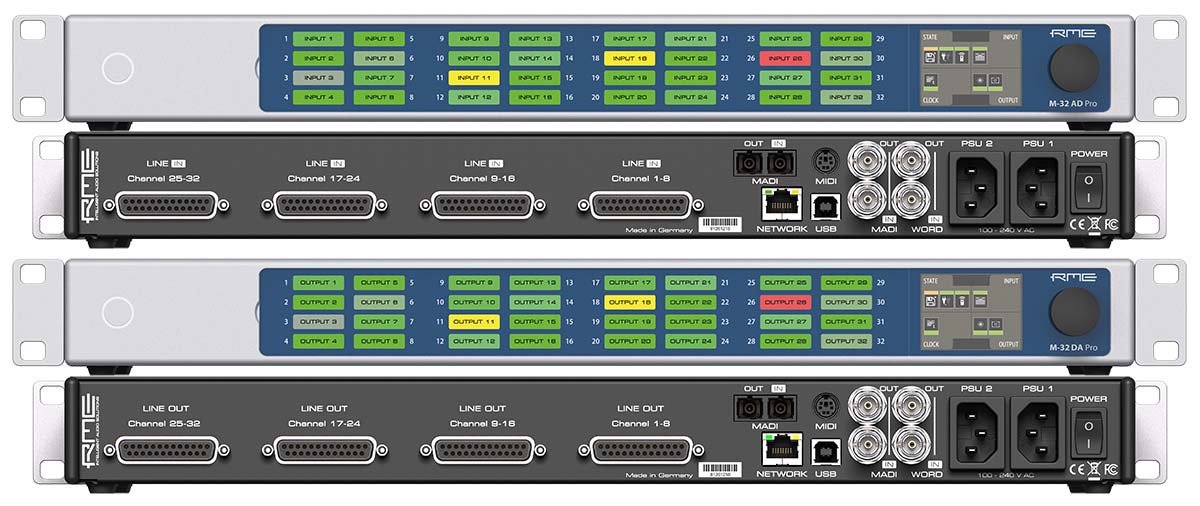
    You can also contact us here.